Notes & process.
A place for observations,
experiments and practical 3D notes.
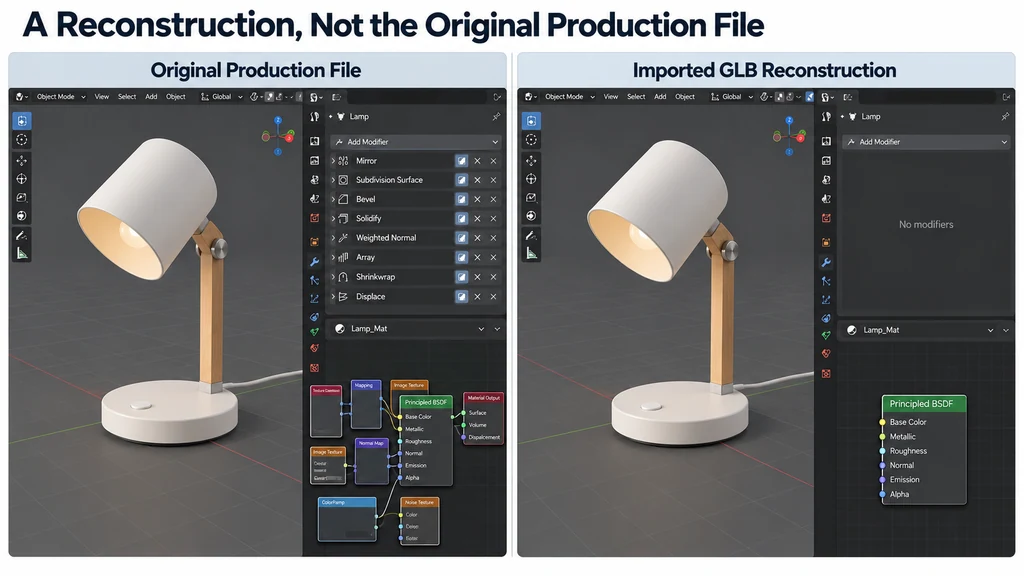
Import a GLB into Blender and prepare it for editing
Import the GLB into a clean scene and save an editing copy before making changes. Treat the imported scene as a reconstruction of the delivered asset, not as the original production file. The model may contain everything needed for display while lacking the modifier stack or material graph that created it.

Review an AI-generated product mesh before using it in a real catalog
An AI-generated model can look like the reference product while representing a different object. Evaluate it against dimensions, component relationships, and identifying details before using it in a catalog. Visual plausibility is insufficient when the image implies a specific manufactured item.
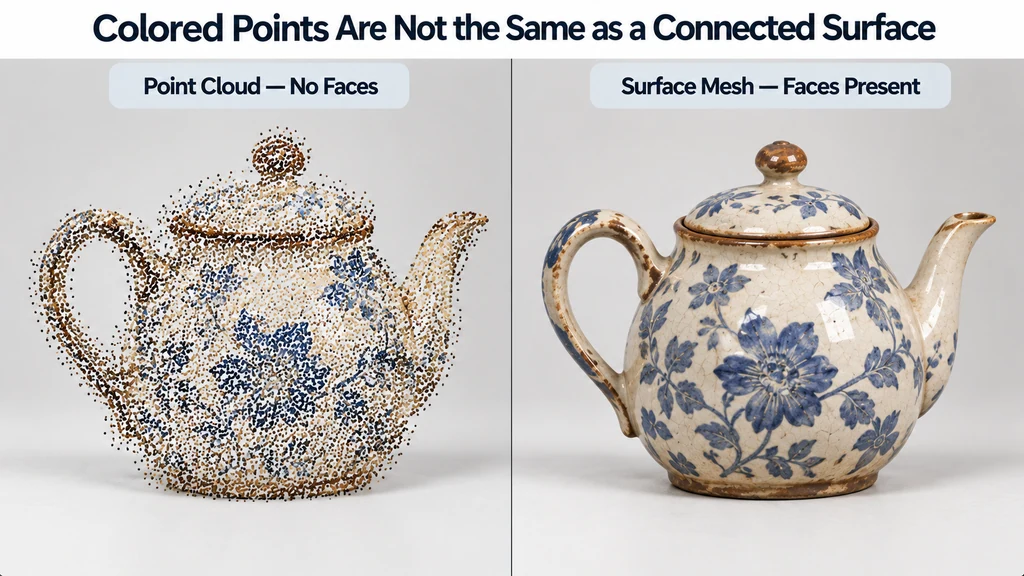
Convert a PLY scan mesh to GLB while preserving vertex colors
Check whether the PLY contains faces before planning a mesh conversion. A set of colored points is not the same input as a connected surface. If the source is only a point cloud, choose a separate reconstruction or point-rendering workflow instead of pretending that exporting GLB creates missing faces.
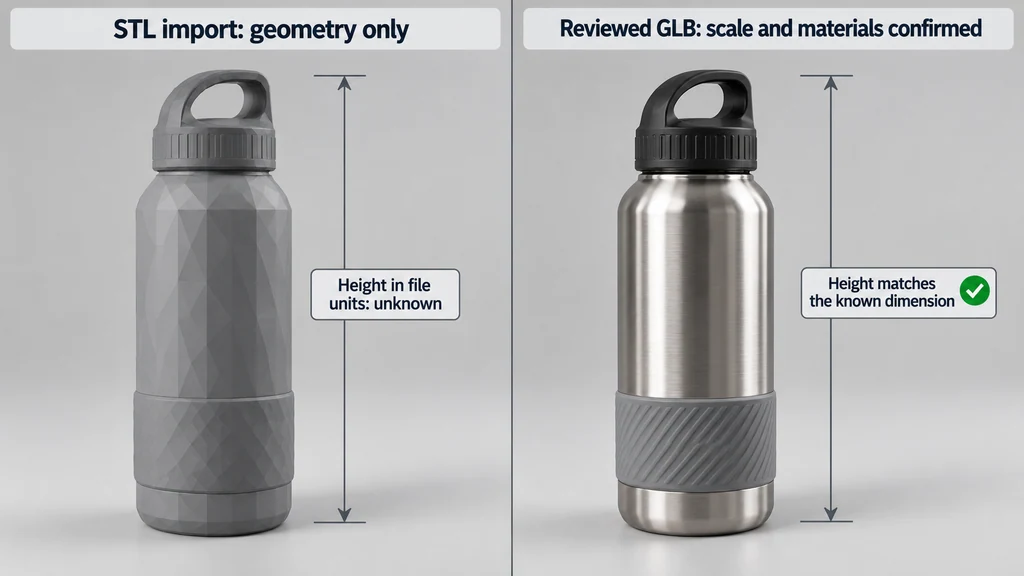
Convert an STL product model to GLB with explicit units and materials
Confirm a known dimension before converting an STL product model to GLB. A successful import establishes that the geometry can be read, not that its coordinates represent the intended physical size. Keep the original mesh and document the scale decision.
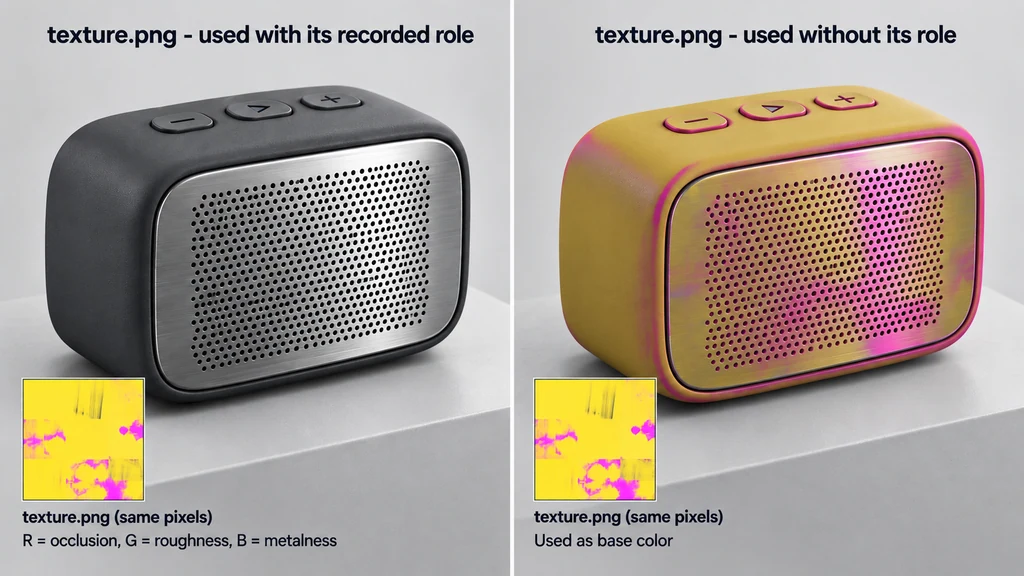
Extract textures from a GLB and identify what each map does
Extract the images and the material-use information together. A file named texture.png does not tell you whether it contains color, surface data, or several packed channels. Reusing the image without its role can change the product's appearance even when the pixels are unchanged.
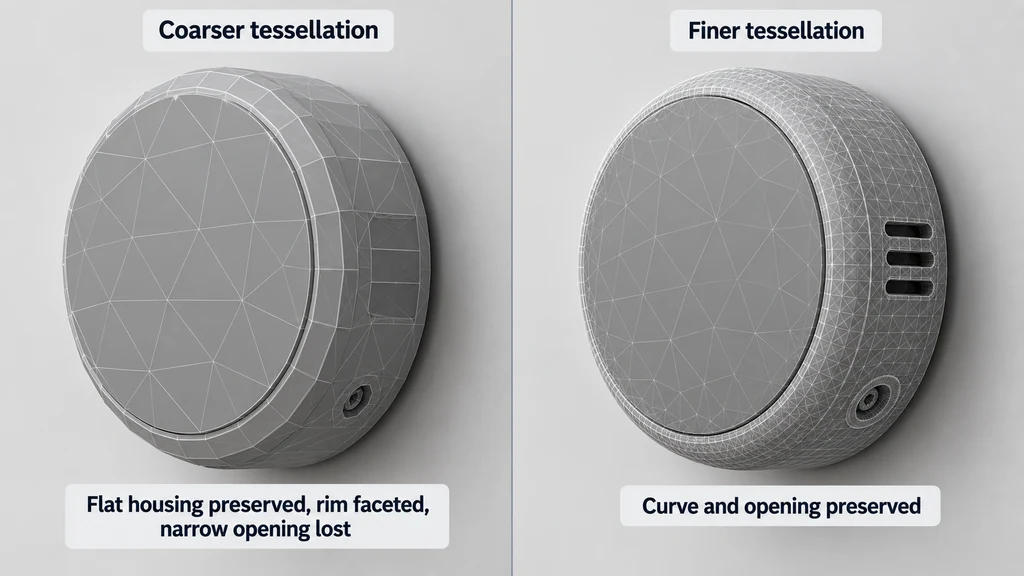
Tessellate STEP product geometry while preserving curves and openings
Choose tessellation settings by checking the product's important curves and openings, not by accepting the smallest triangle count. A mesh that preserves a flat housing can still visibly flatten a rounded rim or close a narrow detail.

Compare multi-format 3D viewers using geometry, materials, and animation tests
Evaluate a multi-format viewer with the files your team actually receives. A list of supported extensions establishes a starting point, not equivalent preservation of geometry, materials, and animation. The useful question is which required information survives in that viewer.
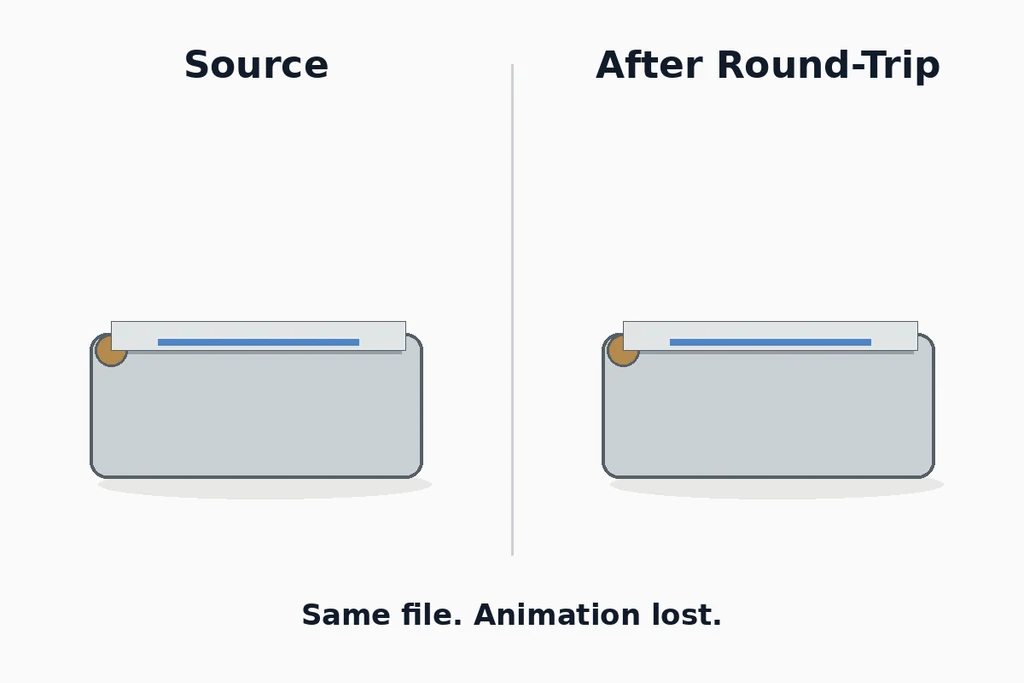
Measure what a 3D file conversion loses with a round-trip test
A round-trip test asks what changes when an asset passes through a conversion route and returns to a comparable environment. It can reveal losses that a single preview hides. It cannot prove that every untested asset will survive the same route.
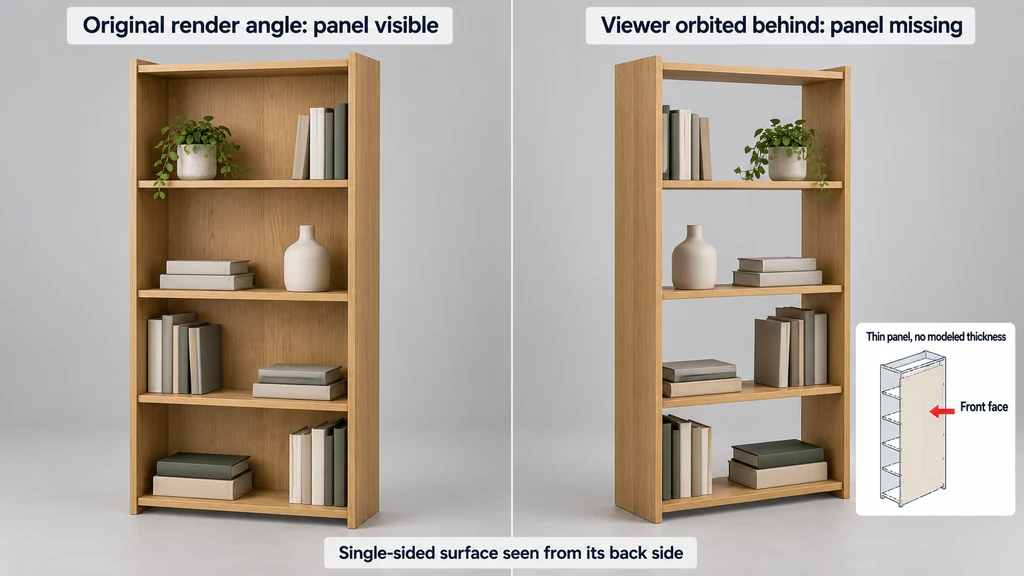
Diagnose missing faces and inside-out surfaces in imported product models
Determine whether the face is absent or merely not visible from the current side. Rotate around the affected region and use a neutral material before changing the texture setup. A missing image and a missing surface are different failures.
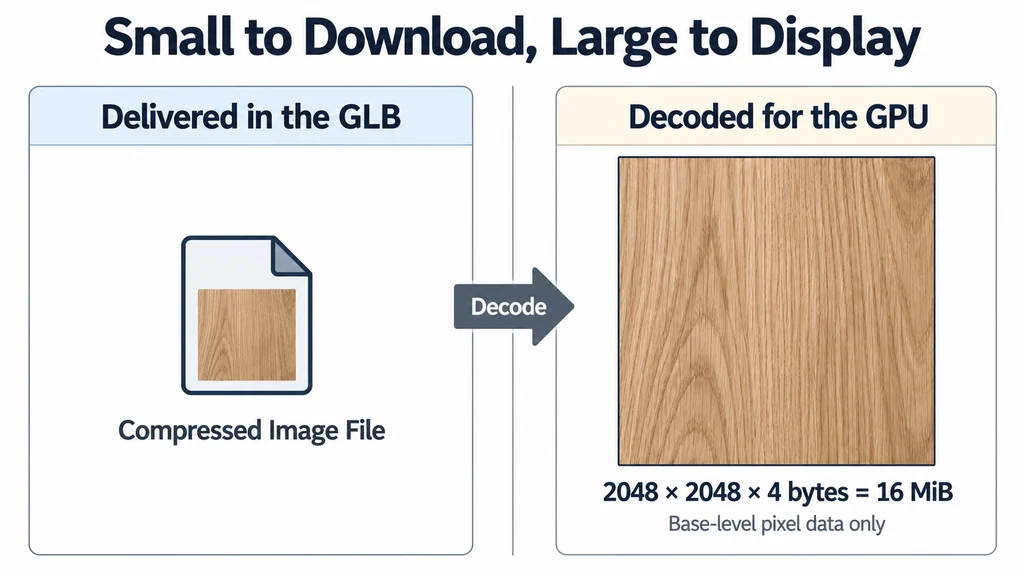
Why a small GLB can still use too much GPU memory
A GLB can be small to download and expensive to display. Transfer compression describes bytes in the delivered file. Runtime memory depends on the resources created from those bytes, the renderer's working data, and what the application keeps alive.
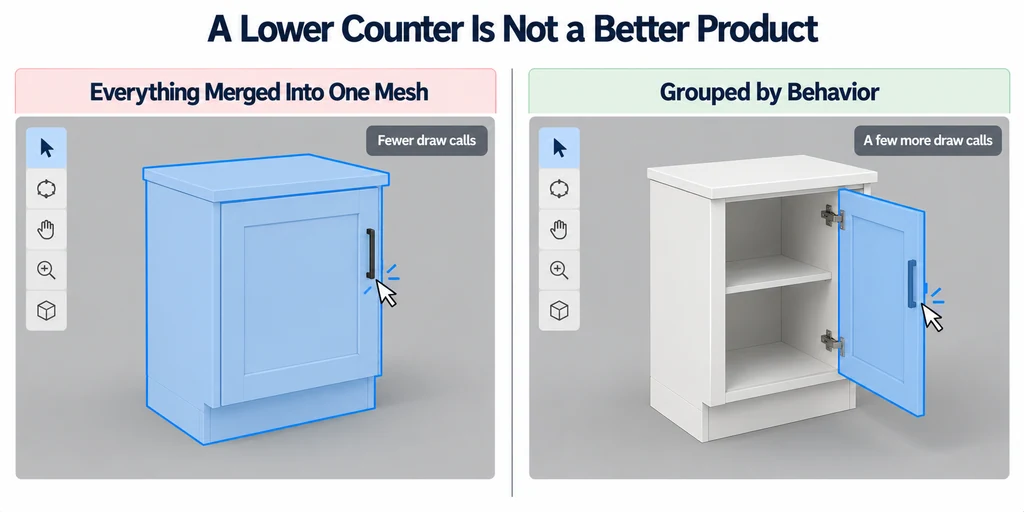
Reduce draw calls without breaking selectable product parts
Reduce draw calls only after identifying which parts must remain independent. Joining every mesh may improve one counter while breaking selection, finish changes, or animation. The optimization must preserve the product experience.
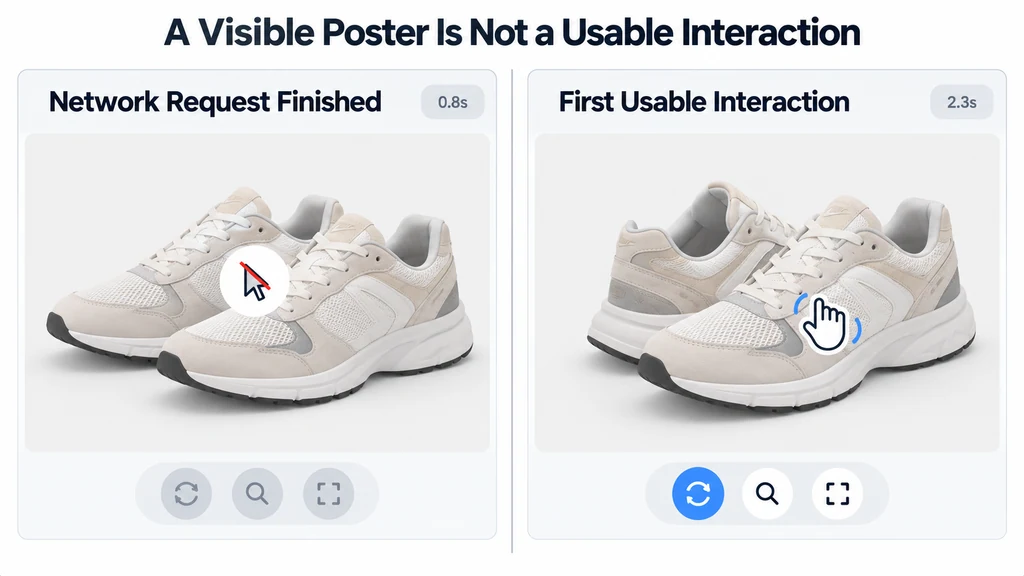
Measure product viewer loading from request to first usable interaction
Measure until the product is usable, not only until the network request finishes. A downloaded asset may still need parsing, resource preparation, and a presented frame. Conversely, a visible loading poster does not mean the 3D interaction is ready.