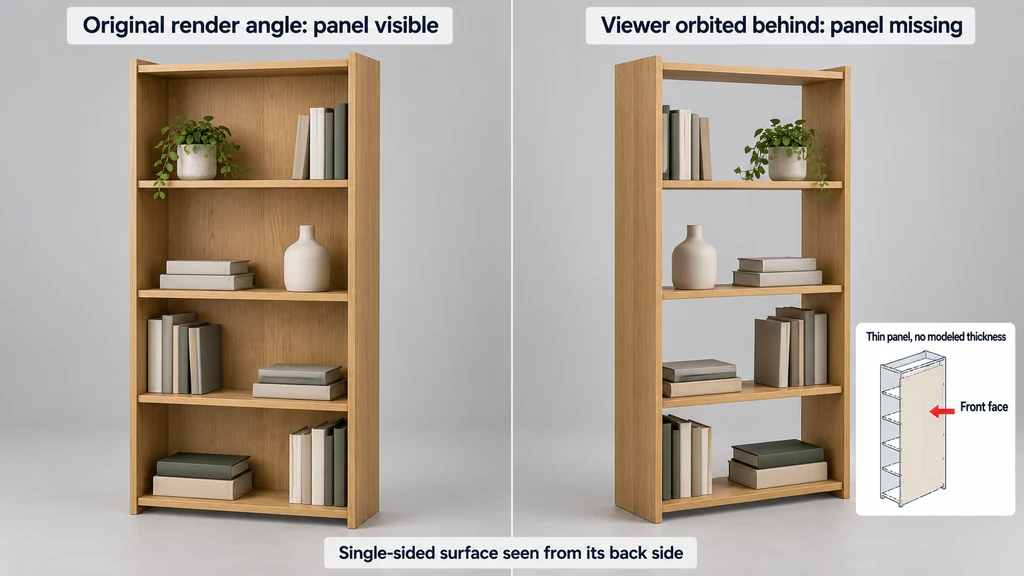
Do not enable two-sided rendering on the whole product as the first repair. It may reveal the hidden side while leaving incorrect geometry or orientation unresolved.
Confirm that the surface exists
Inspect the mesh in the authoring tool. Check whether the region has faces, whether an opening is intentional, and whether another object normally covers it.
Compare with the product reference. A thin panel without modeled thickness may expose its reverse side in a viewer that permits more camera movement than the original render.
If the face is absent, repair the geometry only when the intended surface is known. Do not fill a functional opening because it resembles a mesh hole.
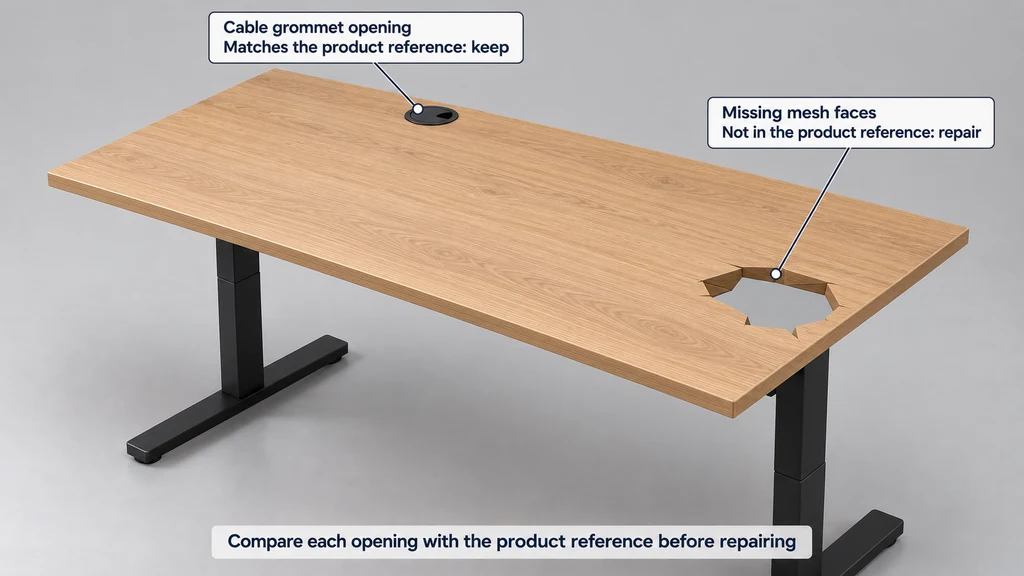
Test orientation without hiding the cause
View the region from both sides. The glTF specification defines front-face orientation and double-sided material behavior. Use those rules to distinguish an orientation issue from a genuinely empty region.
Inspect face normals and winding in the source. Review mirrored or negatively scaled components, especially when the problem affects only one side of a symmetric assembly.
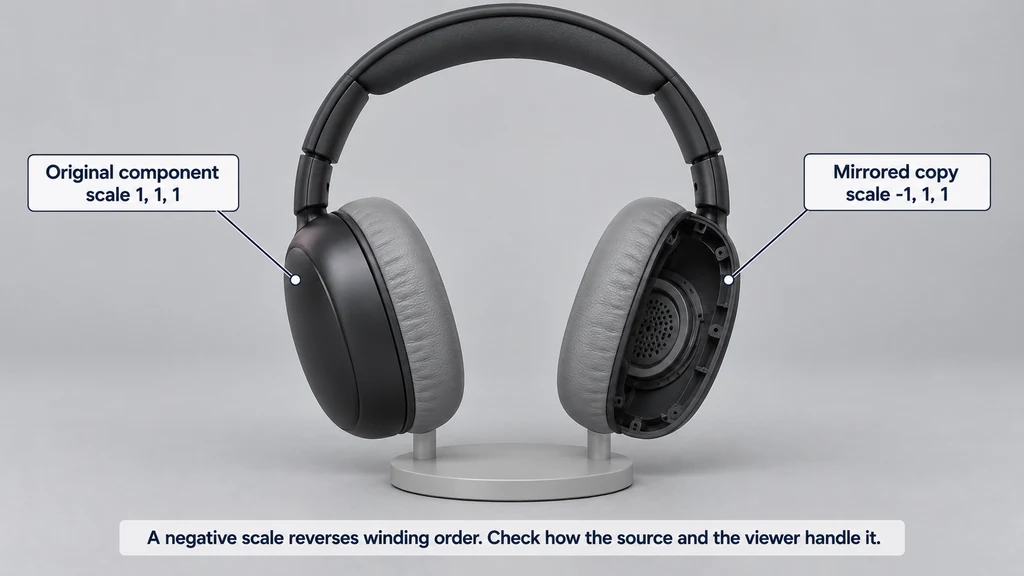
Correct the relevant geometry or transform path, then re-export. If a surface is deliberately two-sided, document that material decision rather than applying it indiscriminately to opaque solids.
Isolate material behavior
Replace the material temporarily with a simple opaque diagnostic material. If the face returns, inspect alpha settings, texture alpha, and the original material assignment before editing topology.
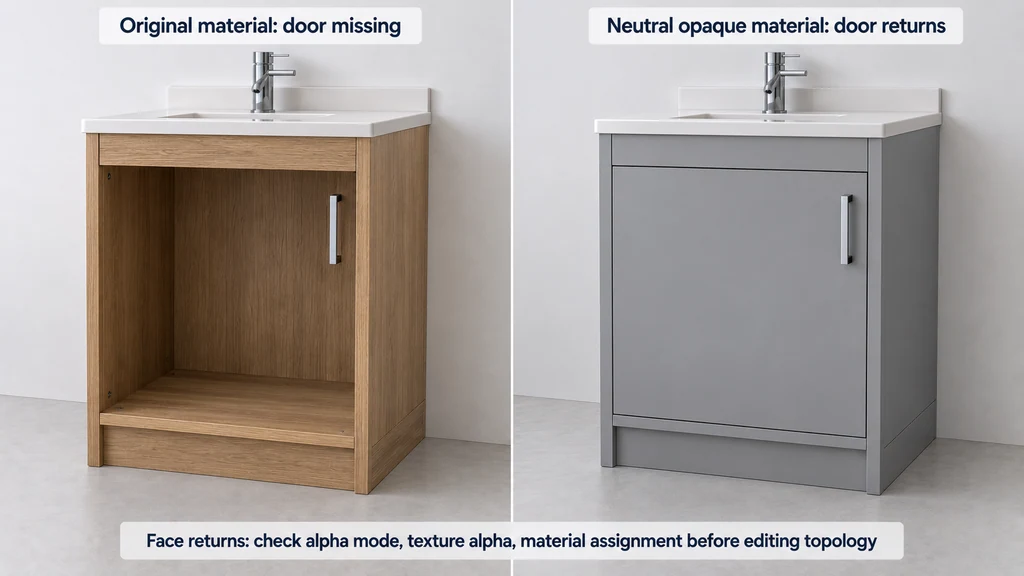
Look for overlapping coplanar surfaces when the region flickers or changes with camera movement. Separate that symptom from backface culling. Adding another duplicate face can make the problem worse.
Keep the diagnostic material out of the final delivery unless it is the approved finish.
Match the symptom to a controlled check
| Symptom | Likely direction to investigate |
|---|---|
| Visible from one side but absent from the other | Winding, backface culling, or intentionally thin geometry. |
| Only a mirrored component looks wrong | Transform determinant, export handling, and orientation. |
| Surface returns with an opaque diagnostic material | Alpha mode, image alpha, or material assignment. |
| Flickering between overlapping surfaces | Coplanar geometry and depth-buffer competition. |
glTF defines front-facing triangles using counter-clockwise winding. A transform with a negative determinant changes handedness and must be handled correctly by the export and rendering path. Negative scale is therefore something to inspect, not proof that every mirrored object is broken.
Use Blender's Face Orientation display to examine the source, then compare the exported component. Recalculating normals is not a repair for an intentionally open product feature, and enabling doubleSided does not supply missing thickness. Accept the correction only when the intended construction reads correctly from all permitted views.
Compare the source and exported mesh
Use the importer and exporter documentation for the tool version in use. Check whether modifiers or other authoring features produce the expected delivery geometry.
Export a minimal failing component when practical. Compare its orientation, transforms, and material in the target viewer. This reduces unrelated scene complexity while retaining the cause.
After correction, inspect the assembled product from above, below, and through any permitted interaction. Test animated states if moving parts expose previously hidden surfaces.
Record whether the repair changed geometry, orientation, transforms, or material settings. Recheck adjacent regions before acceptance. A successful correction should explain why the surface disappeared and remain correct across the intended views, rather than work only from the default camera.