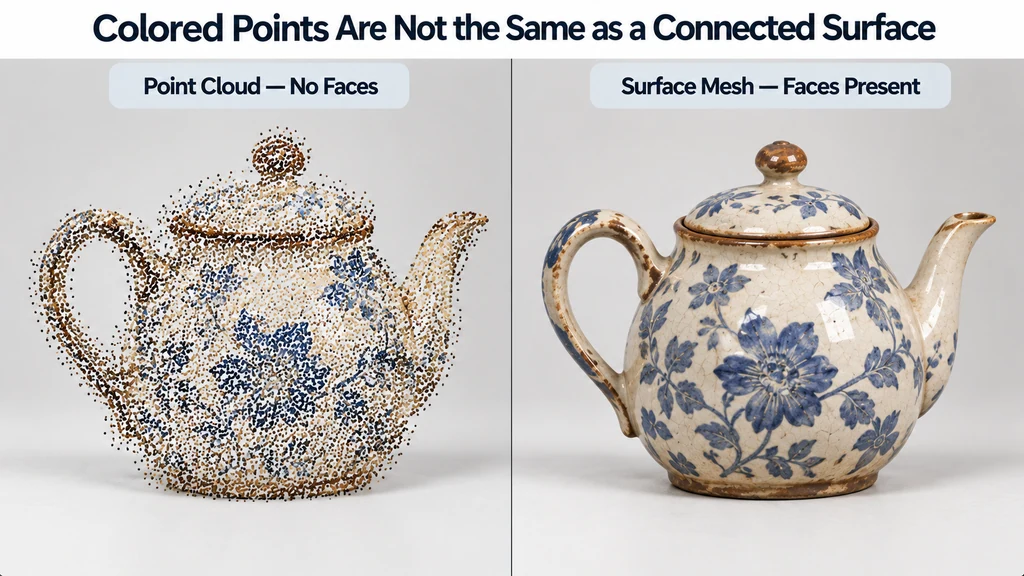
For an existing scan mesh, the task is to preserve the color attributes and review how the destination material uses them.
Confirm that the file contains a surface
Inspect the element and property information, then load the asset with a suitable importer. The PLYLoader documentation describes supported attribute mapping, including custom property names.
Check that faces, positions, and color data correspond to the intended mesh. Record any attributes the importer does not preserve. Do not judge success only by seeing a colored object in one preview.
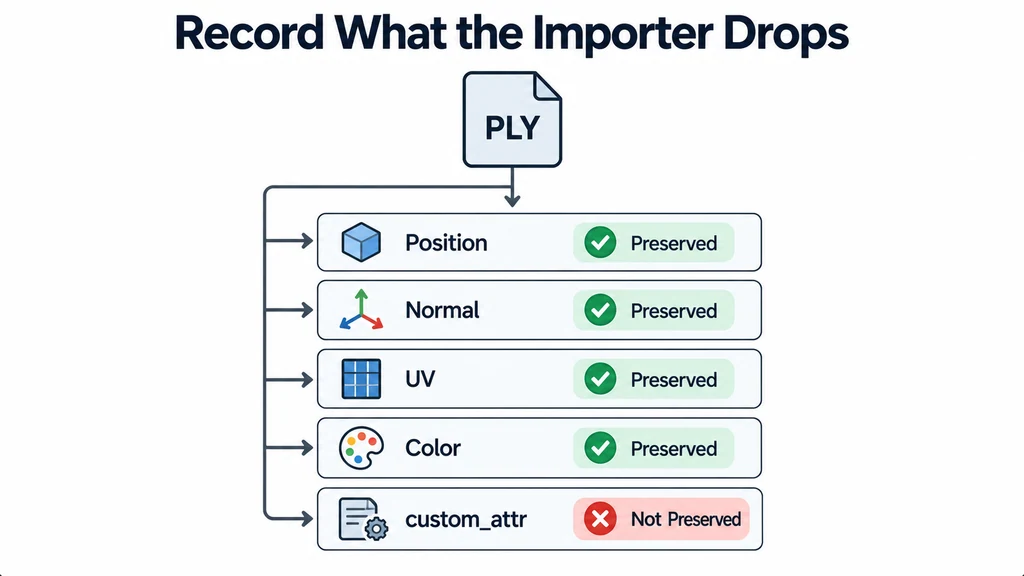
Inspect holes, disconnected regions, and scanning artifacts separately from color. A faithful attribute conversion can still carry poor geometry.
Preserve the color attribute deliberately
Identify the imported color attribute and make sure the material uses it. The glTF specification defines vertex color as part of the rendered material calculation. A texture-free material does not necessarily mean a color-free asset.
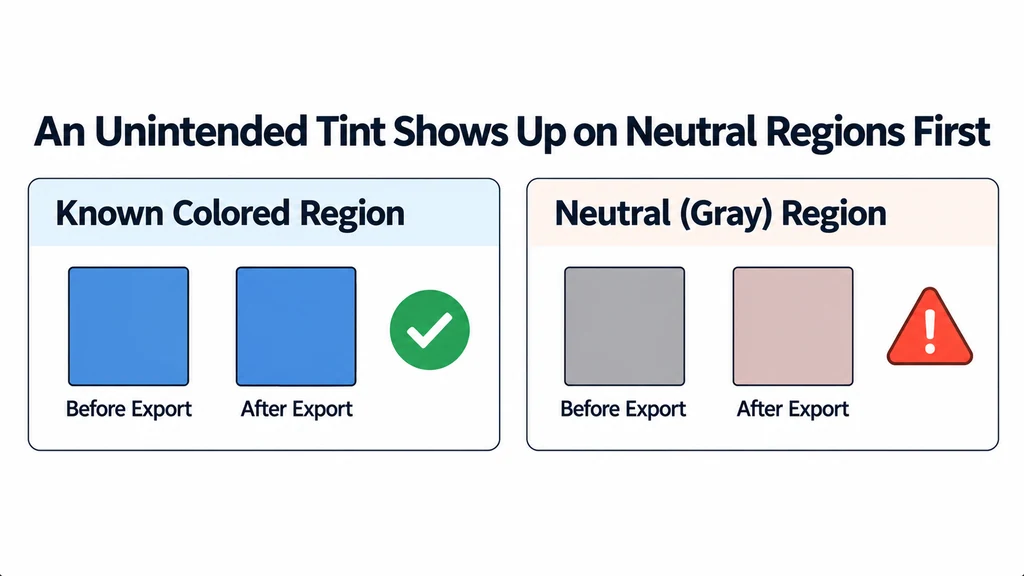
Avoid applying an unintended material tint that changes every vertex color. Test a known colored region and a neutral region after export. Review data interpretation when the result appears unexpectedly dark or saturated.
Keep geometry edits controlled. Remeshing or other topology changes may alter the relationship between the sampled color and the surface. Compare the edited mesh with the untouched scan.
Distinguish captured appearance from material properties
A scan's color may include lighting, shadows, or reflections present during capture. Preserving that color does not recover a clean physical material.
For a scanned painted object, inspect whether a dark region remains attached to the surface under changing light. If it is a captured shadow, decide whether the delivery should retain a scan-like appearance or require material cleanup.
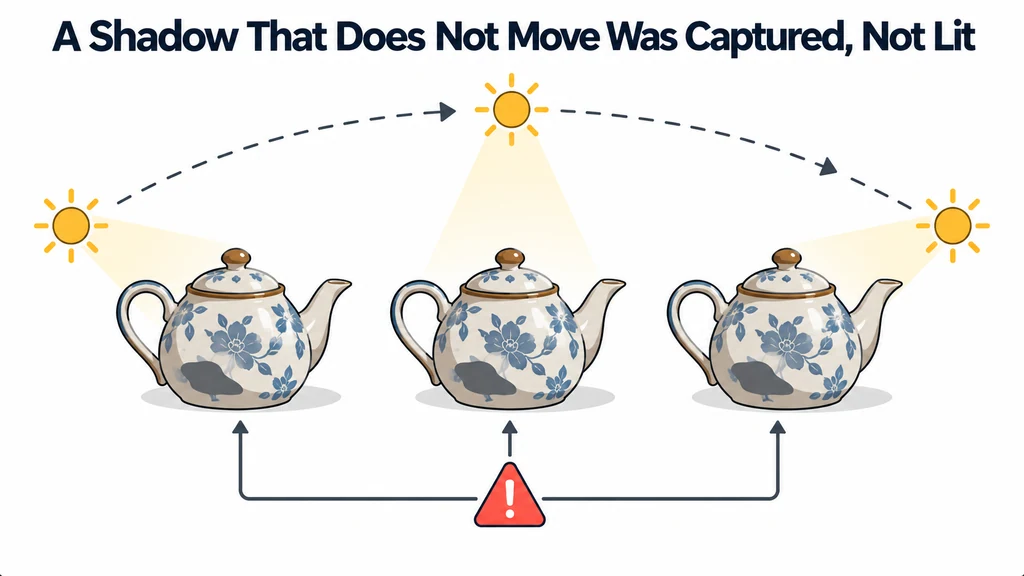
Do not describe the result as a measured roughness or metallic map when those properties were not captured. A colored surface and an authored PBR material serve different purposes.
Trace color through the material calculation
In core glTF, COLOR_0 contributes multiplicatively to the material's base color. A non-neutral baseColorFactor or an additional base-color texture can therefore tint the preserved vertex colors. Inspect the exported material as well as checking that the color attribute exists.
Use one neutral patch and one saturated patch from the source as comparison regions. Hold lighting and exposure stable. If both shift together, inspect color interpretation and material factors before changing the scan's colors.
Vertex density also limits a color boundary's spatial detail. A narrow painted stripe cannot survive arbitrary geometry reduction merely because no texture was resized. Compare color transitions after topology changes and record any interpolation or resampling. Preserving captured appearance is different from recovering a clean relightable finish; retain that distinction in the delivery note.
Review the converted mesh in the destination
Compare front, side, and rear views with the source under controlled conditions. Check color boundaries around thin features and regions with sparse geometry. Inspect the exported asset rather than trusting the authoring preview.
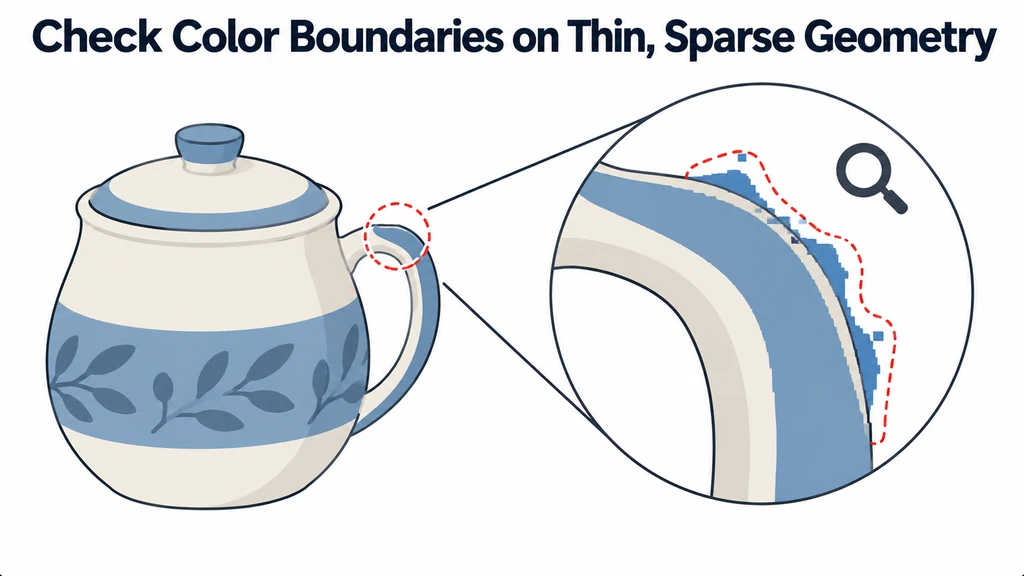
Confirm that the destination's lighting does not make the conversion appear correct only from one angle. Document the intended display treatment if the asset is meant as a visual scan rather than a relightable product model.
Deliver the original PLY, the converted GLB, and a record of attribute mapping and cleanup. Mark missing surfaces or uncertain product dimensions. The conversion should preserve known information while making its limits visible, not turn scan data into an unsupported claim of manufacturing accuracy.