Notes & process.
A place for observations,
experiments and practical 3D notes.
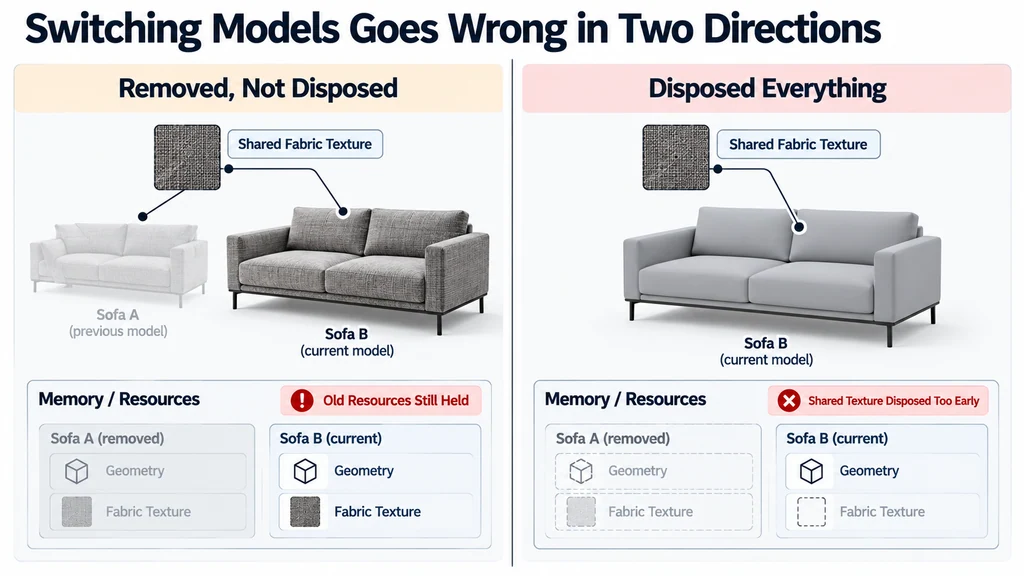
Switch product models without leaking Three.js resources
Treat model replacement as a resource-ownership operation. Removing the old scene node changes what is visible, but it does not by itself release all associated resources. Equally, disposing everything reached from that node can disrupt textures or materials still used elsewhere.
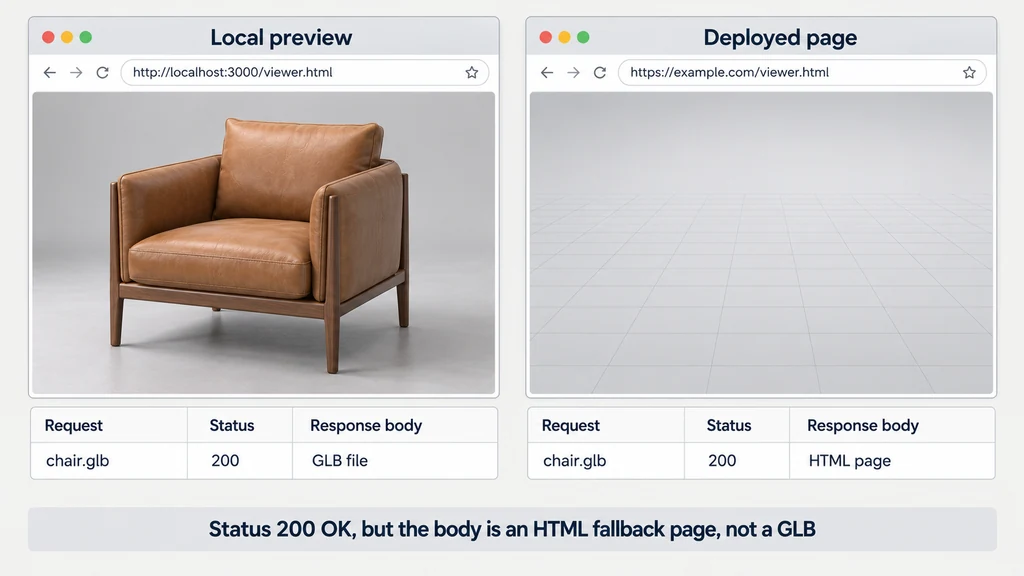
Fix a GLB that loads locally but fails after deployment
Inspect the deployed request before editing the model. If the same GLB loads locally, the failure may be a path, response, cross-origin policy, dependency, or cache issue. Re-exporting the asset without identifying the failing request can leave the cause unchanged.
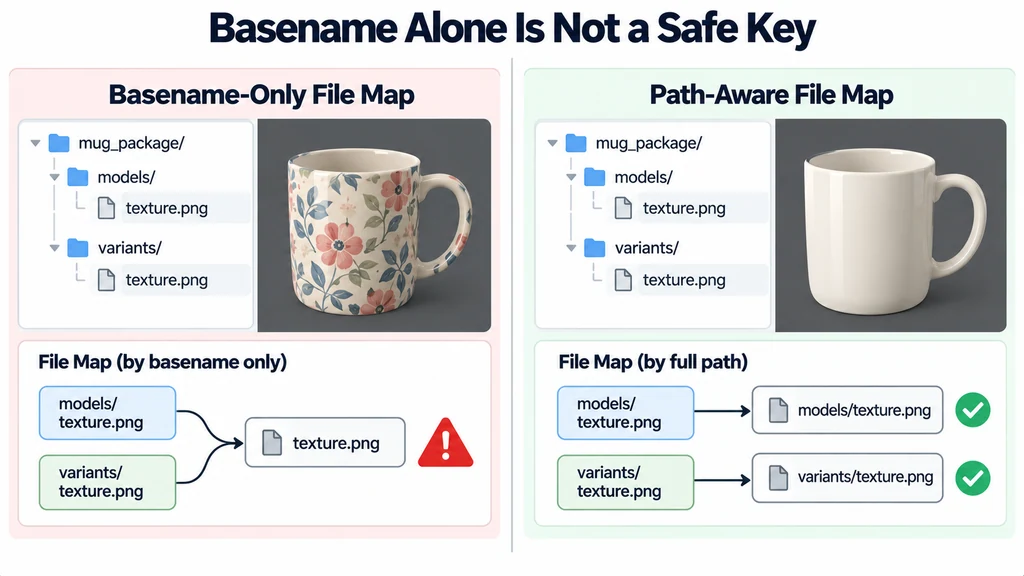
Load a local glTF resource folder without broken texture paths
Treat a local glTF selection as a package, not as one isolated JSON file. The scene may reference buffers and images in neighboring directories. Resolve those references against the selected package while preserving their paths.
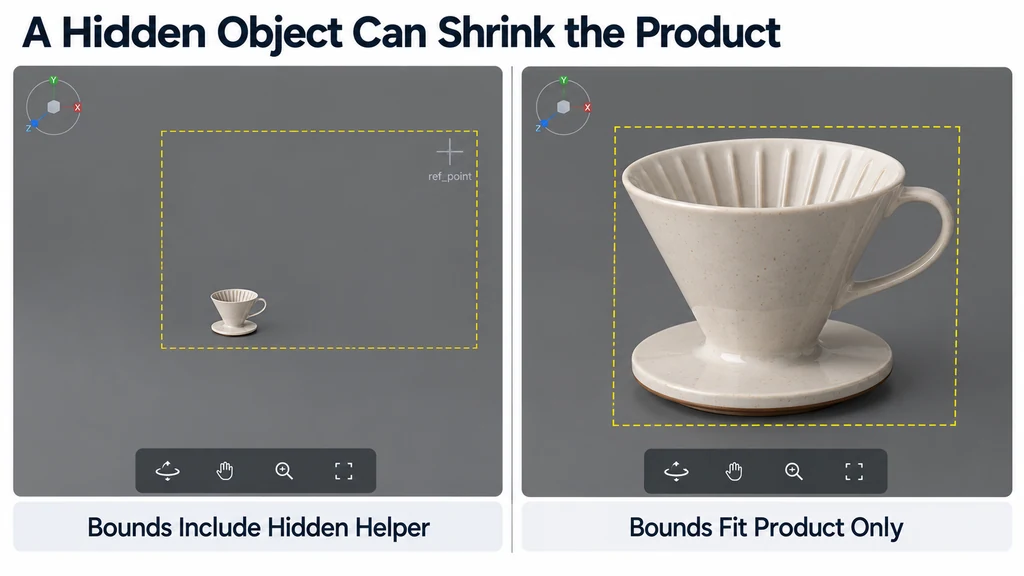
Fit a 3D viewer camera to tall, flat, and off-center products
Fit the camera to the visible product, not automatically to every object in the scene. Hidden helpers, distant annotations, or an accidental vertex can enlarge the bounds and make the product appear tiny. Inspect the bounds before adjusting camera distance.
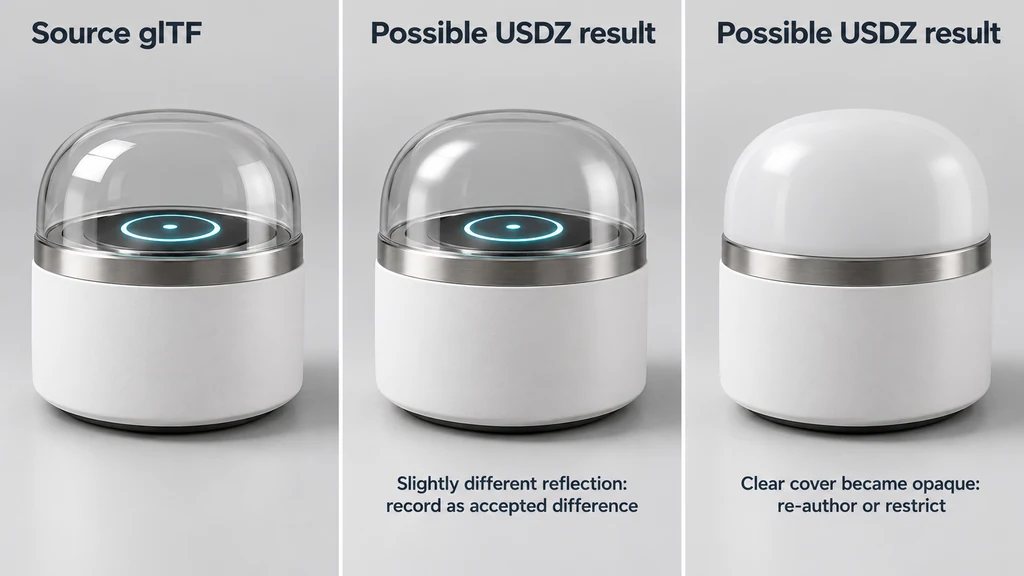
Translate glTF product materials to USDZ and document visual differences
Translate the material's meaning, then inspect the result in the actual USDZ destination. Similar parameter names do not guarantee identical shading. A successful export can still alter the finish enough to misrepresent the product.
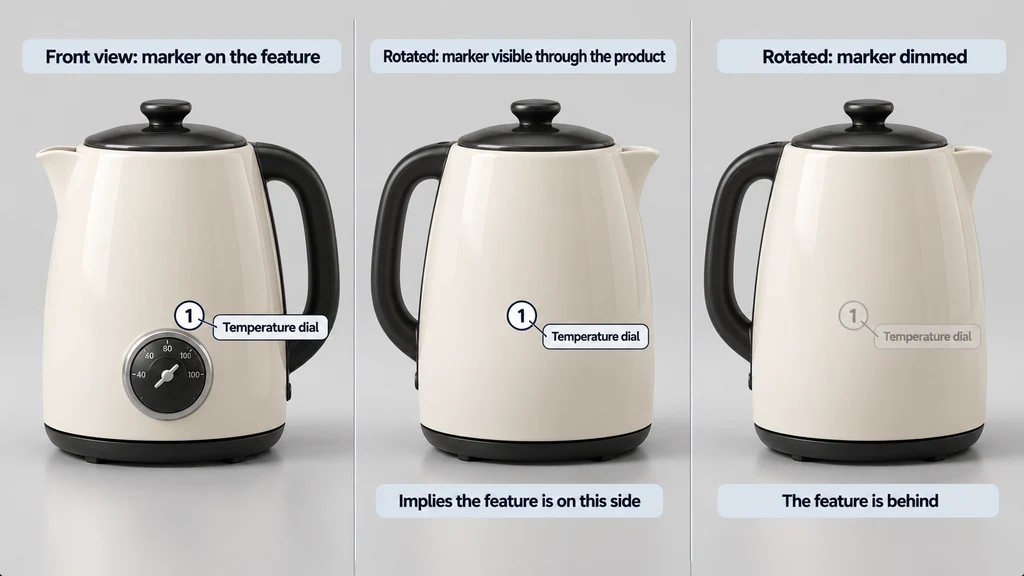
Design product hotspots for web viewing and AR handoffs
Give each hotspot one useful product fact and a location that still makes sense when the product rotates. A label floating near the default camera position is not a reliable annotation if it drifts away from the feature during inspection.
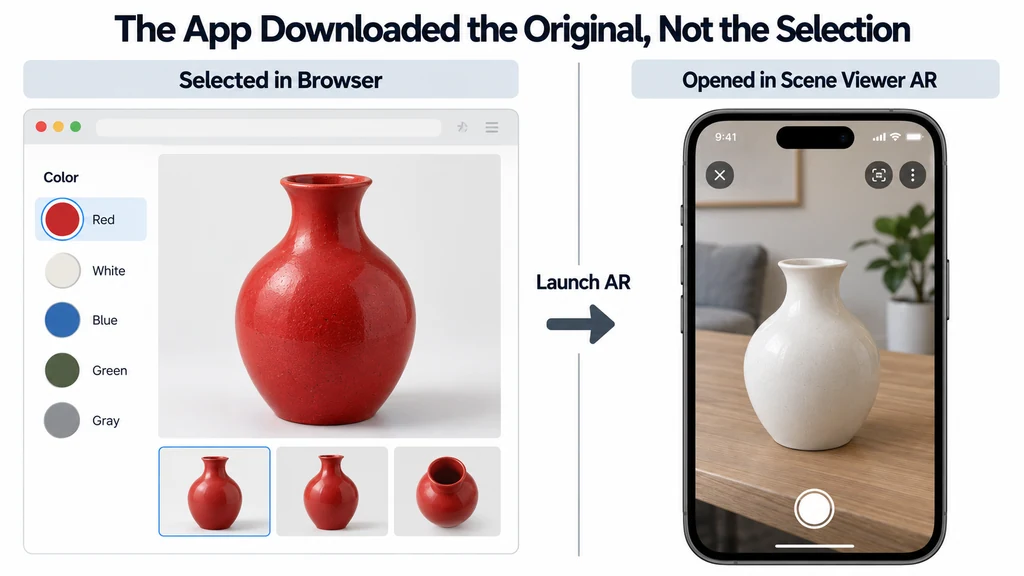
Keep the selected product finish when launching mobile AR
Trace the selected finish to the asset the AR application actually opens. A red product in the browser can become the default white version in AR if the external application downloads the original file instead of receiving the modified scene.
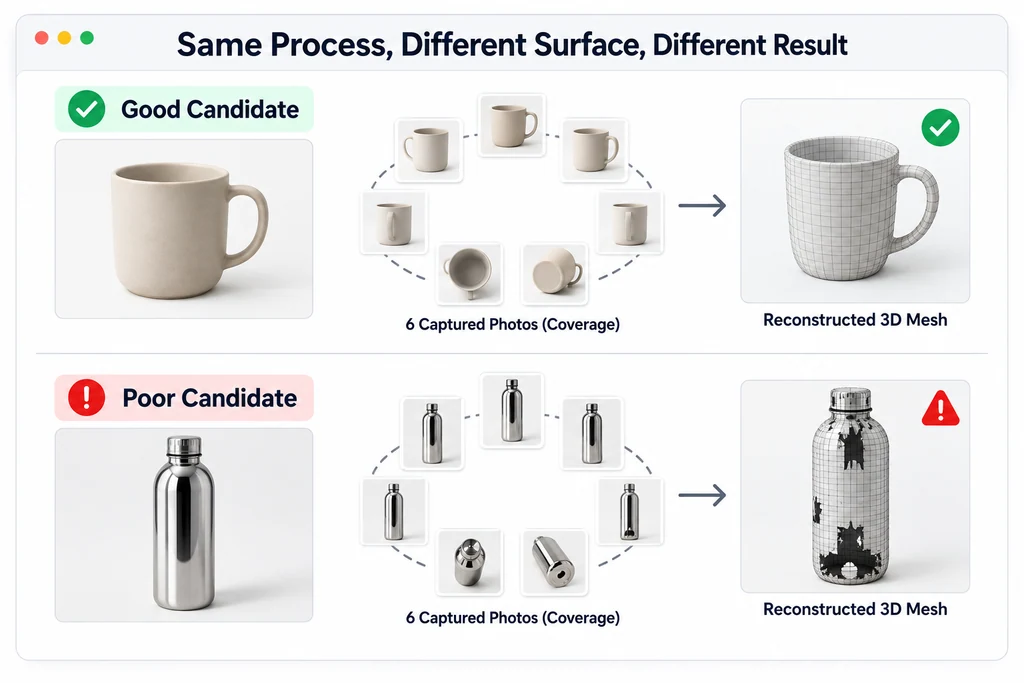
Capture a physical product for 3D reconstruction with Apple Object Capture
Choose the product and capture conditions before expecting Object Capture to produce a useful model. Photogrammetry depends on consistent visual evidence across photographs. A reflective or transparent product can be a poor candidate even when it photographs beautifully for advertising.
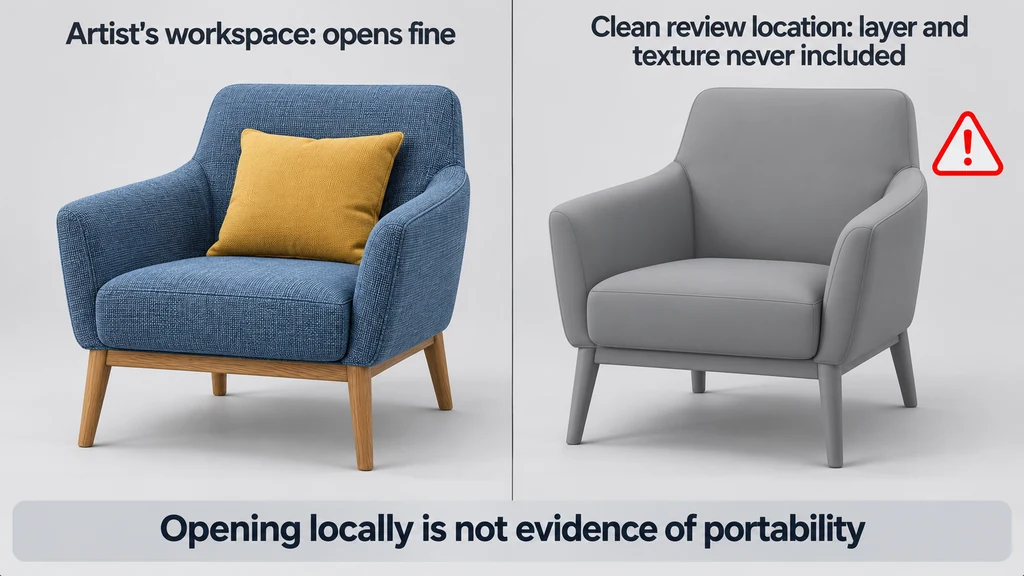
Package a USD product scene without losing referenced assets
Test a USD delivery outside the directory where it was authored. A scene that opens on the artist's machine may still depend on a referenced layer or texture that was never included. Successful local opening is not evidence of portability.
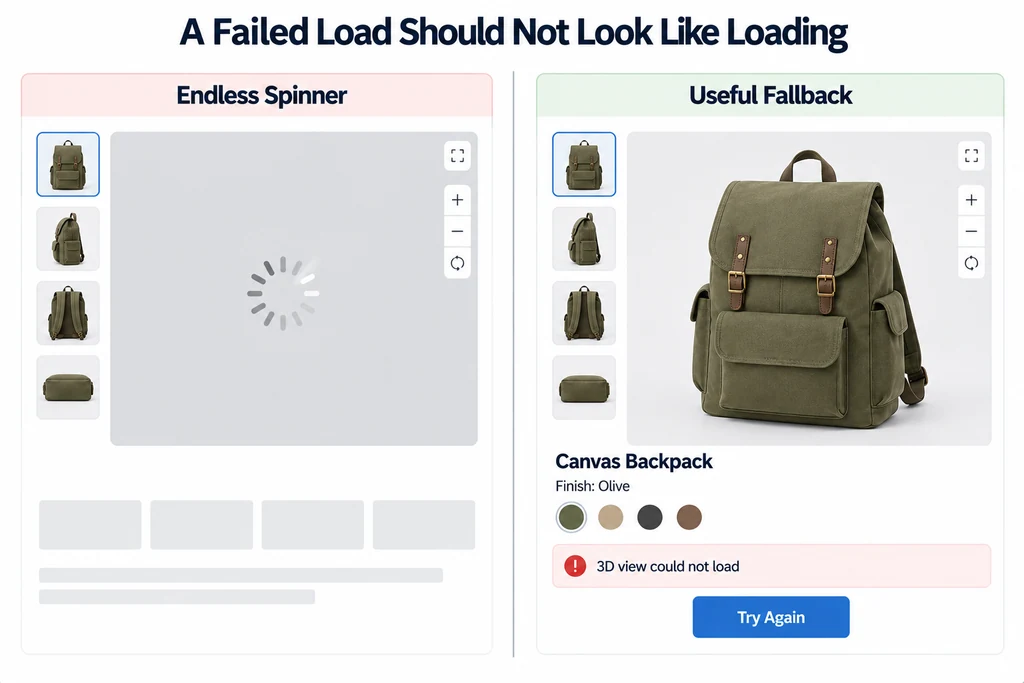
Design poster, loading, retry, and fallback states for a product viewer
Keep useful product content visible while 3D is unavailable. The initial state, a slow load, and a failed load are different situations and should not all look like an endless spinner.
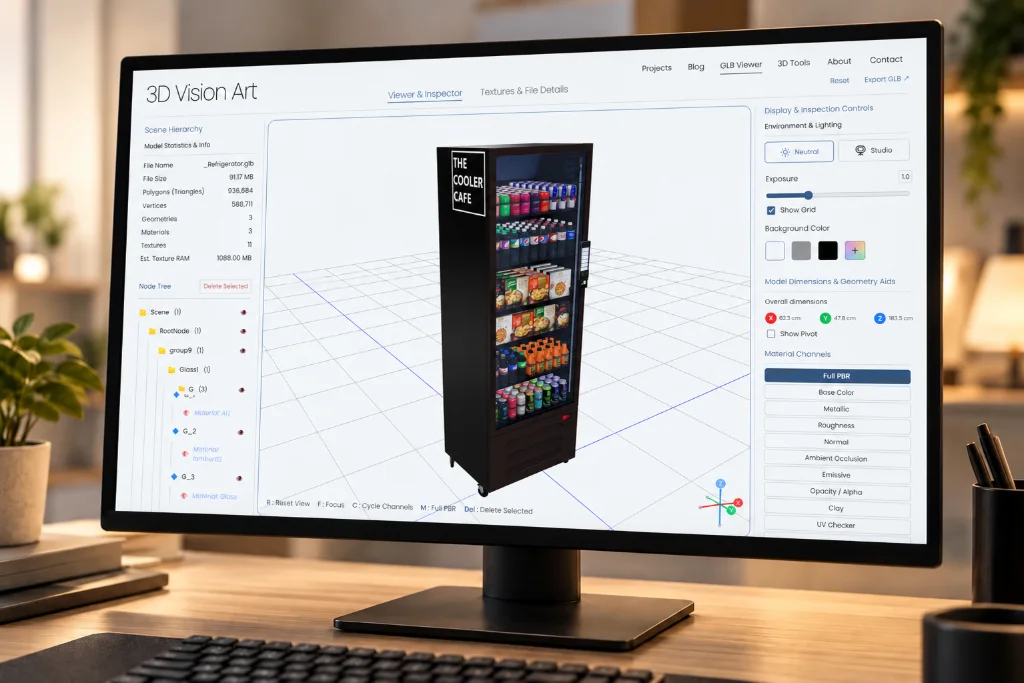
Make a product viewer usable with a keyboard and reduced motion
Make the product's useful inspection tasks available without pointer dragging. A canvas that can receive focus is not enough if the user cannot rotate the product, select a finish, reset the view, or leave the interaction.
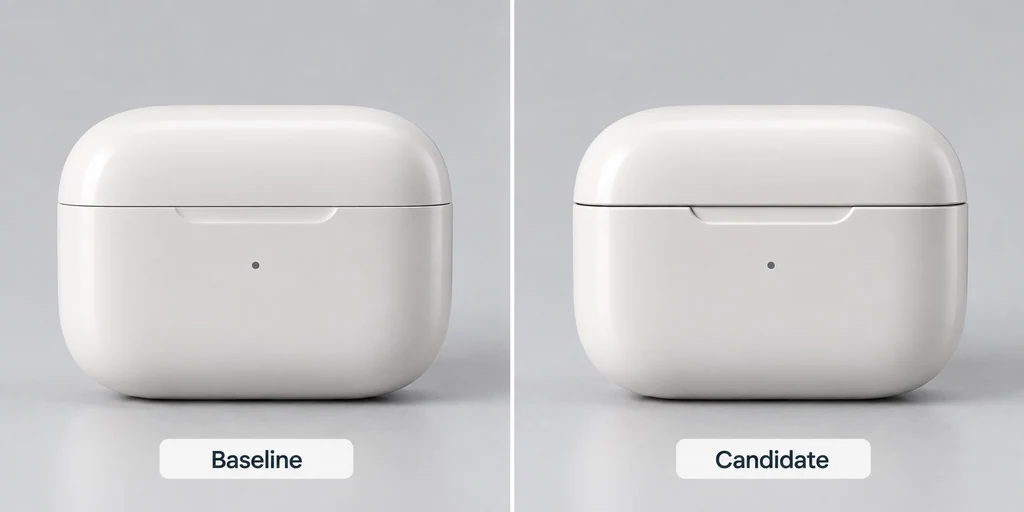
Compare two 3D asset revisions with repeatable visual tests
Compare revisions under the same viewing conditions. If the camera, environment, or exposure changes between captures, a difference image cannot tell you whether the product changed. Preserve a reviewed baseline and a named candidate.