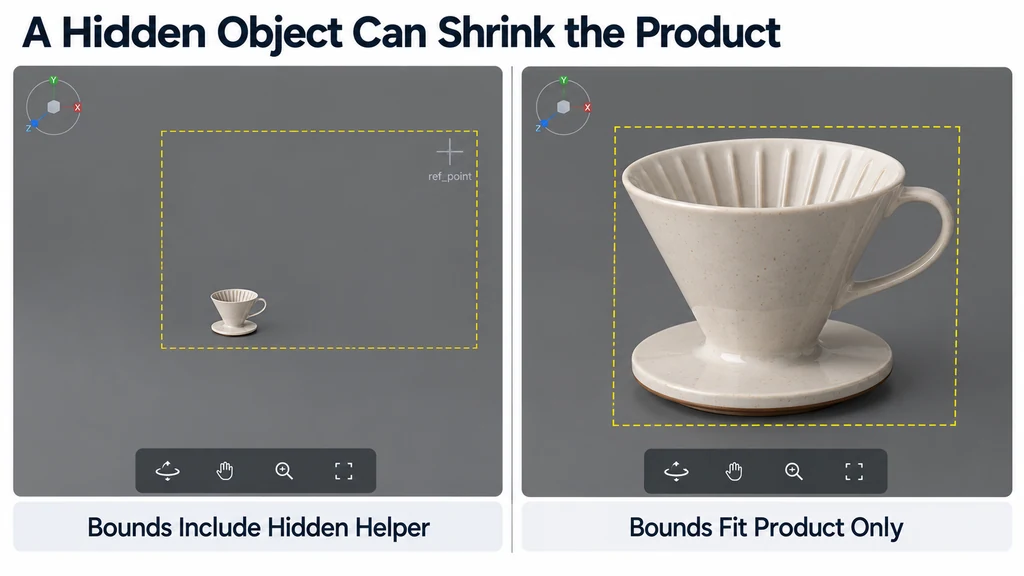
A useful fit also establishes the orbit target and clipping range. Moving the camera alone can leave rotation centered on an empty point beside the product.
Choose which objects contribute to the bounds
Define the product root and the geometry that should determine the initial view. Exclude known helpers deliberately rather than removing objects whose purpose is unclear.
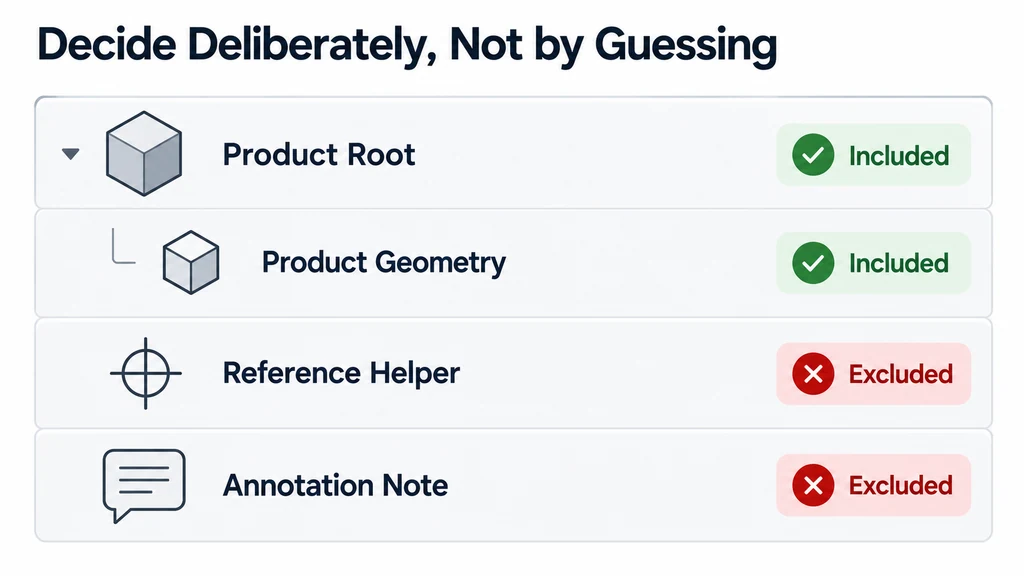
Update world transforms before measuring. Use a bounding utility such as Three.js Box3, then inspect the result against the product. Empty or implausibly large bounds need diagnosis.
For animated products, decide whether the initial fit covers the closed state, an open state, or the full required motion. A static bound is not a promise that every later pose will remain framed.
Fit for the actual viewport
Account for both the vertical and horizontal extent. A tall bottle and a wide shelf respond differently to the same viewport shape. A distance chosen for desktop may fail in a narrow mobile panel.
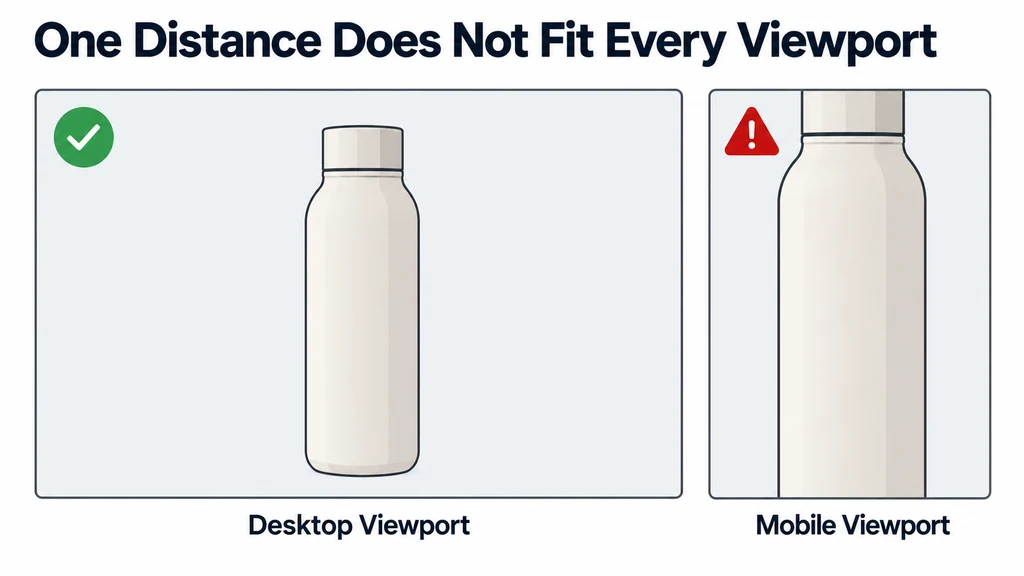
For a perspective camera, derive the fit from the projected extent and field of view, with an explicit margin. For an orthographic camera, adjust the visible span. The camera reference explains the distinction between these projection models.
Do not publish a single distance multiplier as a universal fit. The orientation of the object and the position of its nearest extent also matter.
Calculate a perspective fit with stated assumptions
For a camera looking straight at the center of an axis-aligned product box, use the camera's effective vertical field of view and aspect ratio. The distance needed for height is halfHeight / tan(verticalFov / 2). For width, use halfWidth / tan(horizontalFov / 2), where horizontalFov = 2 × atan(tan(verticalFov / 2) × aspect).
Take the larger distance, add clearance for the box's near-facing depth, and apply an explicit framing margin. This is a constrained example, not a universal fit for an arbitrary orbit angle.
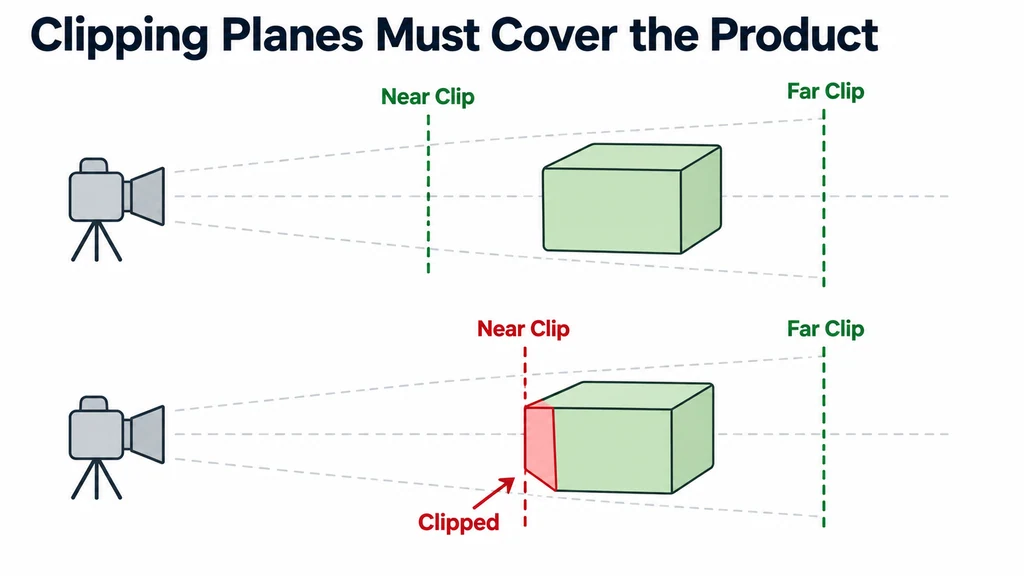
For a rotated viewing direction, transform the eight box corners into the camera's viewing basis and solve the horizontal and vertical constraints there. Include depth when checking near and far clipping. An orthographic camera uses visible spans rather than this distance calculation.
An empty or implausible box must be diagnosed first. A correct formula applied to a distant helper object still produces the wrong product framing.
Set the target and clipping range together
Use the intended visual center as the orbit target, often starting with the reviewed bounds center. Preserve the model's original transform when product coordinates have meaning elsewhere.
Set near and far clipping planes to cover the expected interaction without cutting into the product. Avoid an unnecessarily extreme range. Test the closest permitted zoom and the deepest visible part.
For an off-center imported model, correct the viewing setup before permanently translating geometry. Moving the asset may break an AR anchor or another coordinate-dependent feature.
Test difficult shapes and state changes
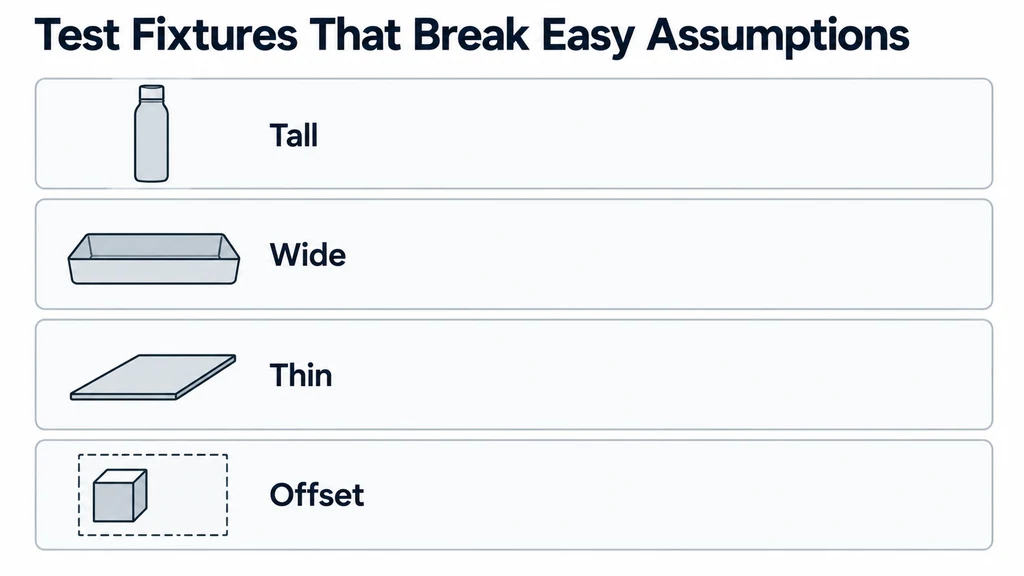
Use tall, wide, thin, and offset fixtures. Include a product with an opening or moving part. Resize the viewer and verify the framing after the layout settles.
Decide whether resizing should preserve the user's chosen view or refit the product. Automatic refitting during every layout change can interrupt an inspection.
Test reset-view behavior independently. It should return to the defined product state and camera, not a different pose inferred from stale bounds.
Record the bounds policy, margin, and reset behavior with the implementation. A reliable fit makes unusual products inspectable without changing their dimensions or forcing every item into the same visual composition.