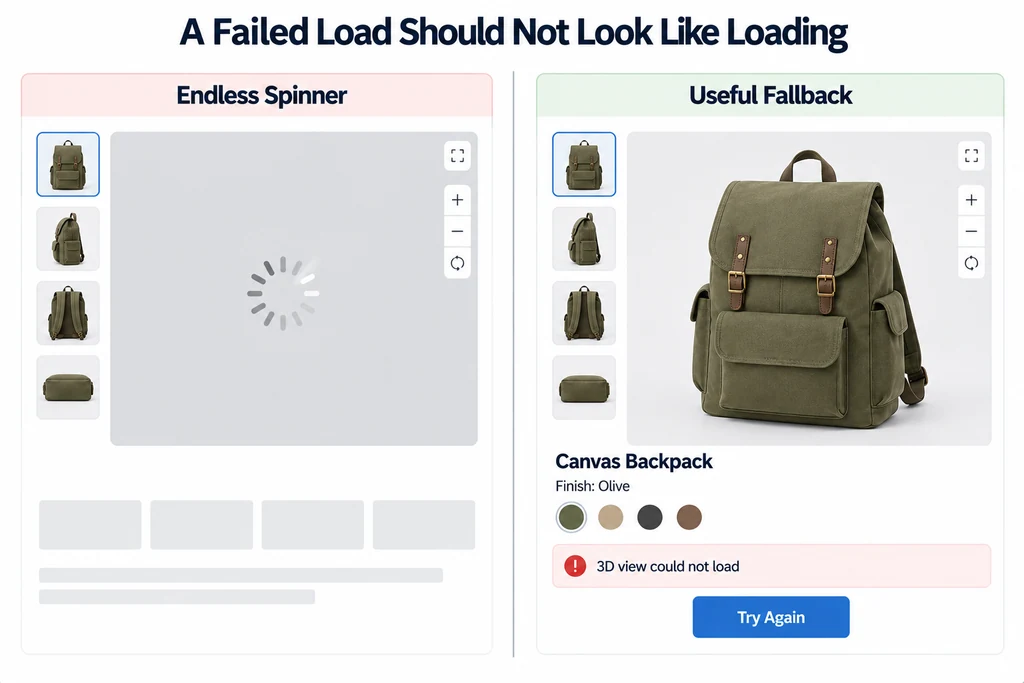
Define a small set of states with explicit entry and exit conditions. Include cancellation and replacement, because a customer can change the selected product before a request finishes.
Show useful product content before 3D
Use the initial presentation to identify the product and explain the available interaction. The model-viewer loading examples illustrate poster and reveal patterns.
Keep the product name, selected finish, and important facts available independently of the model. If the user never activates 3D, the page should still communicate the product.
Avoid promising a load duration without evidence. If progress cannot be measured meaningfully, use an honest loading message rather than an invented percentage.
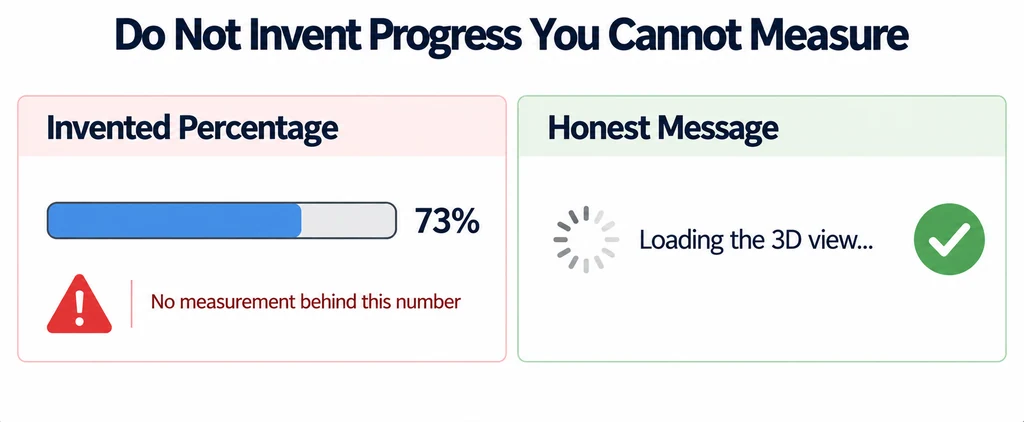
Connect interface state to observed events
Move to loading when the request actually begins. Move to ready only when the experience meets its defined readiness condition.
Loader callbacks, such as those documented by LoadingManager, can inform this state, but one callback may not cover every application dependency. Include the resources needed for the selected product state.
Treat a newer request as the active request. A late callback from an earlier product must not replace the current status or model.
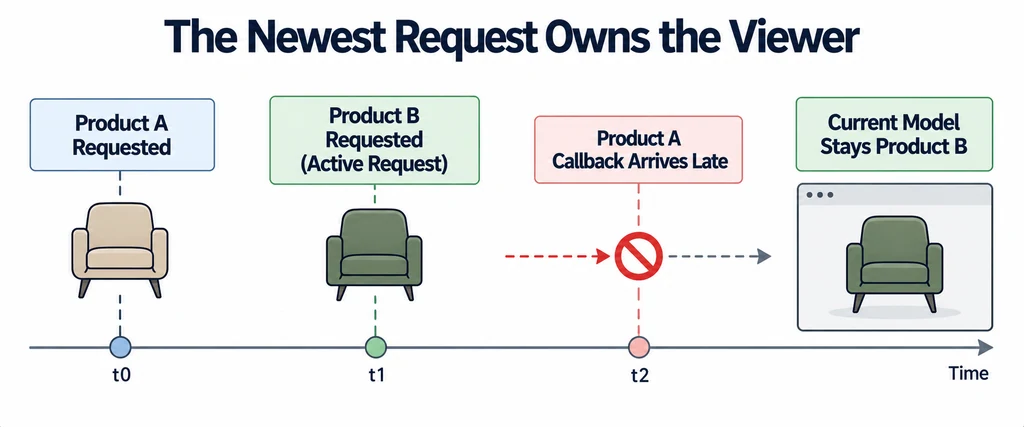
Make retry a deliberate action
When loading fails, keep a useful fallback and offer a retry when retrying can plausibly help. Use an operable, clearly named control consistent with keyboard accessibility guidance.
Prevent repeated clicks from starting overlapping requests without ownership. Record the active attempt and restore a coherent state when it finishes.
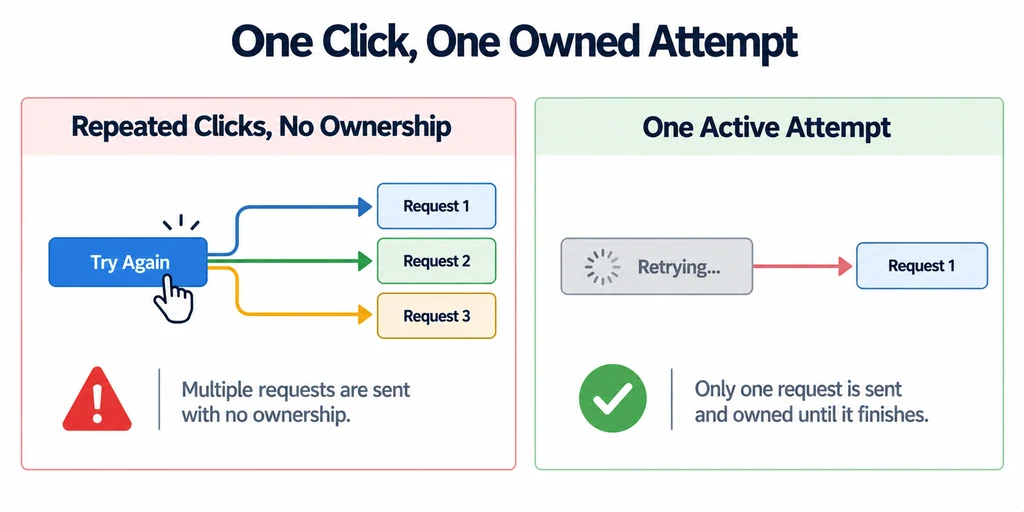
Do not loop indefinitely on a structurally invalid file. Repeated failure should leave the customer with a usable page and a supportable diagnostic record.
Define what each state lets the visitor do
| State | Visible content | Exit condition |
|---|---|---|
| Poster | Correct product image and an operable 3D action. | The visitor requests 3D or the chosen loading policy activates it. |
| Loading | Product context, honest status, and cancellation where supported. | The current attempt becomes ready, fails, or is superseded. |
| Ready | The selected model is rendered and controls work. | Product replacement or a runtime failure. |
| Failed | Matching product content and a meaningful retry or alternative. | A deliberate new attempt or another useful action. |
Do not use downloaded bytes as a claim about total readiness when texture decoding, shader work, or another resource remains. A timeout is an application policy chosen from observed conditions. It should reveal a useful action rather than erase the product gallery.
Retain an attempt identifier when retrying or switching products. A completion from the first attempt must not dismiss the second attempt's error or reveal an obsolete finish.
Preserve context through fallback
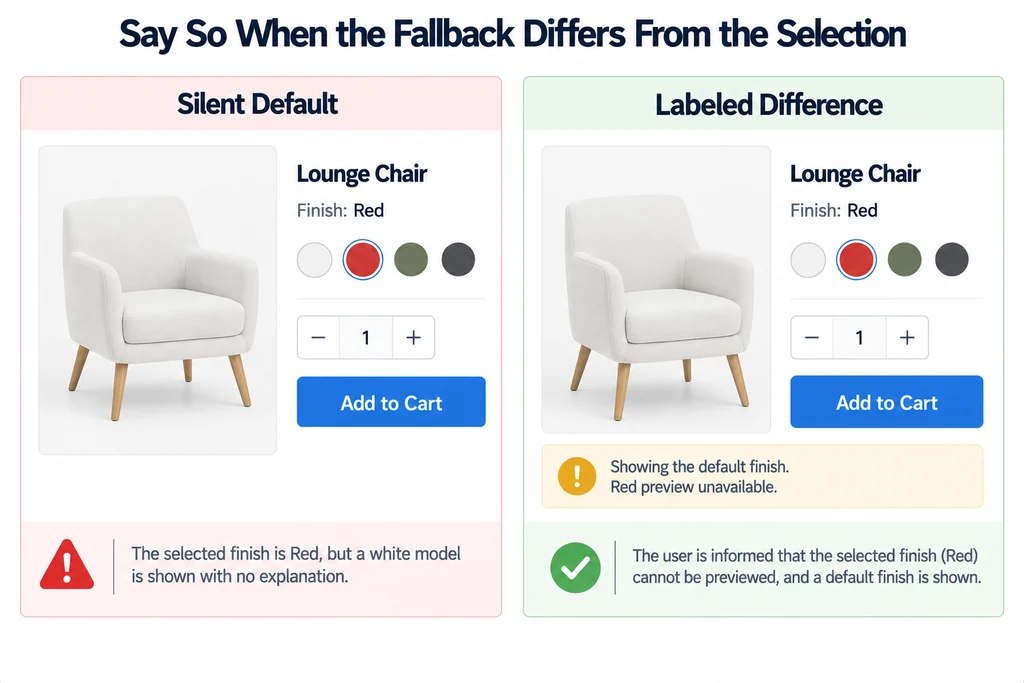
Retain the selected product and finish when possible. If the fallback depicts a different state, label the difference rather than silently showing an unrelated default.
Distinguish unavailable 3D from unavailable AR. A product may remain inspectable in the browser even when a particular AR launch path cannot be used.
Test initial load, slow load, missing asset, decoder failure, repeated retry, cancellation, and product replacement. Check focus and status announcements alongside the visual state.
Accept the design when each failure has an understandable next action and the page never loses the identity of the product being reviewed. A well-defined fallback does not excuse a broken asset, but it prevents that failure from removing all useful product information.