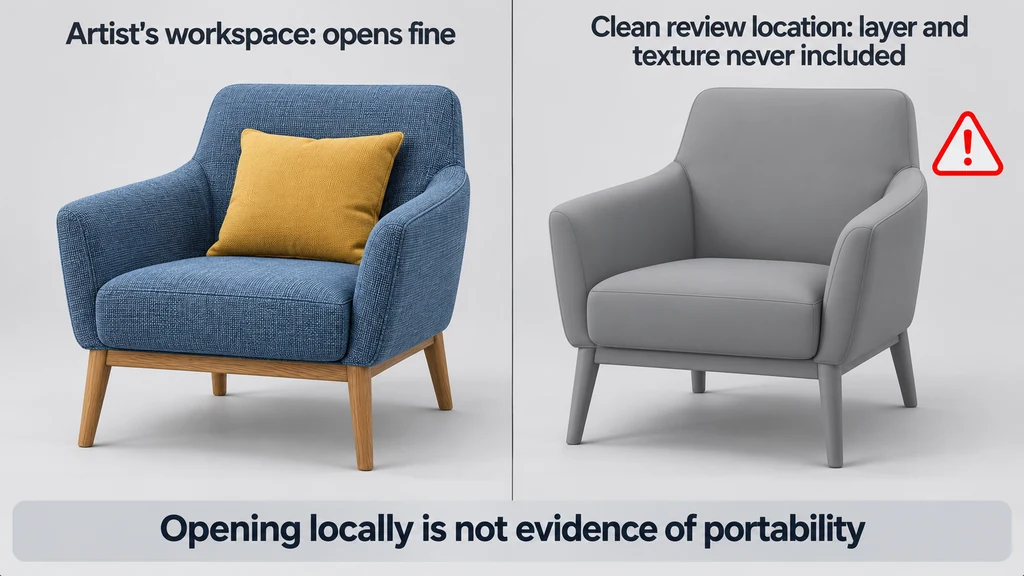
Keep the editable source and the delivery package separate. They can have different dependency and composition requirements.
Inventory dependencies before moving files
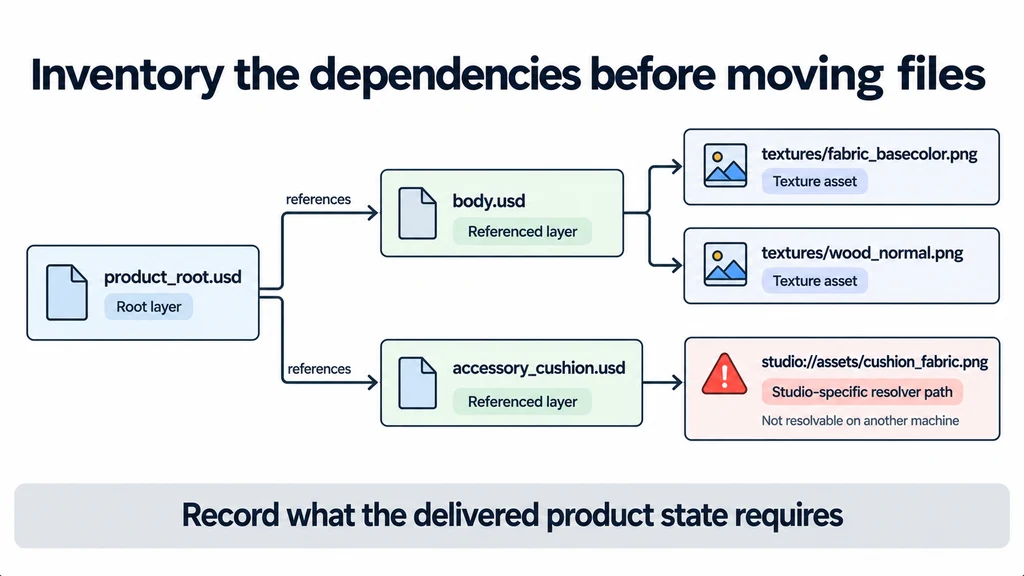
Identify the root layer, referenced layers, texture assets, and any paths resolved by the production environment. The USD reference tutorial explains how content can be composed from another layer.
Record which dependencies are required for the delivered product state. A source scene may contain alternate content that does not belong in a public package.
Inspect absolute paths and studio-specific resolver assumptions. Do not simply copy the root file and expect another machine to recreate the source environment.
Choose packaging separately from flattening
Flattening composition and collecting external assets solve different problems. Removing some composition structure does not by itself prove that texture dependencies have been embedded.
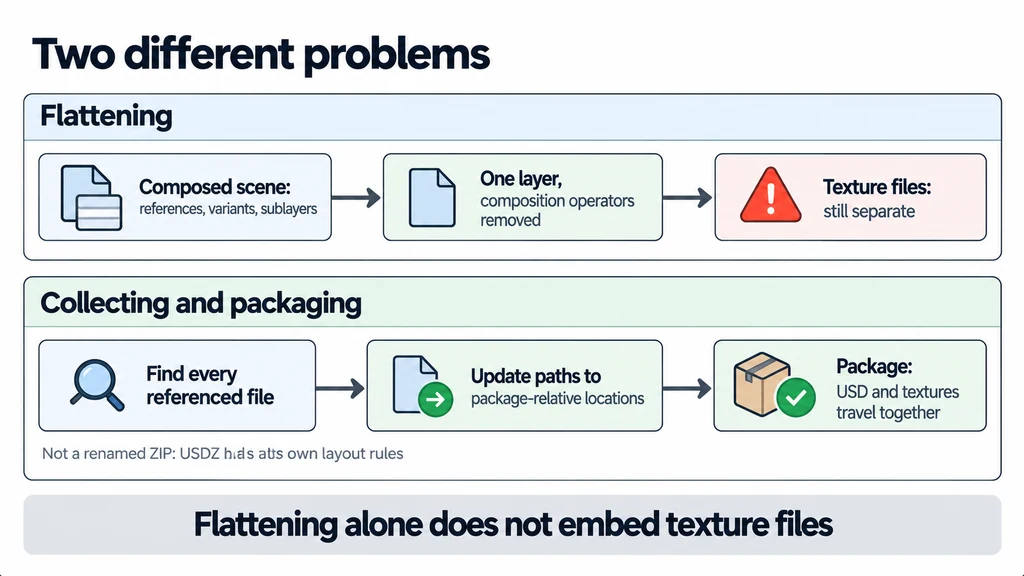
Choose a packaging tool and target supported by the receiving application. Follow the USDZ specification where USDZ is the delivery format. Renaming an ordinary ZIP file is not an adequate packaging procedure.
Decide whether the recipient needs editable composition or only the approved viewing state. Preserve the source structure separately if the delivery process reduces editability.
Check paths and the entry point
Use a coherent package layout and review the references after collection. Confirm that the intended product appears when the recipient opens the package, without requiring knowledge of an internal layer name.
Inspect material bindings and image paths. A scene can retain geometry while losing a texture or substituting a default material.
For a product assembled from separate body and accessory layers, verify that both the intended accessory state and the body material resolve. Do not infer success from the first visible component.
Prove that collection resolved the dependency graph
Consider a root scene that references an accessory layer, which in turn references a texture in another directory. Copying the root and accessory files still leaves the texture unresolved. A flattened layer may also retain external image paths. Inspect the collected result rather than assuming that either operation found every dependency.
Use the packaging tool's documented USDZ operation for the intended destination. USDZ has archive constraints beyond a filename extension. Keep the original composition tree outside the delivery package when later editing requires it.
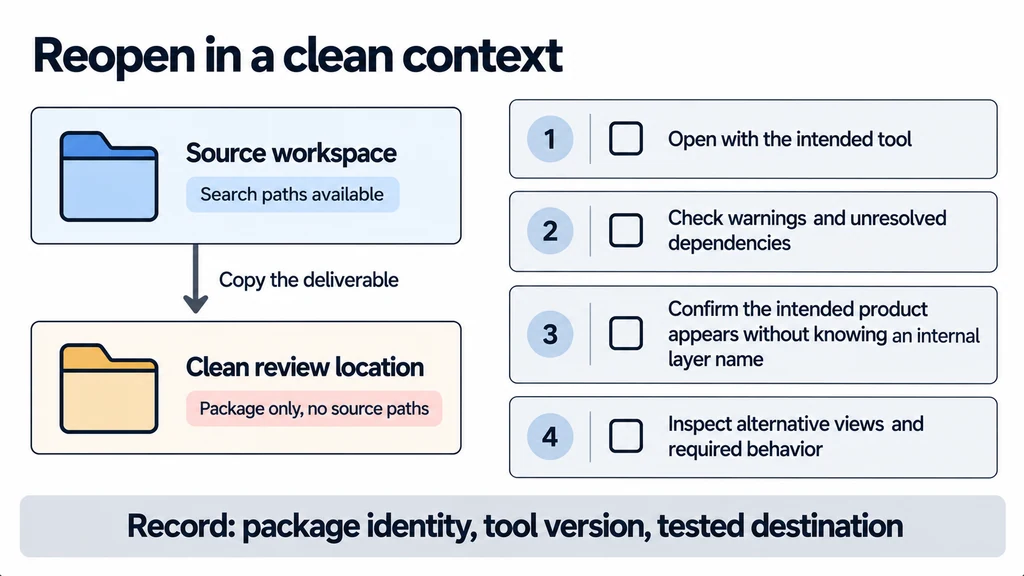
For the clean-context test, temporarily remove the source paths from resolution or use a review environment without access to them. Open the package's actual entry point and check the approved variant state, accessory presence, material bindings, and texture warnings. Record the tested filename and tool version. Opening the original source by mistake can make a broken package appear healthy.
Reopen in a clean context
Copy the deliverable to a separate review location without the source search paths, then open it with the intended tool. Where practical, test on another environment that does not have access to the authoring directories.
Check for warnings and unresolved dependencies as well as visible appearance. Inspect alternative views and any behavior required by the delivery.
Record the package identity, tool version, and tested destination. Keep the dependency inventory with the source handoff.
If the target is mobile AR, perform its separate destination review after the portability test. A self-contained USDZ can still contain a material or behavior the receiver does not support. Packaging establishes that the required files travel together; it does not establish that every application interprets them identically.