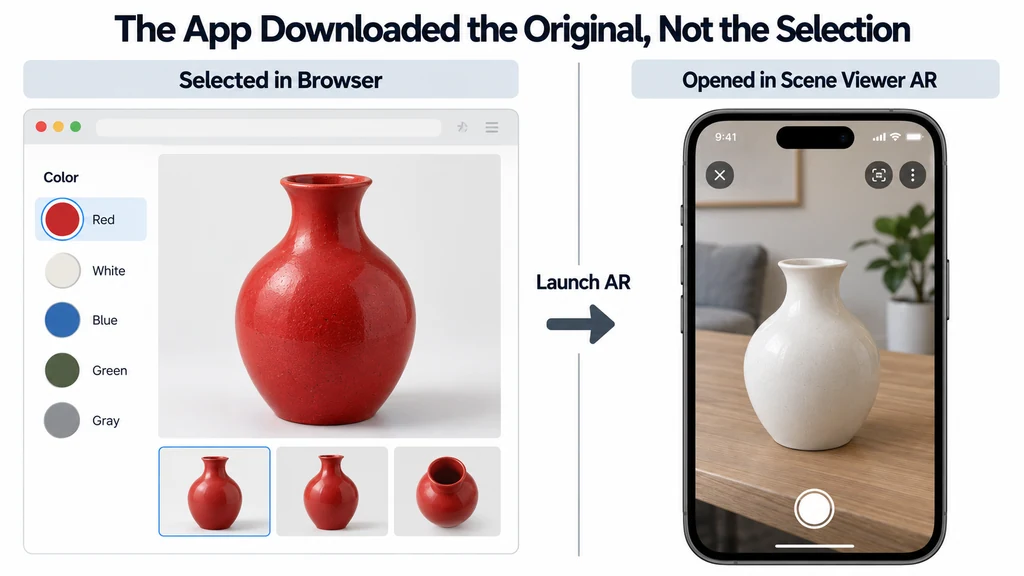
Treat the selected product state as application data with a stable identity. Do not infer it later from the visible material color.
Identify the launch path
Distinguish an in-browser AR session from an external application. The model-viewer scene-graph documentation explains that Scene Viewer downloads the original model URL, while generated Quick Look output has different behavior when no explicit ios-src is supplied.
These details describe that implementation path. They do not prove that every custom viewer transfers state the same way.
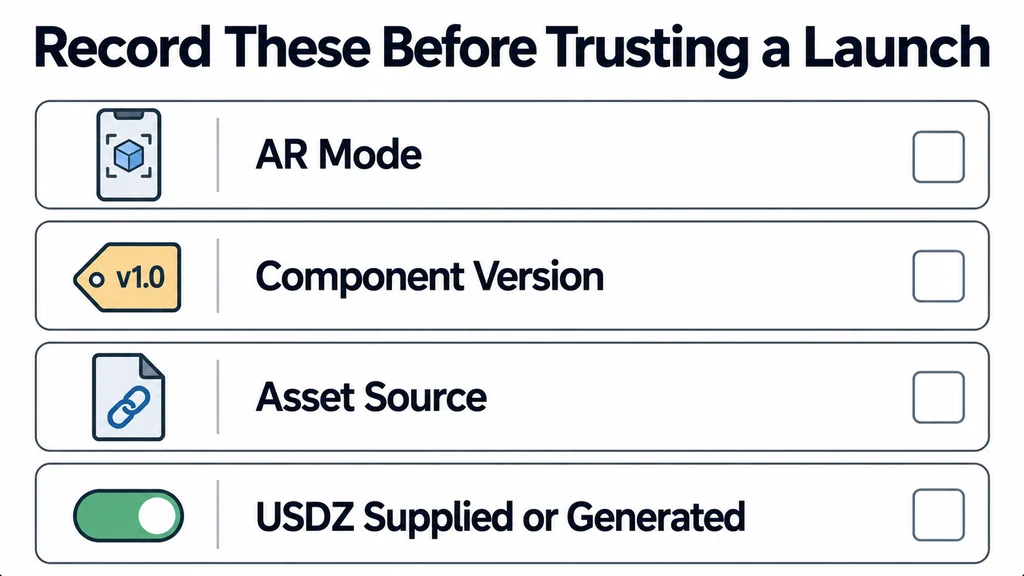
Record the AR mode, component version, asset source, and whether the USDZ is supplied or generated. Review the AR examples for the configured mode order.
Resolve the selected state to the correct asset
Maintain a mapping from the approved product state to its deliverable. Depending on the system, that may be a variant-specific asset URL or a supported export of the current scene.
The Scene Viewer guide describes URL-based launch behavior. Ensure that the URL resolves to the selected finish, not merely to a file with a similar product name.
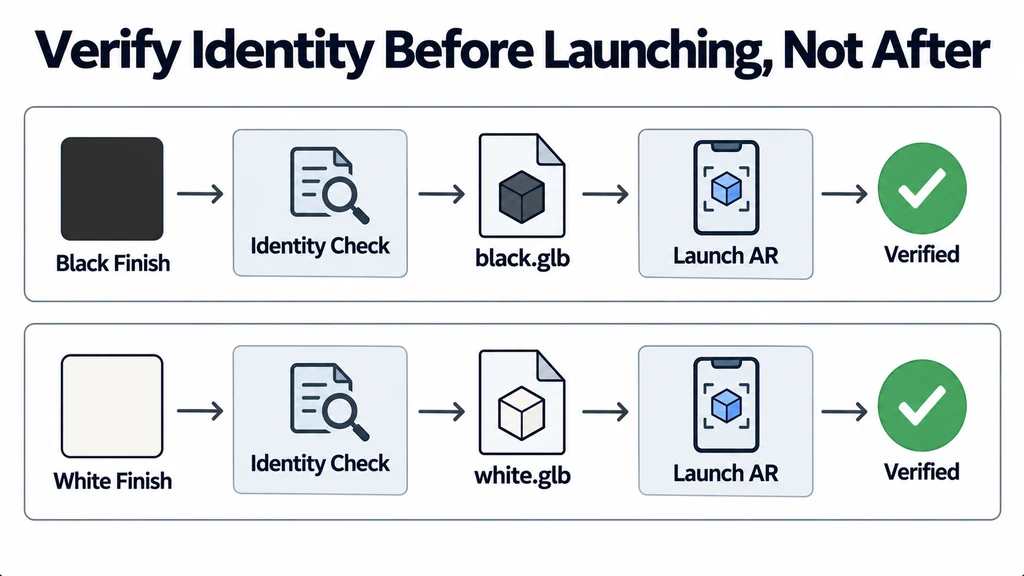
For an illustrative two-finish product, define separate expected asset identities for black and white. Verify the identity before launching. Do not rely solely on a thumbnail or button label.
Keep an explicit product-state mapping
For an illustrative black-and-white product, keep a release record with a stable state ID, its web asset revision, and its approved AR asset. A URL ending in product.glb does not tell the receiving application which runtime color the shopper selected.
| Launch route | State question |
|---|---|
| External Scene Viewer | Does the fetched GLB URL already represent the selected configuration? |
| Explicit Quick Look USDZ | Does the selected ios-src resolve to the corresponding approved USDZ? |
| Generated Quick Look asset | Which current scene changes does this component version export, and which are unsupported? |
| In-browser AR | Does the live scene and its configuration remain active through session entry? |
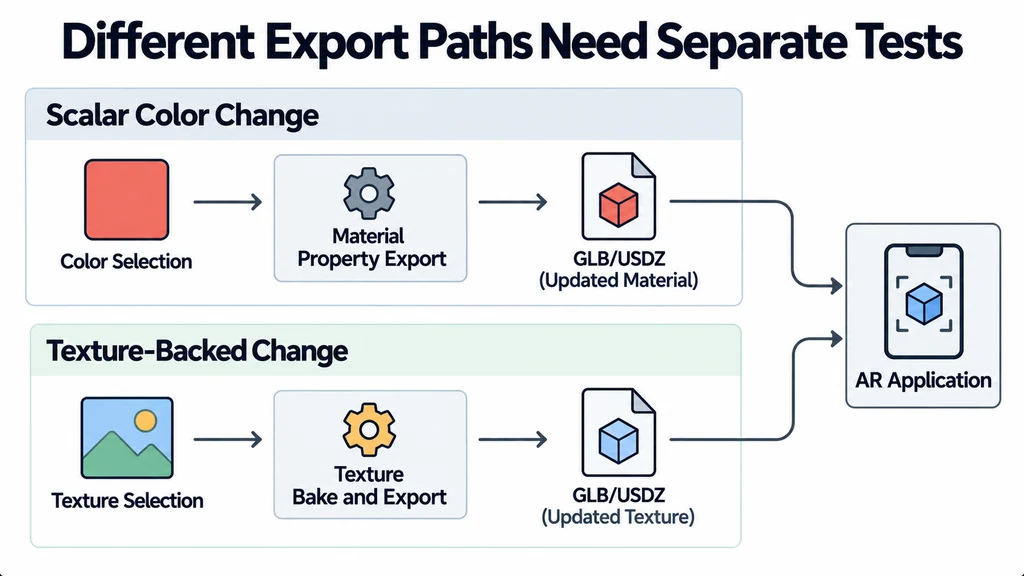
Test scalar color changes and replacement textures separately. A generated export can preserve one while failing another. The application should wait for the selected state to become ready and confirm its identity again immediately before launch.
Handle unfinished transitions
Disable or defer launch while the selected material is still loading or while an export is being prepared. Associate the pending launch with the state that initiated it.
If the user changes the selection during preparation, decide whether to cancel the old request or require another launch. A late result must not open the previous finish without explanation.
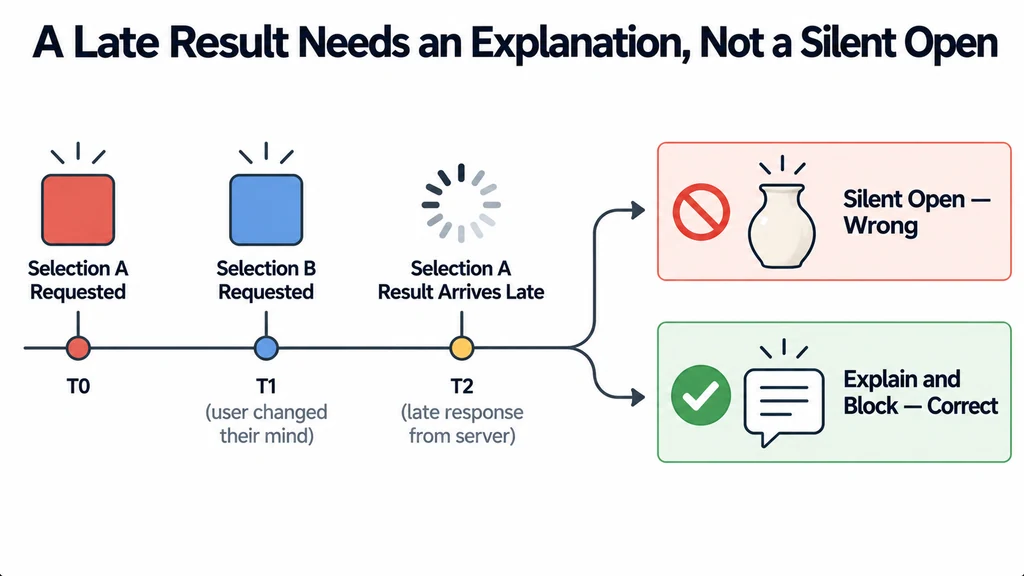
When the selected finish has no approved AR asset, show a clear alternative. Do not silently substitute the default and imply that it represents the selected product.
Test each mode independently
Test default selection, changed selection, repeated launch, and return to the page. Include a failed asset request and a rapid selection change.
Inspect the actual finish in the AR application and confirm the product revision. Check texture-backed changes as well as scalar color changes because their export paths may differ.
Keep a small state-to-output test record for each supported device path. Passing the browser variant test is only the first stage. Accept the handoff when the selected product identity remains clear before launch, inside AR, and after the user returns to the page.