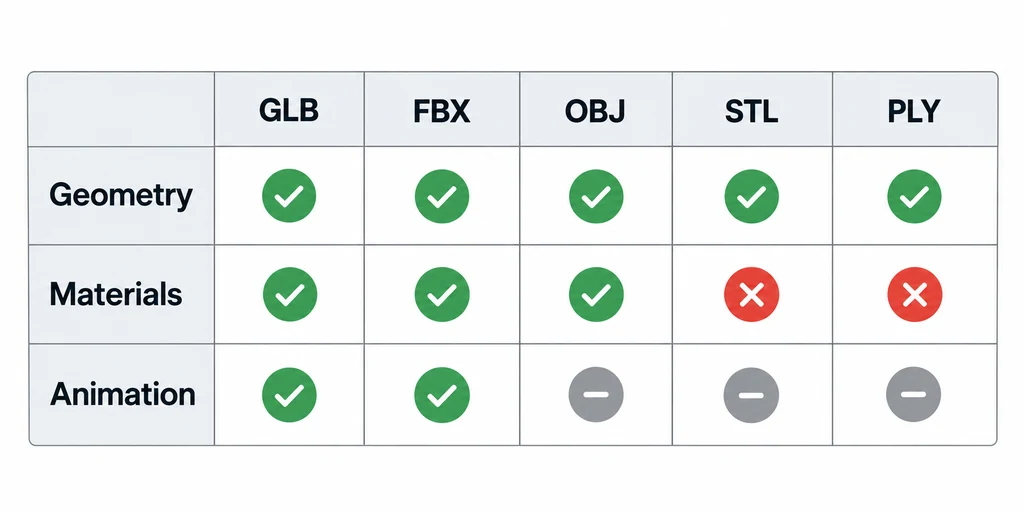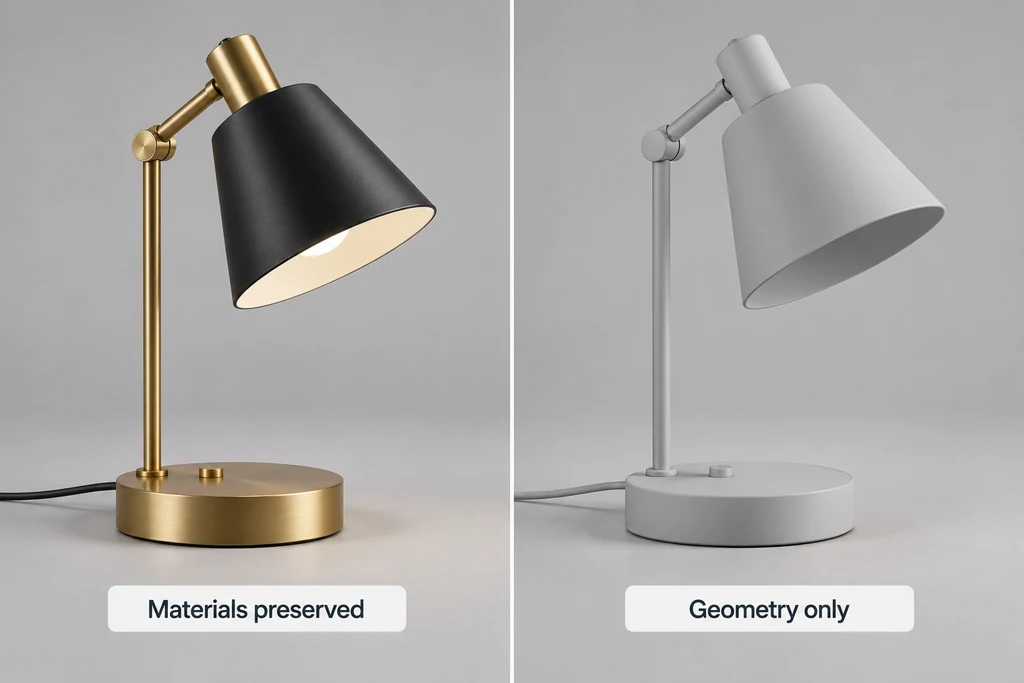
Keep format capability separate from application behavior. A format may represent a feature that a particular loader ignores. A viewer may also add its own lighting or normalization that makes the source appear different.
Build a small fixture set
Choose representative files for the formats in scope, including GLB, FBX, OBJ, STL, or PLY as needed. Record what each file is expected to contain. Keep required sidecar files with their source.
Include a simple known asset as well as a difficult production example. If both fail in the same way, the issue may be in the viewing path. If only the complex file fails, investigate its particular features.
Do not use confidential production files in an external viewer without permission.
Test the feature, not just the extension
For each fixture, inspect orientation, scale, missing surfaces, and component boundaries. Then check materials and textures, followed by animation or interaction where the source contains them.
Consult the receiving loader's documentation. For example, GLTFLoader documents glTF-specific support. That documentation does not establish how an unrelated FBX or OBJ loader behaves.
Record "not present in source" separately from "present but not displayed." Otherwise a static mesh format can appear to fail an animation test it was never intended to satisfy.
Use source-appropriate expectations
For STL, establish scale from an external reference and inspect any color-bearing variant deliberately. The STLLoader documentation describes handling that differs from a texture-rich asset pipeline.
For PLY, distinguish a mesh from a point set and inspect attribute names. PLYLoader documents property mapping that can affect recovered color and other data.
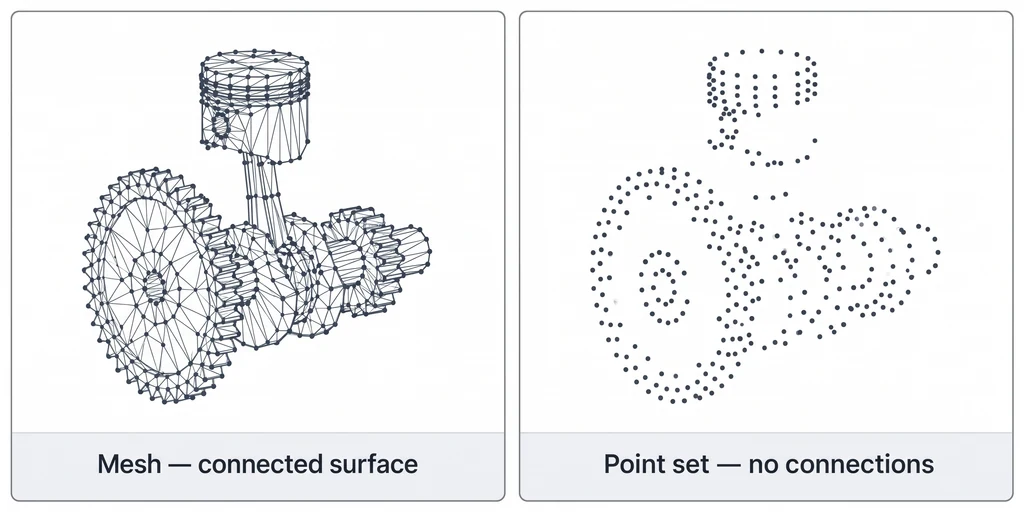
For files with external textures or material libraries, test the complete package. A viewer that opens geometry but cannot resolve its resources may not fit the team's review workflow.
Use a feature matrix with source-aware expectations
| Input | Include in the fixture | Distinguish from a loader failure |
|---|---|---|
| GLB or glTF | Materials, hierarchy, animation, and required extensions actually present. | Unsupported extension or missing decoder configuration. |
| FBX | A known hierarchy and animation where the file contains them. | Differences in loader material interpretation. |
| OBJ with MTL | Geometry plus its actual material library and texture paths. | Sending geometry without the sidecar resources. |
| STL | Known geometric dimensions and orientation. | Assuming units, animation, or a texture system the source does not supply. |
| PLY | A documented mesh or point set and named color attributes. | Treating a point cloud as an automatically connected surface. |
Record preserved, missing, approximated, and not present in source as different outcomes. Do not publish the table as a promise about every file sharing that extension.
Run a second comparison with auto-centering and auto-scaling disabled where possible. Those display conveniences can conceal an offset pivot or a unit error by making both candidates fill the screen. Keep the source-space measurement alongside the attractive viewer screenshot.
Record presentation changes separately
Check whether the application automatically centers, scales, relights, or substitutes materials. These choices may help inspection, but they can obscure original scene information.
Compare the same known feature across viewers without treating one attractive render as ground truth. When results disagree, inspect the source and loader behavior.
Finish with a feature-level matrix tied to exact versions and fixtures. State which files opened, which information was preserved, and what required intervention. Select the viewer that supports the review decisions your team needs, not the one advertising the longest format list.