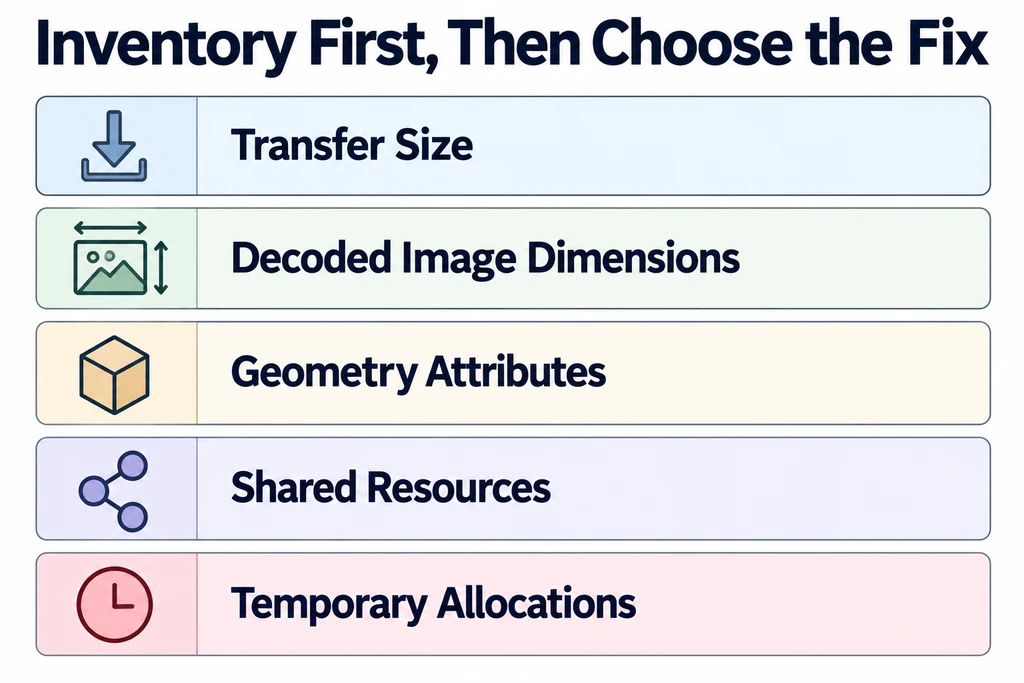
This distinction matters when a product loads successfully on one device but destabilizes another. Further reducing network bytes may not address the resource that causes the pressure.
Decoded images have a different cost
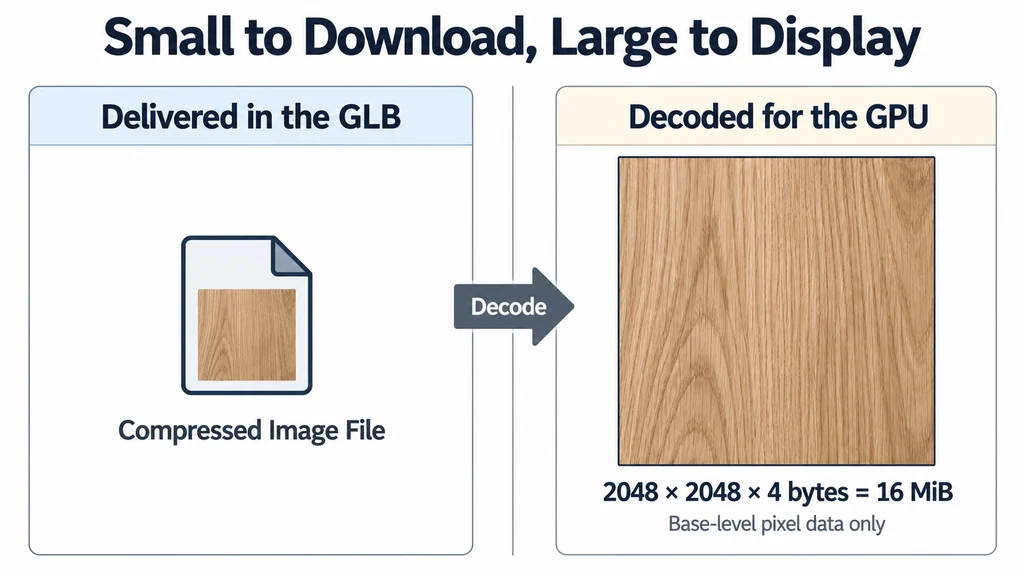
An image's file size is not its decoded texture size. Texture dimensions, pixel format, mip levels, and the actual GPU representation matter. The Texture reference describes the properties involved.
For a simplified arithmetic example, a 2048 by 2048 RGBA8 image contains 16 MiB of base-level pixel data: width multiplied by height multiplied by four bytes. That is not a measurement of total application memory. Mipmaps, copies, compressed GPU formats, alignment, and implementation behavior change the real allocation.
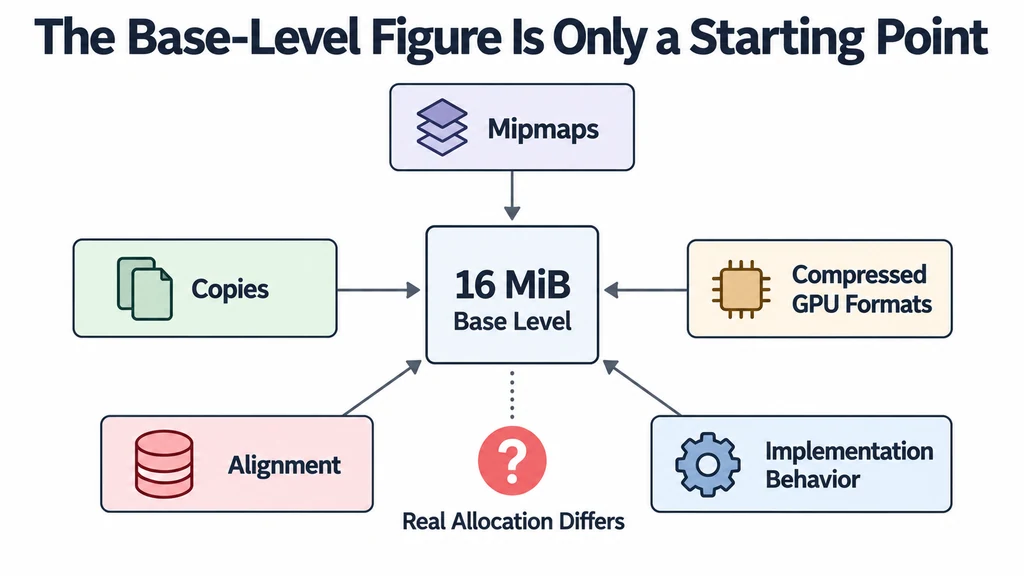
Several large textures can therefore dominate a model whose geometry file appears modest. A highly compressed photograph can still decode to a large image.
Geometry is only part of the inventory
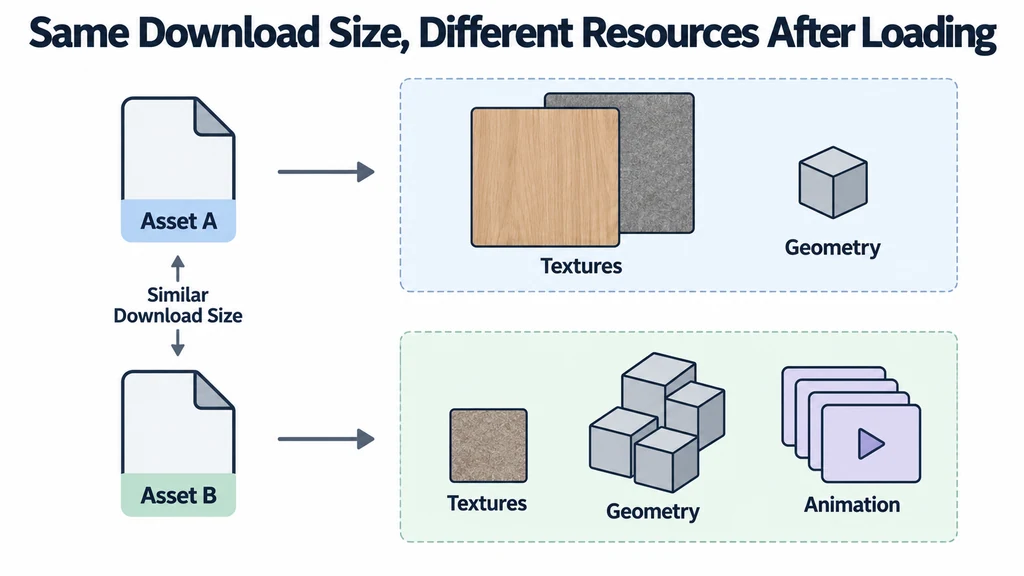
Positions, normals, UVs, indices, and other attributes occupy storage. Animation and skinning can introduce additional data. The renderer also needs resources that are not part of the product file, such as environment processing and render targets.
A file-size comparison misses these differences. Two assets with similar download sizes can create different resource sets after loading.
The appropriate budget depends on the complete page and target devices. A viewer does not receive all available memory exclusively because its model is the main visual element.
Copies and temporary resources matter
A configurator may keep several products or finishes resident for faster switching. This is a deliberate memory trade-off if ownership is clear. It becomes a leak when obsolete resources remain referenced without a purpose.
Three.js documents resource disposal separately from removing objects from a scene. Shared resources complicate cleanup because another visible product may still use them.
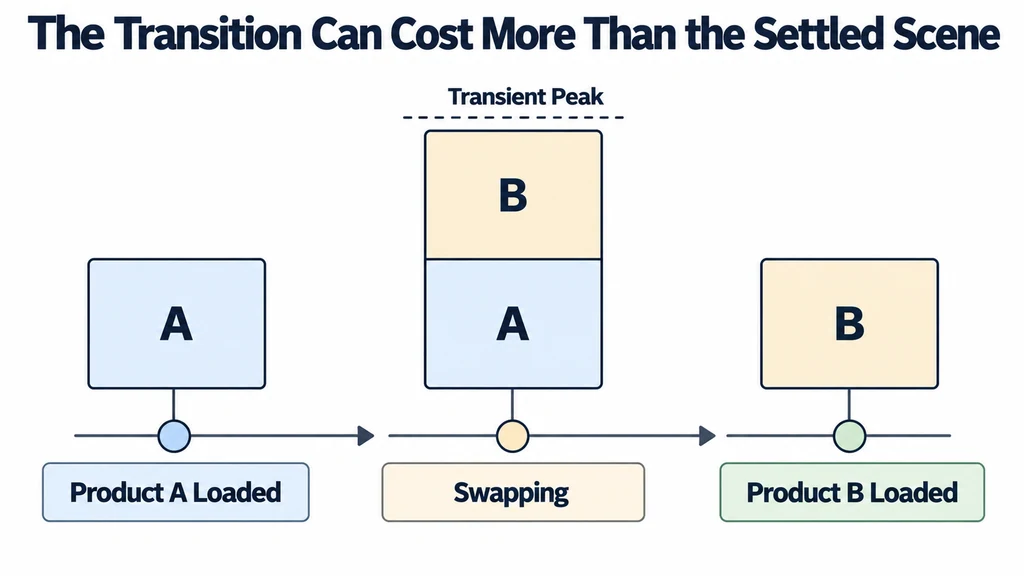
Peak use can also exceed the steady state while one asset replaces another. Testing only the settled scene can miss a failure during the transition.
Estimate one texture before changing the geometry
For an illustrative 4096 × 4096 RGBA8 texture, the base level contains 64 MiB of pixel data. A full mip chain adds approximately one third, giving about 85.3 MiB before other copies or implementation overhead. A small PNG, JPEG, or WebP download can still lead to that uncompressed representation.
A GPU-compressed texture can use a different runtime format and storage cost. The result depends on the actual transcode target and mip levels, not merely the KTX2 filename. Keep transfer bytes, decoded CPU data, and GPU representation as separate inventory fields.
Then inspect peak use during a product swap. The old and new textures may coexist with decoding buffers and environment resources. Reducing triangles will not resolve a peak dominated by large resident images. Test one change, such as lower image dimensions or fewer prefetched finishes, against the same interaction sequence.
Counters need interpretation
The WebGLRenderer diagnostics provide useful counts and render statistics. They are not a complete cross-browser meter of GPU bytes. Interpret trends alongside the asset inventory and browser diagnostics.
Repeated growth across the same load-and-release cycle is a different symptom from a stable baseline that includes reusable renderer resources. Record the test sequence before calling either behavior a leak.
A useful investigation separates transfer size, decoded image dimensions, geometry attributes, shared resources, and temporary allocations. That inventory identifies which change to test. Network compression, lower texture resolution, fewer resident variants, and better cleanup solve different problems, even when they all make a product viewer feel more reliable.