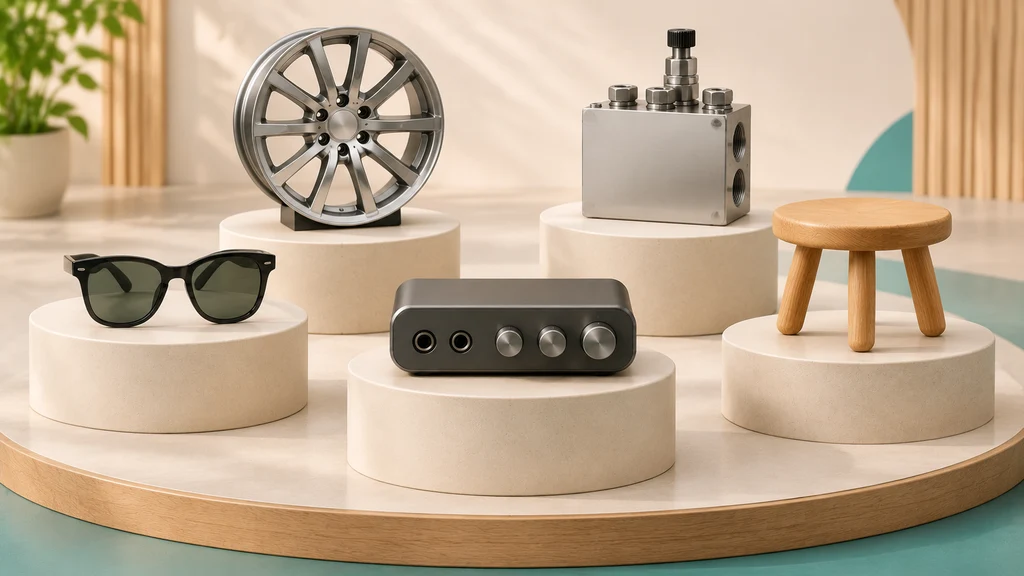
Useful 3d product ecommerce examples are not flashy homepage animations created for a press release—they are practical, fast-loading 3D models, renders, and interactive views placed directly on a product detail page (PDP) to answer the exact question keeping a buyer from checking out.
Below is an examples-led walkthrough—category by category—of what strong 3D product work looks like in practice. Each example is labeled: Store deployment (a real store, with its source), Studio portfolio piece (our own work at 3D Vision Art, shown to illustrate modeling and rendering quality; not a live product page), or Vendor-reported (results published by the company selling the tool). One honest note up front: the store results quoted in articles like this are published success stories reported by merchants and vendors, not controlled tests, so results will vary with your product and your page.
What Separates a Useful Ecommerce 3D Example From a Gimmick?
Before looking at individual product verticals, store owners and brand managers can judge any 3D product page example by four simple rules:
- It answers a specific buyer question: Can the shopper see a detail, port, mechanism, or spatial dimension that flat photos hid?
- It holds up under close-up zoom: When a buyer zooms in on stitching, brushed metal, decals, or panel seams, the geometry and textures stay crisp rather than turning blurry or faceted—a discipline we break down in our studio note on building the details your close-up will reveal.
- It matches the real physical product: Neutral tone mapping (such as the Khronos PBR Neutral Tone Mapper) helps colors stay accurate under neutral lighting, and AR models are built at true 1:1 scale—both are ways to improve accuracy, not guarantees, since lighting, materials, and the shopper's screen also play a part.
- It respects mobile page speed: A common approach is to load the 3D view on click behind a lightweight 2D poster image, and to keep the file light—Shopify's guidance for model creators is a total
.glbsize of about 4 MB (some channels need less), while Google keeps the models in its own store under 2 MB.
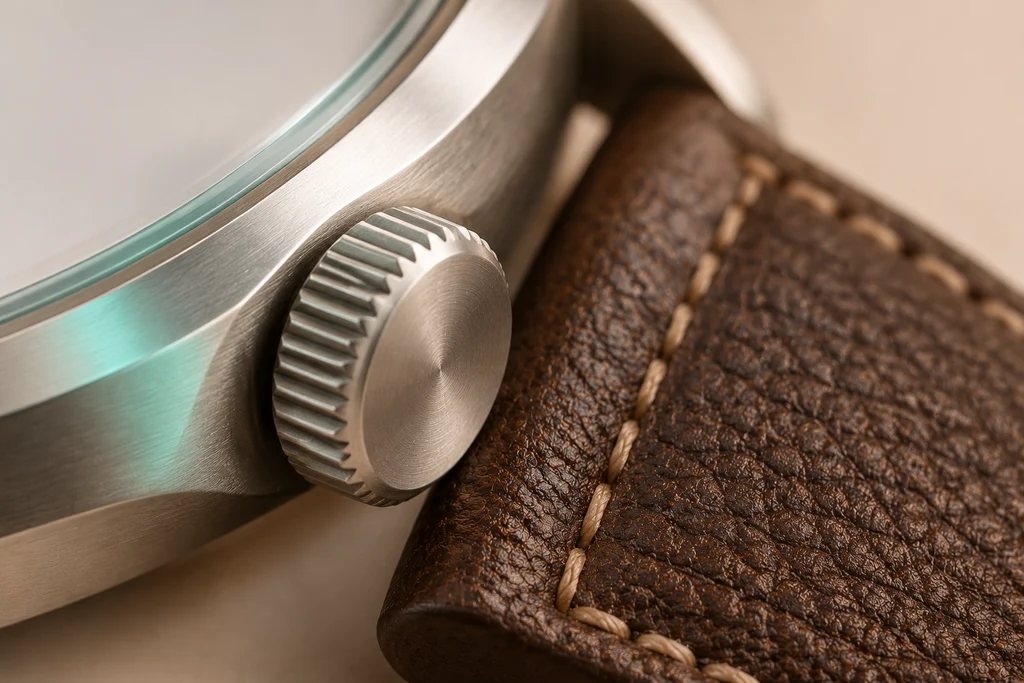
A fairness note: 3D is not always the right spend. For a simple product, or when buyers need to judge a real material in real light, good photography can be the better—and cheaper—choice. 3D earns its cost when it answers questions photos cannot.
Here is how those rules look across five major product categories.
1. Automotive, Motorsports & High-Detail Hard-Surface Goods
The Buyer's Question: "Are the body proportions, surface finishes, aerodynamic parts, and decals authentic from every angle?"
Whether you sell automotive aftermarket components, scale collector models, electric bikes, or motorsport liveries, buyers in this category examine silhouette accuracy and surface reflections closely before they trust a product.
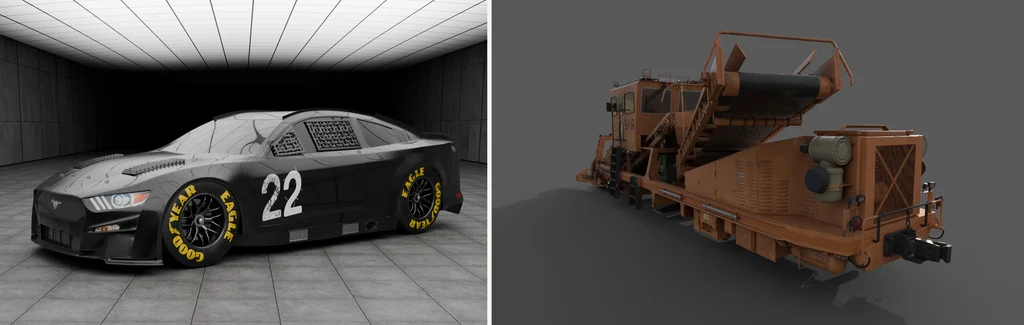
Studio Portfolio Piece: 2022 Ford Mustang NASCAR Next Gen (not a live store)
This commissioned project—our Ford Mustang project at 3D Vision Art—is a full studio build of the 2022 Ford Mustang NASCAR Next Gen race car, from modeling through final renders. It is portfolio work, shown here because a race car is a hard test of exactly what this category's buyers check:
- Reflections that stay smooth from every angle: The bodywork was modeled so overhead softbox reflections flow cleanly across the hood louvers, front splitter, side exhausts, window safety netting, and center-lock racing wheels—no faceting or waviness where a close-up would expose it.
- Livery and surface detail: The dark racing livery, the wear on the
#22decals, and the yellow Goodyear Eagle tire markings were textured to read correctly at zoom distance, the way a collector inspects them. - How this translates to an ecommerce product page: A master model built to this standard can produce consistent studio packshots from any angle, and can then be optimized into a lightweight real-time
.glbso buyers can orbit the bodywork and inspect individual components. (That optimization is separate work from the master build—see the FAQ below.)
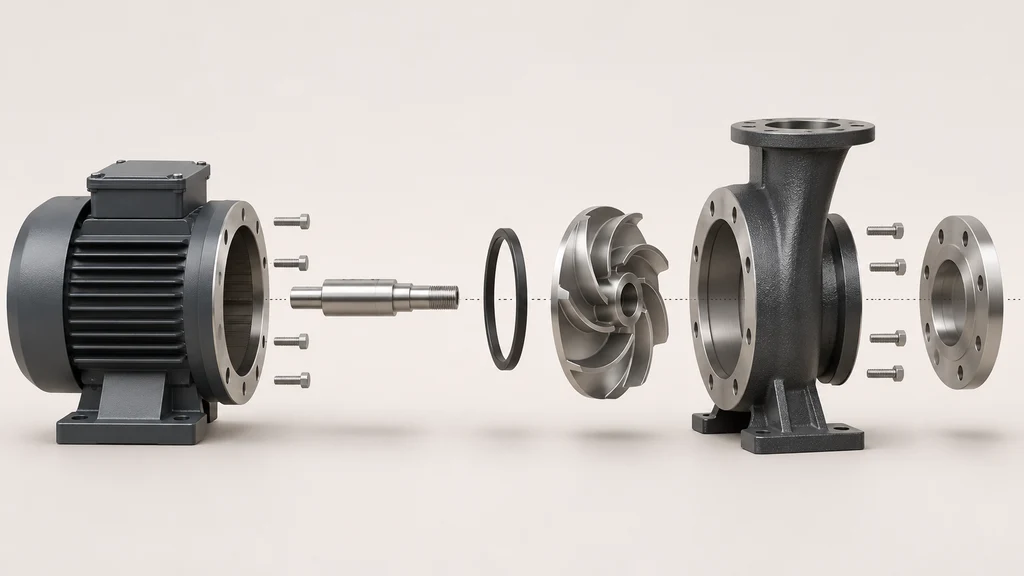
2. Industrial Equipment, B2B Hardware & Complex Assemblies
The Buyer's Question: "How is this machine built, how do the sub-assemblies fit together, and can we inspect a massive piece of equipment that is impossible to bring into a photo studio?"
For B2B manufacturers, industrial suppliers, and heavy-equipment brands, traditional studio photography can be impractical or very expensive for full-size machinery—which is where a complete 3D build earns its place.
Studio Portfolio Piece: SAR 700 Railway Maintenance Vehicle (not a live store)
Our SAR 700 project is a commissioned, detailed 3D model and render set of the SAR 100-03 railway maintenance vehicle—again, portfolio work, included because it shows the scale of assembly a full build can document:
- The vehicle's main assemblies modeled in detail: The front plow mechanism, the raised conveyor belt system, wheel bogies, hydraulic hoses and routing cables, and structural fixings—so a viewer can follow how the machine is put together.
- Realistic industrial materials: The signature orange industrial coating with believable edge wear, dust accumulation, hydraulic oil stains, and rough rubber treads.
- How B2B and hardware stores use this: In B2B ecommerce and digital catalogs, a complete 3D assembly lets procurement teams zoom into mounting brackets and inspect clearances before requesting a quote. A real store example: commercial hardware maker Dero added interactive 3D viewers to seven of its bike rack product pages, letting visitors pick a mount, add a lean bar, and try 22 finish options in 3D (vendor case study, Simplio3D).
3. Consumer Electronics, Cameras & Smart Appliances
The Buyer's Question: "Where are the buttons, ports, and hinges located, and how does the mechanism open or mount?"
On a generic product page for a compact action camera, audio interface, or countertop espresso maker, static front-and-side photos often leave blind spots.
- Store Deployment (company-reported): Google's hardware team says that moving from video- and photography-based product education to glTF models shown in
<model-viewer>cut the cost of developing those materials by more than 50% and let it launch product information up to four times faster. Its web models range from 20,000 to 90,000 triangles and are kept under 2 MB by internal rule (Khronos case study written by Google, so these figures are company-reported).
Studio Portfolio Piece: GoPro HERO11 Mini
The GoPro HERO11 Mini project uses animation, studio lighting and rendering to show the matte housing, lens reflections and button layout. For guidance on planning motion for a store page, see our guide on 3D product animation for ecommerce: deciding what the motion needs to explain.
4. Furniture, Seating & Home Furnishings
The Buyer's Question: "Will this fit in my room, how does the reclining or height mechanism work, and what does the upholstery texture actually look like?"
Furniture and seating are among the most common categories for ecommerce 3D and AR:
- Store Deployment (merchant-reported): Oakywood, a Polish furniture maker, says it went from months with almost no custom orders to around 200–300 a month after adding Precismo's 3D scanning tool through Shopify AR, which lets shoppers build a 3D model of a custom piece and see it in their home (Shopify's Oakywood case study). The same period also included a move to Shopify Plus, so the result may not come from 3D alone.
- Vendor-Reported Study: 3D Cloud, which sells 3D configurators, reports that 83% of furniture shoppers in its 2024 study found 3D configurators extremely or very helpful (a survey of 400 shoppers run for 3D Cloud). Later waves of the same study report different figures.
Studio Portfolio Piece: Office Chair (not a live store)
In our Office Chair animation and lighting project, Khaled Mansour handled the 3D animation and studio lighting on an existing chair model—the modeling itself was not our work. Choreographed motion isolates each adjustment lever and ergonomic movement, so a shopper can follow how the chair adjusts instead of guessing from a side photo.
5. Footwear, Handbags & Fashion Accessories
The Buyer's Question: "How thick is the sole, what does the leather pebble grain look like up close, and how big is the bag?"
Structured fashion accessories—sneakers, boots, handbags, watches, and eyewear—often suit 3D product pages well, because their shape is self-supporting and their price depends on material craftsmanship:
- Store Deployments (reported by Shopify): Shopify reports that Rebecca Minkoff shoppers who used its 3D tools were 44% more likely to add an item to their cart, and that those who used AR to see a product in their space bought at a higher rate (Shopify gives the figure as a 65% chance of purchase). These compare people who used 3D or AR with people who didn't, so they don't prove that 3D caused the lift.
- Vendor-Reported: Fibbl, a 3D visualization vendor, reports that footwear brand Nubikk saw time on product pages rise 80% and purchases rise 52% after adding 3D. Fibbl gives no method or time period, so treat it as vendor-reported.
Summary Matrix: Matching the Right 3D Format to Your Category
Our recommendations—the right choice for a given product still depends on the product, the store, and what buyers actually ask about:
| Store Category | Suggested 3D Formats on the Product Page | Primary Purchase Doubt Resolved |
|---|---|---|
| Furniture & Lighting | Interactive .glb Viewer + 1:1 Mobile AR (.usdz / .glb) |
Room fit, doorway clearance, and wood/fabric finish harmony. |
| Consumer Electronics & Appliances | Interactive .glb Viewer with Hotspots + Short Feature Animation |
Port locations, hinge/lid motion, and countertop footprint. |
| Automotive & Industrial Hardware | High-Detail Studio Renders + Exploded/Cutaway 3D Views | Mechanical build quality, mounting geometry, and surface finish. |
| Handbags, Footwear & Watches | Macro-Zoom .glb Viewer + Virtual Try-On / Tabletop AR |
Leather/metal grain authenticity, proportions, and hardware detail. |
Behind Every Good Example: Pre-Delivery QA With GLB Studio Pro
One way ecommerce 3D goes wrong is that the file is exported from 3D software and uploaded straight to the store without anyone checking how it actually reads in a browser.
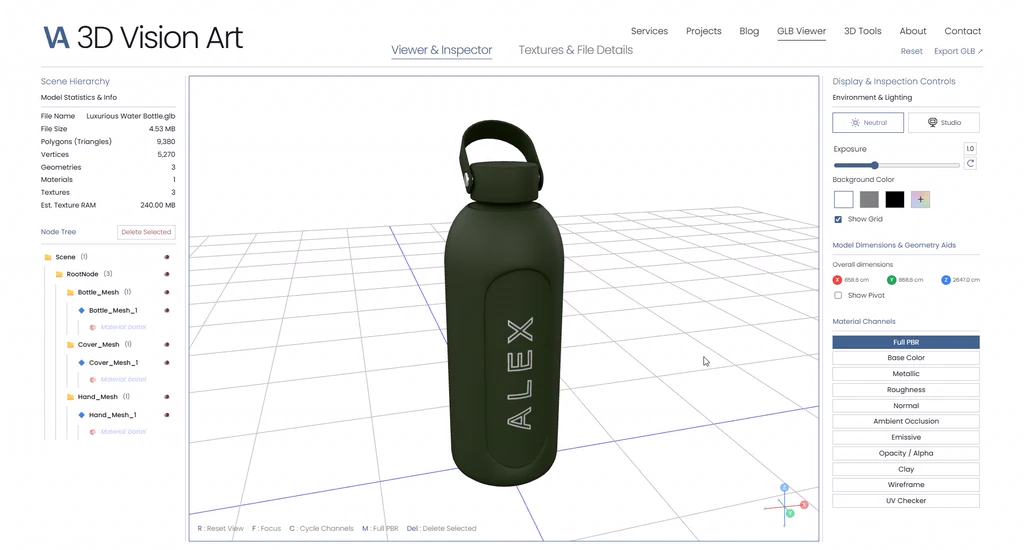
That is why, before delivery, our models are opened and inspected in the browser—using our own free GLB Studio Pro tools, including the GLB Viewer—to confirm the model opens correctly, displays with its materials, and sits within the size guidance above. A browser check is a first step, not a substitute for testing the model inside your own store theme before it goes live.
Frequently Asked Questions About 3D Product Ecommerce Examples
Can we test how a 3D model works in a browser before modifying our website?
Yes. If you already have a model file, you can open it in our free online GLB Viewer to spin it and inspect how it behaves in a real WebGL environment with zero setup—then test it in your store theme before publishing.
Which product should we pick as our first 3D example on our store?
Pick a high-margin bestseller or a product with a high return rate where customers frequently email support asking about dimensions, included parts, or how a finish looks in real life.
Do we need different 3D models for studio renders, web viewers, and AR?
No. We build one master model first. The web and AR files are lighter versions made from it, and the studio images are rendered from it, so your product isn't modeled three times. Making each output from the master is its own preparation and optimization work—it's planned and priced as part of the project, not an automatic export.
Where on the product page should the 3D example be placed?
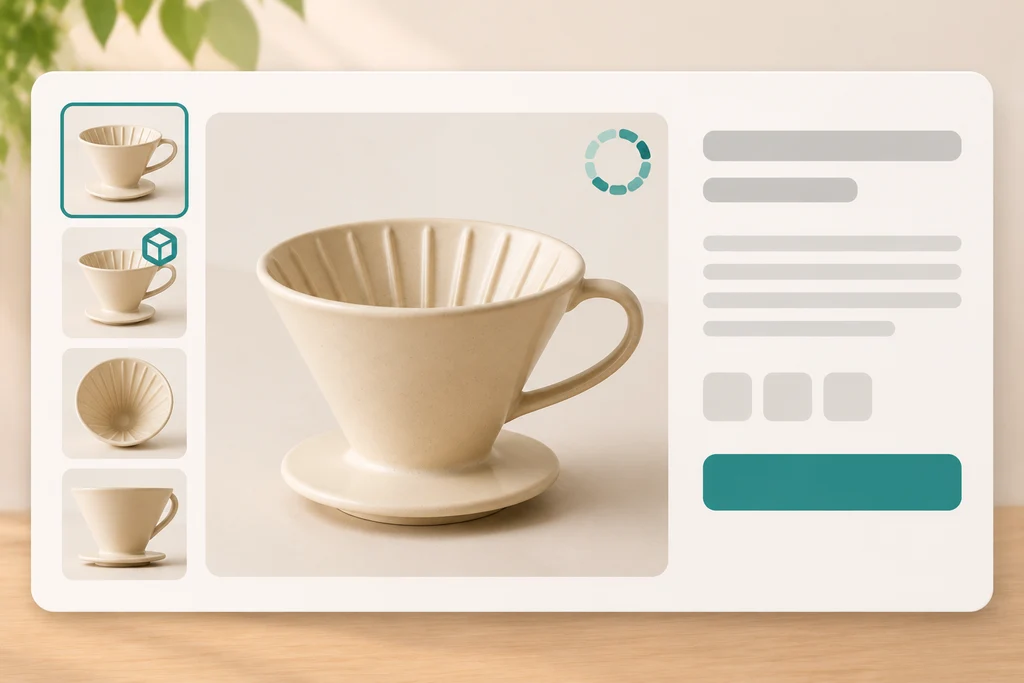
Place the 3D view directly inside your primary product image gallery (for example, as the second thumbnail right after your main hero photo) with a clear "3D / AR" badge so mobile and desktop shoppers find it immediately. Baymard's usability research on product page videos and 360° views found that shoppers expect rich media in or next to the main gallery and had trouble finding it in separate tabs—the same logic applies to a 3D view.
Will 3D slow my product page down?
It can if the file is heavy. Kept near the size guidance above and loaded on click behind a poster image, a 3D view adds little to the initial page load. Test on a mid-range phone before you commit to a store-wide rollout.
Does 3D increase sales?
Published results are encouraging, but—as the labels in this article show—they come from merchants and vendors reporting their own numbers, not from controlled tests. The honest way to find out is to put 3D on one product, measure it against the same product without it, and decide from your own data.
Want Production-Ready 3D and AR Examples Built for Your Store?
If you want production-ready .glb and .usdz assets for your products, built to the standards in this guide, see 3D & AR Assets for Ecommerce from 3D Vision Art.
Tell us what you want to showcase in 3D.
Get a Free Quote ↗