
Ecommerce product customization is the capability on an online store that lets shoppers actively modify a product's colors, materials, components, dimensions, or surface graphics before checkout—and see their exact choices reflected on screen in real time.
For a store owner or brand manager, offering product customization can raise perceived value and average order value (AOV) and help you compete on more than price alone—when the product and the audience fit it. In Deloitte's Made-to-Order consumer research, more than 50% of consumers in some categories expressed interest in buying customized products or services, and 1 in 5 of those interested said they would pay a 20% premium (cited in VividWorks' ecommerce customization report). Deloitte Digital's more recent personalization research points the same way: in its 2026 survey, 52% of consumers said they are more likely to buy from brands that personalize their experience, and they report spending around 30% more with them. Note that the second study is about personalized experiences in general—recommendations and communication as well as products—so treat it as a signal about shopper appetite, not a promised return from a configurator.
However, not every customizable product needs the same technology. Some catalogs only need clean 2D image swapping; others hit a wall where flat photos become impossible to manage and a real-time 3D product configurator becomes the better choice.
First, Separate Three Terms Vendors Constantly Mix Up
When you shop for ecommerce customization tools, software vendors often lump three very different business workflows under the same label. Separating them saves you from buying the wrong system:
- Ecommerce Personalization (Data-driven): The store uses browsing history or a quiz to recommend existing products ("Recommended for you"). The physical product itself does not change.
- Product Customization (Shopper-driven): The shopper changes the physical product itself—choosing colors, materials, components, sizes, or surface graphics from options you define—and the order carries those choices through to production.
- Product Configuration (Rules-driven): A configurator enforces the business rules behind those choices—which parts are compatible, what dimensions are buildable, how each option changes the price and lead time—so every combination a shopper builds can actually be made. Configuration is the engine that makes complex customization safe to sell.
The "SKU Explosion" Problem: Why Standard Product Galleries Break
If you sell a backpack in 4 colors, you have 4 variants. You can photograph or render all 4 bags, upload 4 sets of images to Shopify or WooCommerce, and link each color swatch to its matching photo.
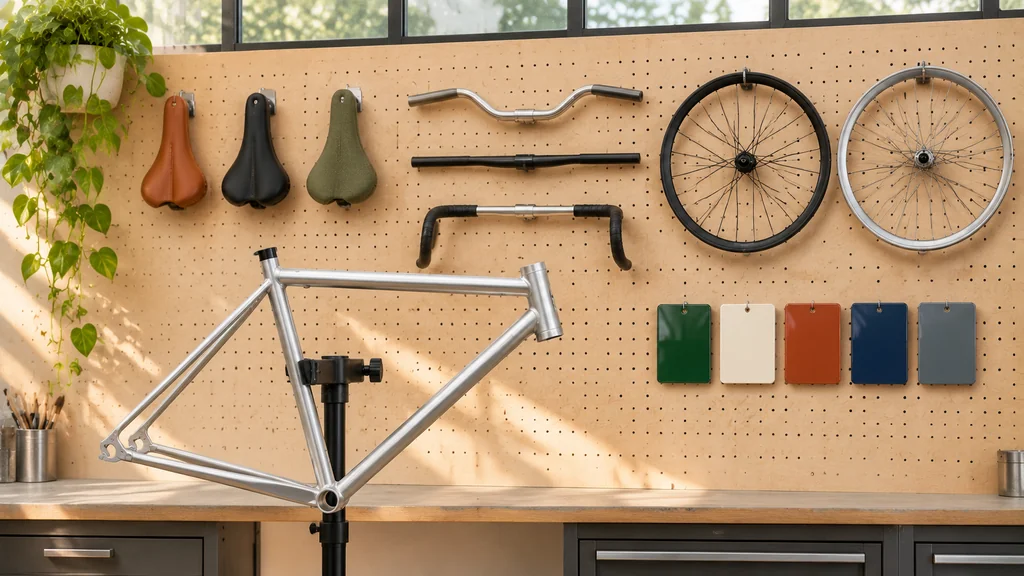
Now consider what happens when you give the customer real modular choices. Suppose you sell a custom modular sofa or bicycle with:
- 8 frame colors
- 6 upholstery fabrics or leather finishes
- 4 arm or handlebar styles
- 3 wheel or base finishes
- 2 headrest options
Multiply those options together (8 × 6 × 4 × 3 × 2) and your single product now has 1,152 possible combinations. That is the theoretical total if every choice can combine with every other; compatibility rules may rule some combinations out, and not every combination needs its own stored SKU.
In Nfinite's 2023 survey of 1,074 U.S. consumers (summarized by the Home Furnishings Association), 56% of shoppers said they are less likely to buy furniture if no or limited imagery is available for the exact color or finish they want. Showing one static grey hero photo alongside a wall of unpictured dropdown menus invites cart abandonment and pre-sale support tickets.
2D Image-Swap vs. Real-Time 3D Configurator: An Honest Comparison
Once your option combinations outgrow a standard photo shoot, you face a practical fork: 2D layered image swapping or a real-time 3D product configurator.
In a 2D image-swap customizer, you photograph or render each product part (base, handle, cushion, trim) on a transparent background from 1 to 4 fixed camera angles, and the browser stacks those transparent PNG/WebP layers on top of each other.
In a real-time 3D configurator (powered by WebGL/WebGPU engines like Three.js or Babylon.js), the browser loads one modular 3D model (.glb) and swaps physically based rendering (PBR) materials—materials that react to light like the real surface—and 3D component parts live on the shopper's screen from any 360-degree angle.
Drawing on technical benchmarks from Kickflip's 2D vs. 3D configurator analysis and Three.js Resources' configurator guide, here is how the two approaches compare:
| Business & Technical Factor | 2D Layered Image-Swap | Real-Time 3D Configurator |
|---|---|---|
| How It Works | Stacks transparent 2D PNG/WebP layers across 1 to 4 fixed camera angles. | Loads one modular 3D mesh (.glb) and swaps PBR materials and 3D parts in real time. |
| Viewing Angles | Locked to the 1–4 angles you pre-rendered; no free rotation. | Unrestricted 360° orbit, close-up macro zoom, and animated part movement. |
| Mobile AR ("View in Room") | Not possible — flat PNG layers cannot be placed in a room via AR. | Possible with extra engineering — iOS Quick Look can show the configured state if the .usdz is generated from the current configuration (Google <model-viewer> does this when no ios-src is set); Android Scene Viewer reloads the original model file, so each configuration needs its own exported file or a WebXR-based viewer. A 2D customizer can still be paired with a separate AR implementation. |
| Adding a New Part or Angle Later | Changing a camera angle or adding an overlapping part requires re-rendering and re-slicing the layer stack. | Add a new 3D part or material to the scene without re-rendering existing angles—but the new part still needs modelling, compatibility rules, and pricing checks. |
| Mutual Reflections & Shadows | Static — a bright gold handle does not cast reflections onto a dark glossy body layer. | Dynamic — real-time studio HDRI lighting (an environment light map) and reflections update naturally across adjacent parts, with quality depending on the lighting setup and the shopper's device. |
| Initial Mobile Load Weight | Light — each angle is a set of compressed image layers. | Requires disciplined optimization — a compressed modular .glb (Shopify's guidance for 3D models is about 4 MB) with KTX2/Draco compression and a 2D poster on first load. |
| Best Use Case | Flat surface printing (t-shirts, mugs, labels, posters) or simple color swaps viewed from one front angle. | Multi-part, spatial, or high-consideration products (furniture, watches, bikes, footwear, enclosures, hardware) where form, fit, and 360° inspection matter. |
When a Real-Time 3D Product Configurator Becomes the Better Choice
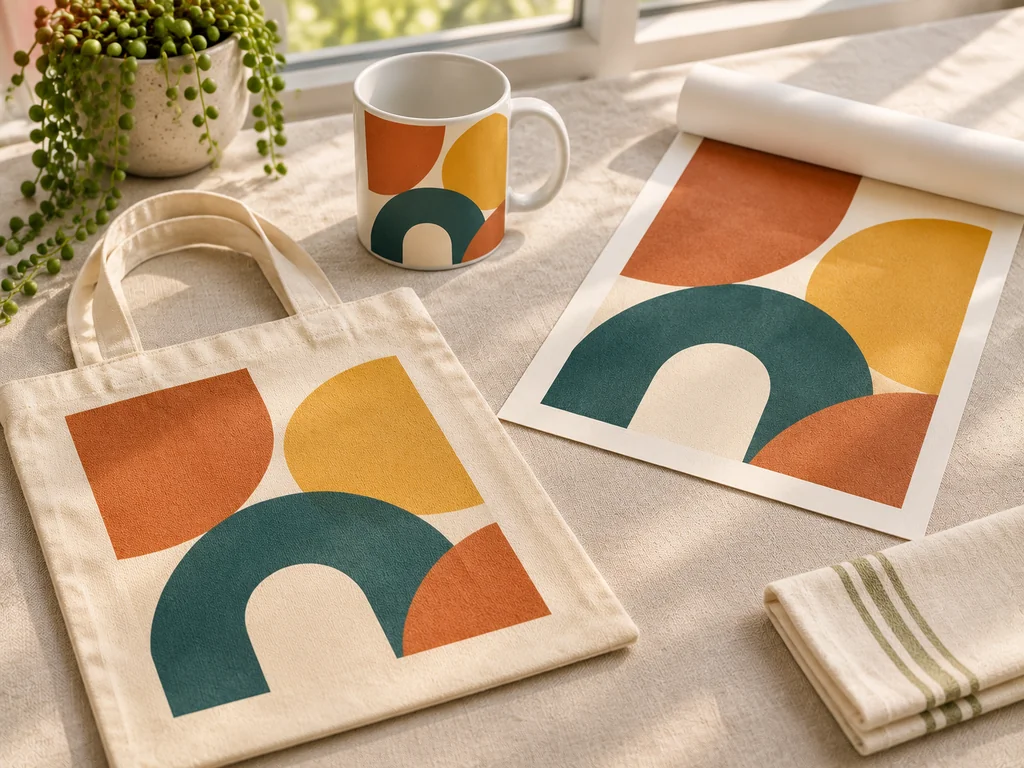
A 2D layer stack is a sensible choice if you sell flat canvas tote bags with custom monograms. However, a 2D image-swap becomes much harder to manage—and a real-time 3D configurator often becomes the better choice—whenever your product hits one or more of these four conditions:
- Components Overlap in 3D Space From Multiple Angles: When customers swap parts that wrap around each other (bicycle frames and drivetrains, modular shelving units, watch cases and straps), Part A might sit in front of Part B from the front view and behind Part B from the back view. Managing 2D layer masks across multiple angles quickly becomes more expensive than building one clean 3D model.
- Customers Need to Check Spatial Fit in Their Room (WebAR): According to Shopify's case study on Oakywood, the wooden furniture brand used to go months at a time with almost no custom orders. After adding Precismo's 3D customizer through Shopify AR—letting shoppers generate a 3D model of their custom piece and see it in their own home—it began receiving around 200 to 300 custom orders per month (alongside a rebrand and a move to Shopify Plus). That is one brand's reported result after several changes at once, not a guarantee that 3D alone produces the same outcome.

- Material Realism Depends on Light Interaction as the Product Moves: Brushed titanium, anodized aluminum, pebbled leather, velvet upholstery, and tinted glass do not look convincing as flat color fills. Shoppers judge their quality by watching how studio highlights roll across the surface as the object rotates.
- You Want to Show Functional Motion or Dimensions Live: When a shopper customizes a cabinet, stroller, or enclosure, a real-time 3D scene can play animated clips (such as
Door_OpenorExplode_View) and show live dimension overlays.
How to Choose Between 2D and 3D
Before you commit, weigh five practical questions: How spatial is the product—do shoppers need to orbit it or place it in a room? How many option groups and combinations are involved, and how often do options change? Do you prefer an upfront build cost or a monthly subscription with per-sale fees? How will the finished configuration flow into your inventory, pricing checks, and production? And how many products will you start with? Flat, print-based products usually stay with 2D; multi-part products with many combinations, AR needs, or frequent option changes are where 3D starts to pay for its extra complexity.
Connecting 3D Assets to Your Storefront Cart
As we detail in our engineering guides on turning CAD data into effective 3D configurators and WebAR experiences and product variant approval workflows for 3D, a well-built configurator keeps visual state and business logic cleanly separated:
- Inside the 3D asset (
.glb): The studio structures the product into logically named component nodes and standard glTF material variants (KHR_materials_variants) so swapping a finish happens instantaneously. - Inside your ecommerce store: Your storefront owns the option rules, live price calculation, SKU code generation, and "Add to Cart" payload. Passing the finished configuration straight into the order removes the manual back-and-forth of custom quotes—Kickflip, for example, reports that one merchant, V-Nation, cut its order processing time by roughly 80% after moving custom orders into a configurator. That is a single merchant's reported result, not a typical figure.
How the configuration is recorded also has to match how your store handles orders, inventory, and production. Line-item properties (the extra fields attached to one item in the cart) record the shopper's choices, but they do not by themselves validate stock, pricing, or manufacturing rules—your store workflow still has to do that.
Frequently Asked Questions About Ecommerce Product Customization
Will a 3D product configurator slow down our mobile product page?
It does not have to. By serving a lightweight 2D poster image on initial load (protecting your Google Core Web Vitals) and loading a compressed base .glb model (Shopify's guidance for 3D models is about 4 MB) with GPU-compressed KTX2 textures only when the shopper interacts, finishes can swap quickly. Performance still depends on the device, the connection, and the rest of the page—test on real phones before launch.
How do we handle Shopify's variant limits if our product has thousands of combinations?
Shopify now allows up to 2,048 variants per product, but each product can still have only three options (for example, size, color, and material) and up to 250 media files. A product with five option groups—like the 1,152-combination example above—therefore can't be modeled as native variants, however few combinations it has. Instead, customizers map modular choices either by combining component sub-SKUs in the cart or by attaching the customer's selected configuration (plus a generated 2D snapshot) as structured line-item properties on a base product order.
Do we need to pay a monthly percentage of our revenue to run a 3D configurator?
Only if you rent a SaaS customizer app that charges transaction fees—Zakeke's pricing page, for example, lists a 1.5% to 1.9% fee per sale on top of a monthly subscription, depending on the plan. If you commission an owned custom build using open-source WebGL libraries like Three.js or <model-viewer>, there are no royalties or per-sale fees, but you pay upfront for the assets and code and should budget for hosting and occasional maintenance as your products and browsers change. SaaS tools trade that upfront cost for a faster start and built-in admin tools, so compare the total cost over two to three years for your expected sales volume.
What if we want to start with 3 to 5 configurable products first?
Starting with a small pilot is the smartest approach. Pick 3 to 5 modular or made-to-order products where customers currently ask the most pre-sale questions, launch the 3D configurator, and measure the impact on add-to-cart rate and average order value before expanding.
Want to Build a Fast, Owned 3D Configurator for Your Products?
If you want this done for your products—whether you need modular, configurator-ready .glb assets with clean part hierarchies and swappable PBR materials, or a complete custom WebGL configurator built without recurring SaaS transaction fees—explore our 3D Product Configurator Development service. Every configurator is built from both the 3D product models and the browser-based WebGL tooling (like our own GLB Studio Pro suite) needed to run smoothly on real phones.
Share your product options and what you want shoppers to customize.
Get a Free Quote ↗