
The best 3d product visualization software for ecommerce depends on what you are actually trying to buy. If shoppers only need to rotate a product and place it in their room with AR, a store's built-in viewer or Google's free <model-viewer> can be enough — provided your 3D files are well prepared. If they need to choose materials, parts and options with rules and pricing, you are looking at a configurator: a subscription platform or a custom build. Whichever you pick, someone still has to produce accurate 3D models of your products, and that is often priced separately.
The tools fall into four groups: an enterprise visual CPQ platform (such as Threekit or Chaos Cylindo), a self-serve store plugin (such as Zakeke), a browser-based 3D viewer and design workspace (such as Vectary or Sketchfab), or a no-license open-source web engine (such as Google <model-viewer>, Three.js, or Babylon.js, including Shopify's built-in 3D support).
In our view, many "Top 10" software roundups online are written by vendors who rank their own platform first — and the biggest surprise store owners face after signing a contract is rarely in the feature list: a software license on its own does not create your 3D product models. Modeling is often priced separately, and some vendors in the table below do sell model creation as an extra service (Cylindo, Zakeke), so ask who makes the models and what it costs before you sign.
At 3D Vision Art, we are an independent 3D production studio, not a SaaS vendor selling monthly subscriptions. A note on our own interest: we sell the custom-build and ready-made-asset paths below, so we have a stake in how you read this page. To keep the comparison fair, we show what every path costs you in money, time and upkeep, including ours, and we link to each vendor's own pricing page.
The 9 Leading 3D Product Visualization Platforms & Frameworks Compared
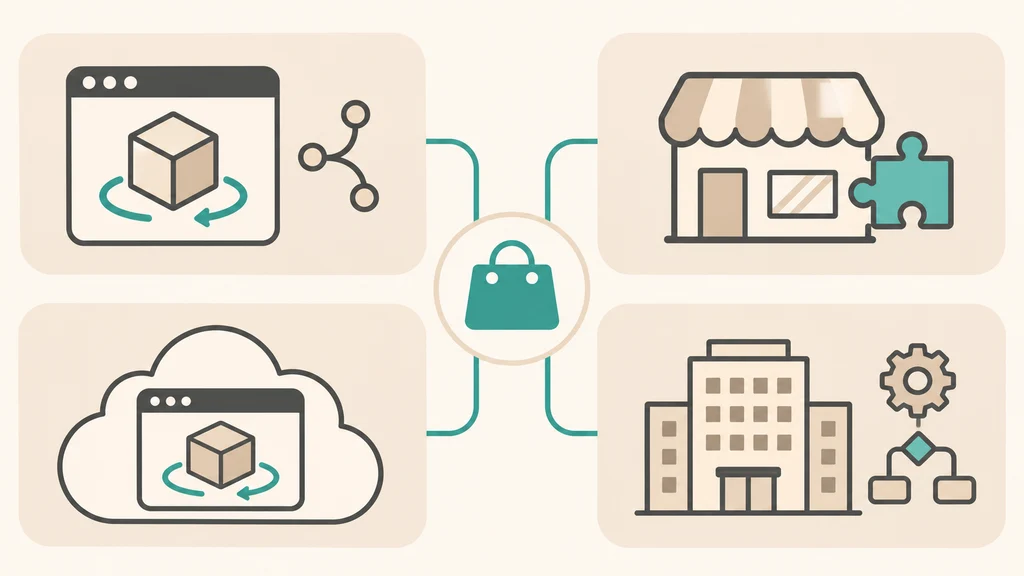
These nine are the tools store owners ask about most — the list is not exhaustive, and the vendors we cite as sources (CPQ3D, Sayduck, 3D Cloud) sell competing products of their own.
Before looking at individual features, separate SaaS platforms (where you pay a recurring fee for hosting, a dashboard, and a rule builder) from native/open-source web frameworks (which run for free in the browser and let you own your code outright).
| Platform / Tool | Category | Best For | Published Pricing & Licensing Model | Key Strengths & Honest Limitations |
|---|---|---|---|---|
| [Shopify Native 3D] | Built-in Storefront Feature | Shopify merchants wanting 360° 3D & WebAR in their product gallery | No separate fee (Shopify's built-in 3D viewer — no app to buy) | Pros: Zero app fees; uses Google's <model-viewer> under the hood. Limitations: A viewer only — no configurator rules, no option logic; AR handoff needs a theme that supports Shopify's AR library. |
[Google <model-viewer>] |
Open-Source Web Component | Any store needing fast 3D + WebAR | Free & Open-Source | Pros: Maintained by Google; free, open-source, powers Shopify's native 3D gallery. Limitations: A viewer only — no configurator logic built in, and embedding it outside Shopify needs a developer. |
| [Three.js] | Open-Source 3D WebGL/WebGPU Library | Brands wanting a fully custom, owned 3D product configurator | Free & Open-Source | Pros: A widely used open-source option for custom web 3D. Limitations: A developer library, not software you buy — the real cost is developer time to build, host and maintain it. |
| [Babylon.js] | Open-Source Web 3D Engine | High-end retail configurators & room planners | Free & Open-Source | Pros: Full-featured engine with node material editor and lightweight viewer component. Limitations: A developer tool — you need a developer to build with it; OpenPBR support is still rolling out. |
| [Zakeke] | Self-Serve Ecommerce SaaS App | SMBs & mid-market stores needing a plug-and-play 3D customizer & AR viewer | $69.90 to $299.90/mo (+ 1.5% to 1.9% transaction fee on customized sales; custom Enterprise tier has 0% fee per [Zakeke Pricing]) | Pros: Native plugins for Shopify, WooCommerce, BigCommerce; 3D product configurator with components, materials and conditional rules, plus a 3D & AR viewer in every plan. Limitations: Published products are capped per plan (10 / 50 / 100); paid add-ons (extra users, branding removal, quote tool); Enterprise is aimed at stores doing $10M+ revenue. |
| [Vectary] | Browser 3D Design & Hosting SaaS | Design teams wanting a browser-based 3D editor with iframe embeds | Free to $250/mo (Starter $25/mo, Team $250/mo; Business is custom-priced) | Pros: Clean browser look-development, hotspots, animations, and CAD import. Limitations: App-free AR, Viewer API, WebXR and unbranded distribution are Business-only (custom price); embeds stop working if the subscription ends. |
| [Sketchfab] | Hosted 3D Viewer & Repository | Sharing 3D models via iframe or building API-driven viewers | Free to $15/mo (Pro) + Custom Enterprise (white-label viewer, configurator API & app-free AR on higher tiers per [Sketchfab Plans]) | Pros: Easy upload of almost any 3D format. Limitations: Pro is $15/mo billed annually ($180/yr); white-label, API and app-free AR sit on higher tiers — check the current plan page before you buy. |
| [Threekit] | Enterprise Visual CPQ SaaS | Large enterprise manufacturers & B2B/B2C brands with complex CPQ rules | Custom enterprise pricing (not published — request a quote) | Pros: Combines real-time 3D, Virtual Photographer™ 2D rendering, WebAR, Salesforce and SAP Commerce Cloud integrations, and BOM generation. Limitations: Pricing is not published, so you cannot budget it without a sales quote; enterprise-scale cost and implementation time. |
| [Chaos Cylindo] | Furniture Visual Commerce SaaS | Mid-to-large furniture & home decor retailers | Custom enterprise pricing (Core Platform + optional Lifestyle & 3D Design bundles per [Cylindo Bundles]) | Pros: Purpose-built for furniture; Master Asset creation is offered as a service. Limitations: Pricing is not published; furniture-focused, so less proven outside home goods; model creation costs extra. |
How to Read Beyond the Feature Checklists
When store owners compare these tools, three practical details determine whether a project succeeds or stalls.
1. Do You Actually Need Paid Viewer Software If You Use Shopify or <model-viewer>?
If your goal is to let shoppers rotate a product in 3D, zoom in on materials, and tap "View in your space" for mobile AR—without complex multi-part assembly rules—you usually do not need a monthly software subscription at all:
- On Shopify, uploading a properly prepared
.glbfile (under Shopify's recommended~4 MBtarget with2048 × 2048 pxtextures, per Shopify's 3D partner guide) shows the built-in<model-viewer>player. AR handoff needs a theme that supports Shopify's AR library — Shopify's Dawn theme does; older or custom themes may not. - On WooCommerce, BigCommerce, Magento, or custom stacks, embedding Google's open-source
<model-viewer>gives you the same viewer technology with no monthly software fee — though setup and AR support depend on your platform.
2. When Do SaaS Configurator Platforms Make Sense?
Paid SaaS platforms like Zakeke or enterprise suites like Threekit and Chaos Cylindo earn their keep when your store needs non-3D workflow infrastructure that you don't want to code from scratch:
- For surface personalization (letting a customer type their name on a jersey or upload a vector logo onto a box and automatically generating a print-ready CMYK PDF or laser-engraving DXF file), an app like Zakeke provides the 2D text/canvas tools and print pipeline out of the box — alongside its 3D configurator and AR viewer.
- For enterprise CPQ and multi-channel syndication across thousands of modular furniture SKUs with ERP/Salesforce integration, platforms like Threekit and Cylindo provide non-technical admin dashboards for large merchandising teams.
3. Watch Out for Contract Terms to Check

As documented in CPQ3D's 2026 pricing estimates across 12 vendors — CPQ3D sells a competing pay-per-quote configurator, so its figures are estimates, not vendor-confirmed prices — software license fees are only part of the total cost.
- Per-product modeling fees: The license rarely includes the 3D models themselves. Modeling is usually priced per product, on top of the subscription — ask for the per-SKU price before you sign.
- Minimum terms and auto-renewal: Some enterprise contracts have minimum terms and renew automatically unless you give notice in time — check the notice window before you sign.
- Asset ownership: As Geoffrey Mark, a Senior Business and Data Analyst at 3D Cloud, warns in 3D Cloud's 3D ecommerce guide, watch out for partners who work in proprietary formats and will not hand over your source models — ask for your source models as well as the web files, so you are not locked to one vendor if you ever switch platforms.
- Page-speed bloat: As noted in Sayduck's 2026 evaluation framework for ecommerce brands — Sayduck sells its own configurator — heavy third-party widgets that inject render-blocking JavaScript on page load can drag down mobile Google Lighthouse scores.
The Real Fork: Subscription Platform vs. Owned Build vs. Done-For-You Assets
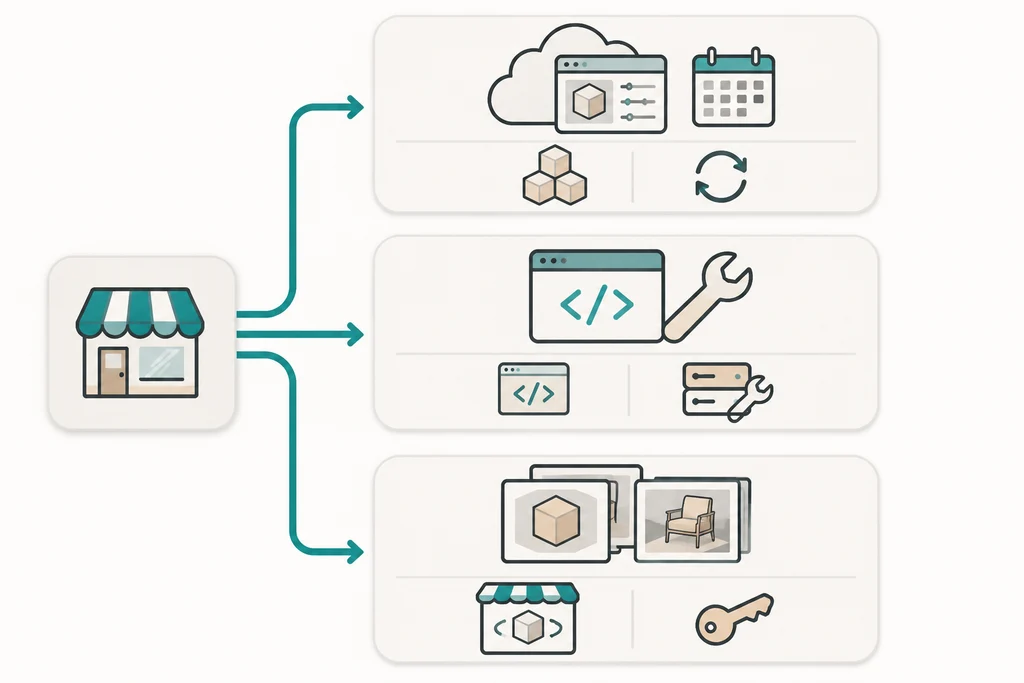
Choosing a 3D setup for your store is really about choosing which of three ownership models fits your business:
| Ownership Path | What You Pay For | What You Own at the End | When to Choose This Path |
|---|---|---|---|
| 1. Subscription platform | Monthly/annual subscription + setup/modeling fees. | You rent the viewer and rules engine; if you stop paying, the 3D viewer may disappear from your store, depending on the contract. | You need built-in print-on-demand PDF/SVG generation tomorrow, or you have a large team that needs a no-code portal. |
| 2. Owned Custom Build | One-time development and 3D asset production cost; no software license or transaction fees — but you still pay for hosting, maintenance and developer time. | The front-end code, the UI, the master 3D scenes, and the .glb/.usdz runtime files, as your contract states — and you also own the upkeep. |
You have a small set of core configurable products, want full control over mobile speed and brand design, and want to avoid an ongoing revenue share. |
| 3. Done-For-You Assets + Native Viewer | One-time per-product modeling, rendering, and optimization fee; no software license cost. | All 3D & 2D assets: studio renders, .glb, .usdz, and source files running on your store's free native player. |
You want 360° 3D inspection, mobile AR room placement, and photorealistic renders without complex multi-part configurator logic. |
The honest comparison: a subscription is fastest to launch and someone else hosts and updates it, but you keep paying and the viewer can go away if you stop. An owned build costs more up front in developer time and needs ongoing maintenance, but the code and files are yours. And whichever path you pick, the models themselves are a separate line in the budget — that is the part most roundups skip.
For a deeper technical look at how an owned Three.js and WebGL pipeline works, read our 2026 engineering guide to interactive 3D product viewers and WebGL configurators. And if you already have .glb files and want to inspect their triangle count, texture sizes, and material channels in your browser for free, you can test them anytime in our GLB Studio Pro workspace.
Frequently Asked Questions About 3D Product Visualization Software
Does 3D product visualization software automatically create 3D models from my photos?
Most ecommerce 3D software platforms are viewers, configurators, and asset managers—not automatic model generators. Some vendors do sell model creation as an extra service — ask who makes the models and what it costs per product.
What is the best free 3D product viewer for an ecommerce website?
Google's <model-viewer> is a widely used open-source option. It is free, open-source, maintained by Google, powers Shopify's native 3D product gallery, and supports both Android Scene Viewer and Apple AR Quick Look out of the box.
Should we build a custom Three.js configurator or use a SaaS app like Zakeke?
Use a SaaS app if you need to launch surface-print customization (text, uploaded logos) quickly with minimal upfront budget. Choose an owned Three.js build when you want a fully custom interface tailored to your brand, fast mobile loading, and no ongoing monthly license or per-order percentage fees — and you have a developer to build and maintain it. Note that SaaS apps can do 3D material swapping too, so compare the specific features you need rather than the category.
Which file formats should we require in our contract to avoid vendor lock-in?
Always require open-standard Khronos glTF 2.0 (.glb) and Apple's .usdz (built on Pixar's OpenUSD) runtime files alongside the organized master 3D scene files (such as Blender .blend, Maya .ma, or 3ds Max .max) and the editable texture files.
What Decides the Cost of Our Work?
What decides the cost of our work? Mainly how many products you need, how complex their shapes and materials are, how many colors and variants you sell, which files you need (web 3D, AR, studio renders), and whether you need configurator logic such as rules and option dependencies. Because those factors change from product to product, we quote after seeing your products. Send us a link or a few reference photos and we'll give you a free quote.
Want an Owned 3D Product Configurator Built for Your Store?
If you want a custom-built 3D product configurator — owned outright, with no recurring license fees — see our 3D Product Configurator Development.
Tell us what platform your store runs on and what you want to build.
Get a Free Quote ↗