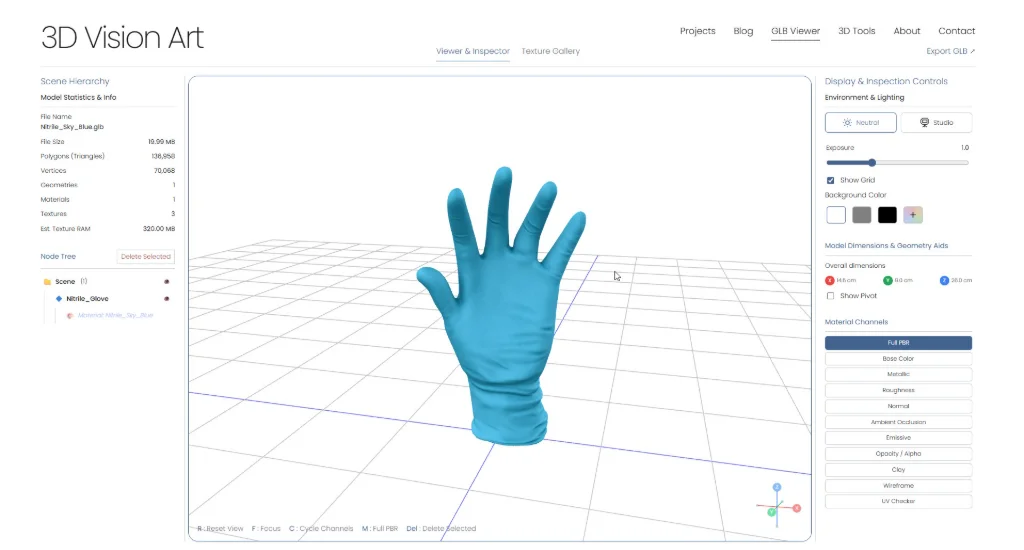
A screenshot from the GLB Studio Pro viewer. This earlier interface shows the model inspection workflow; the current navigation has changed.
Finishing a model in a 3D application is one part of the job. Before sharing the exported file, I still need to see how its geometry, materials, and textures behave outside that application. That review step is one of the reasons I built GLB Studio Pro.
I wanted a browser-based workspace that would help me and other 3D artists inspect assets, prepare textures, and work with delivery formats without opening a full production scene for every check. The viewer is the starting point, with conversion and image tools available in the same site.
Start with the file you intend to deliver
For a useful review, I open the actual exported GLB rather than relying on how the source scene looked. I wait for the model and textures to load, then rotate the asset and check the areas that matter for its intended use.
The viewer also accepts glTF, FBX, OBJ, and supported USDZ files. That helps when different delivery formats need a visual check, although a browser preview does not replace testing in the application or device that will use the file.
Look beyond whether the model opens
I check the silhouette, visible surfaces, material response, and dimensions. A model can load successfully while still having a missing texture, an unexpected transparent surface, or a scale that is wrong for its destination.
Material-channel controls help separate those questions. I can examine the base color, roughness, metallic, normal, and other available channels instead of judging everything through the final shaded view. The scene hierarchy and model statistics provide context when a part is missing or the asset is heavier than expected.
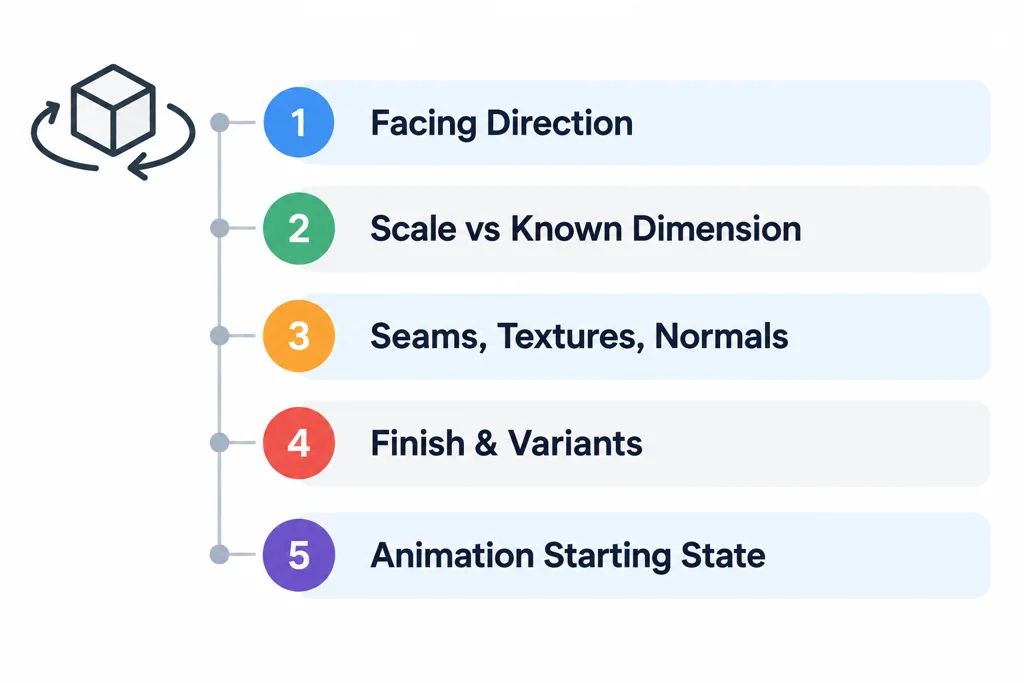
Changing the background or lighting can make a problem easier to see. I use those controls to inspect the asset, then compare it with the intended appearance rather than treating one lighting setup as a universal reference.
Use the review to guide optimization
Optimization starts with knowing what needs attention. Geometry counts, texture information, and a visual review help me decide whether an asset needs further work before delivery.
GLB Studio Pro includes image and texture resizing and conversion tools for preparing texture files. Those tools support an optimization workflow, but resizing a texture is still a choice that needs checking: an image can become smaller while losing detail that matters on the model. I compare the result at the viewing distance and resolution the asset is intended for.
Geometry cleanup and other changes may still belong in the original 3D application. The aim is to make those decisions with a clearer view of the exported asset, rather than assume that one automatic setting can finish every model.
Prepare another format, then review it again
The converter includes a GLB-to-USDZ workflow. This is useful when an asset also needs a USDZ deliverable for an AR workflow. I treat the converted file as another version to inspect, with its own material and compatibility checks.
Conversion is not a guarantee that every source feature will behave identically. The current USDZ exporter does not preserve compressed textures, so those assets need standard PNG or JPEG textures before conversion. After conversion, I check the result in the intended viewer or device as well as in the browser.
Choose the check that answers the delivery question
| Workspace area | Question I use it to investigate | Follow-up |
|---|---|---|
| Viewer | Did the exported shape, hierarchy, and material channels arrive as intended? | Compare the relevant feature in the actual destination. |
| Image and texture tools | Can I reduce or convert a texture while retaining the detail needed in the approved view? | Reopen the revised asset with that texture applied. |
| GLB-to-USDZ conversion | Can this source produce the additional AR deliverable I need? | Inspect the USDZ on the intended Apple device. |
| External format validation | Does the glTF structure contain reported errors or warnings? | Read the issues and retain the report with the asset revision. |
The available controls depend on the current tool version and input format. I do not treat the presence of a control as proof that every source feature survives a conversion. For compressed source textures, check that the conversion path can decode them and write a texture representation supported by the USDZ destination. Keep a standard-image compatibility version when the current exporter requires one.
A tool shaped by production work
GLB Studio Pro sits alongside my work at 3D Vision Art. It is a separate tool, built around practical tasks that come up while creating and delivering 3D assets: opening a file, checking its materials, preparing textures, and making another delivery format.
Visual inspection and format validation answer different questions. A validator can report structural issues in a glTF asset; it cannot decide whether the finish matches the intended design. I use both where needed, and keep the final asset and its intended use in mind throughout the review.
Explore the 3D Tools