A product that looks correct in a browser can still arrive in AR at the wrong size, in the wrong finish, or above the floor. Prepare separate web and AR deliverables from an approved source, then verify the handoff and physical dimensions on the intended devices.
Separate browser inspection from mobile placement
An embedded 3D viewer lets visitors rotate a product, inspect details, and choose supported configurations without leaving the page. A mobile AR action may launch Apple Quick Look or Google Scene Viewer. Those receiving applications have their own format, material, and device requirements.
Quick Look supports USDZ delivery on compatible Apple devices. Scene Viewer supports glTF-based delivery on supported Android configurations. Availability depends on the device, browser, and installed services. Provide a useful product gallery when AR is unavailable, and test the return from AR to the page's selected finish.
See the official Scene Viewer integration requirements and Apple Quick Look examples before choosing the delivery path.
Set a loading budget from the product experience
Start with a poster when immediate 3D interaction is not essential. Decide whether the viewer loads on a deliberate click or near the viewport, then measure both initial page performance and the delay before interaction. Deferring work moves its cost; it does not guarantee a perfect performance score.
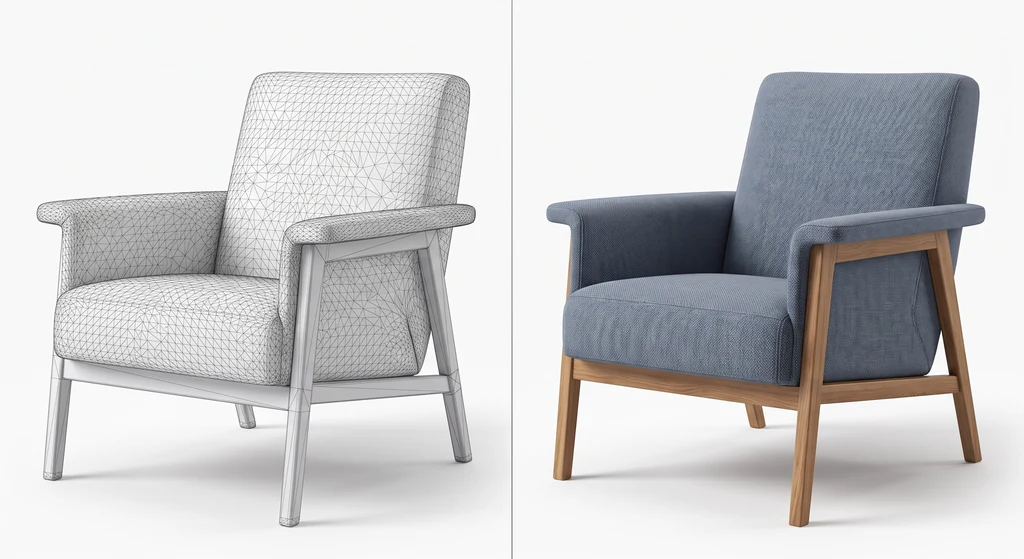
Reduce geometry where it does not affect the intended views. Bake surface information into the appropriate material maps when needed. Geometry compression and GPU texture compression address different parts of the delivery cost. KTX2 is a texture container, not a baking method, and a decoder must be available where the exported asset requires one.
Record transfer size, decoded texture use, loading time, and interaction behavior on representative devices. A file-size target is useful only when the product still meets its visual requirements.
Verify dimensions before testing placement
Use an approved product drawing or measured reference. Record width, height, and depth, including the configuration and any movable parts that affect the measurement.
glTF uses meters for linear distances. USD encodes stage units through metersPerUnit, so a USDZ scene need not use a numeric unit value of 1 for every meter. Check the transformed exported dimensions rather than changing a unit label and assuming the geometry has been converted. The OpenUSD units reference explains that distinction.
Place the intended contact surface consistently with the asset's up axis. Remove construction objects or studio floor cards that should not travel with the product. On a physical device, check scale against a known reference and observe whether the product floats, sinks, or drifts as tracking changes.
Correct asset dimensions do not guarantee exact room measurement. Tracking quality, surface detection, lighting, user scaling, and device behavior can affect placement. State the limits of a fit preview instead of presenting it as a measuring instrument.
Keep one source and reviewed delivery versions
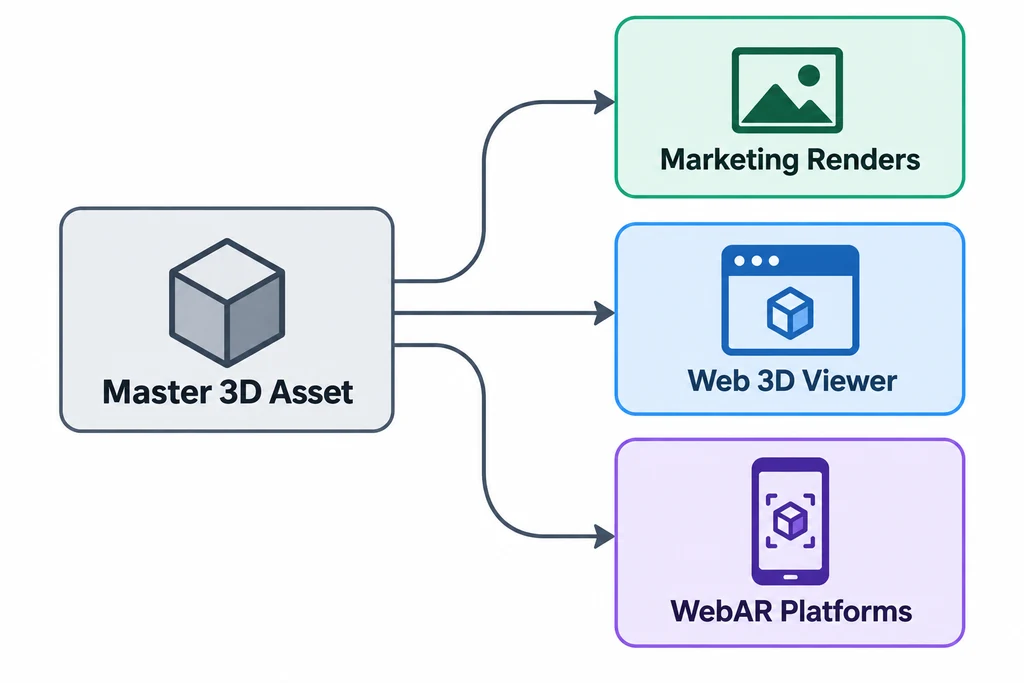
A common source can support marketing stills, a web model, and AR packages. Each derivative has its own acceptance criteria. An offline shader may need a different representation in glTF or USD, and an AR package may need different texture choices from a desktop viewer.
Maintain a small release record:
| Item | Record |
|---|---|
| Product identity | SKU, finish, accessories, and source revision. |
| Dimensions | Approved physical measurements and exported bounds. |
| Web asset | GLB revision, required features, and tested viewer version. |
| AR asset | Corresponding USDZ or glTF asset and tested device route. |
| Visual result | Reference views and accepted material differences. |
When a finish changes, update the corresponding web view, AR asset, and poster as one product-state change. Do not assume that a page's runtime material selection is automatically transferred to an external AR viewer.
Measure commercial results separately
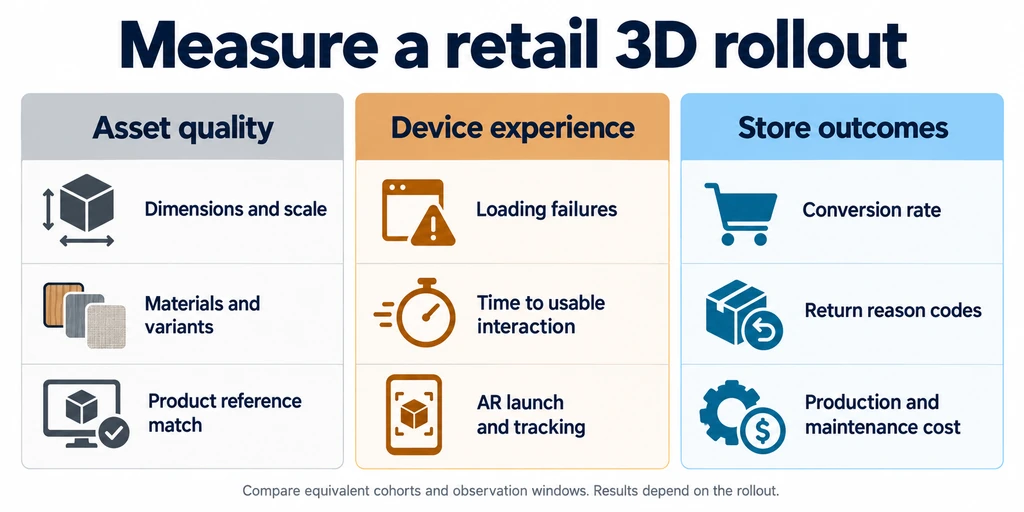
The diagram is a planning aid, not evidence of a measured increase in conversion or reduction in returns. Use a controlled rollout and record page performance, viewer use, purchases, and relevant return reasons. Separate changes to product imagery from other changes to pricing, traffic, or page design.
Frequently asked questions
Do visitors need another app?
A compatible device may support a native handoff without installing a dedicated retailer app. Required platform services and fallback behavior still need checking. Avoid promising that every mobile visitor can launch AR.
Is CAD always better than a scan?
Use the source that supplies reliable evidence for the product. CAD can provide design dimensions; a scan can capture surface appearance. Both require preparation and validation. Neither automatically produces a correct web or AR asset.
Can a single high-resolution model serve every channel?
It can be the shared source, but the delivered geometry, textures, materials, and packaging often differ. Preserve the source and derive each output deliberately.