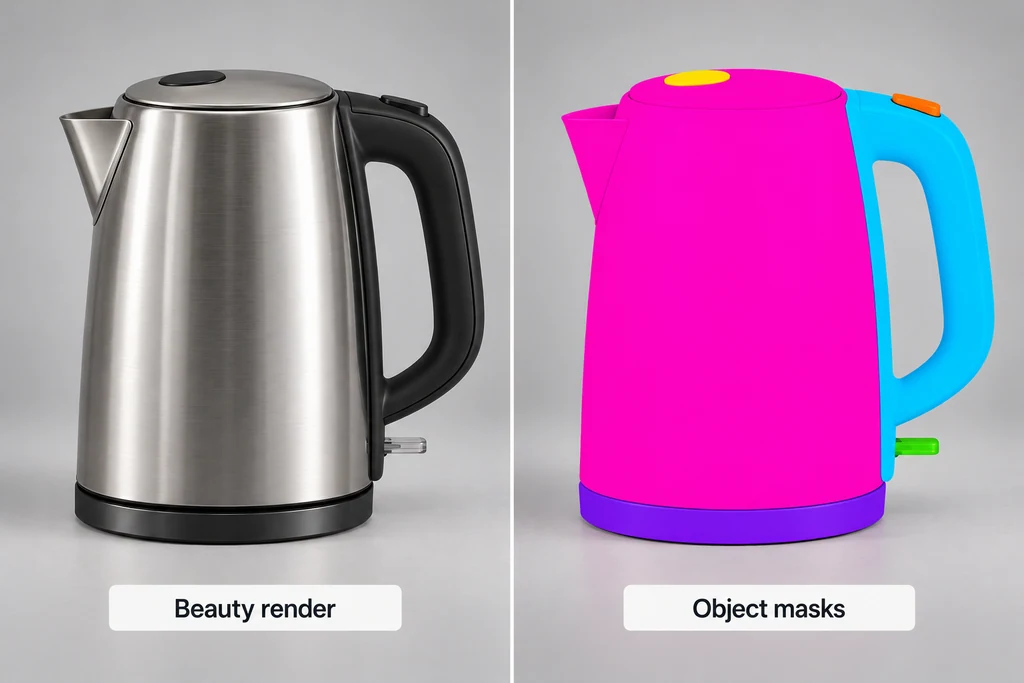
Decide whether the request belongs in compositing before creating the mask. A modest tonal correction may be appropriate. A changed light interaction, geometry revision, or substantially different finish usually needs work in the scene.
Choose an ID strategy before rendering
Name important objects and materials consistently. Decide whether the correction needs the entire product, one component, or a material shared by several components. Cryptomatte uses render-time identity information to create selections, as described by the original project.
Do not rely on a material selection when the same material also appears on a prop that must remain unchanged. Use an object selection or a deliberately organized grouping.
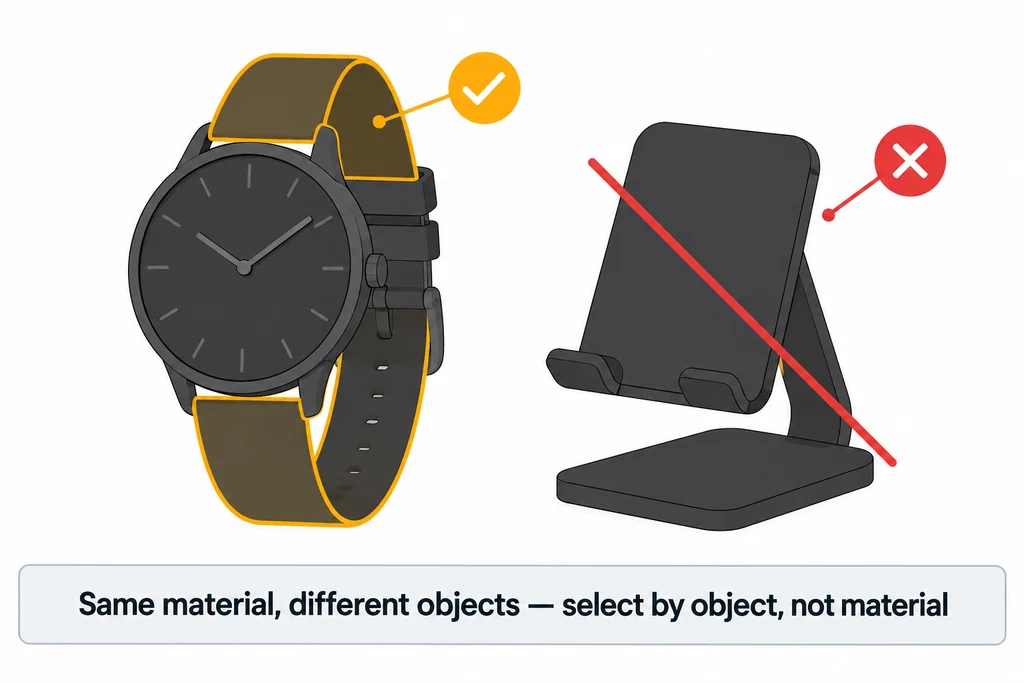
Keep naming stable across revisions when practical. If names change, review the saved selections rather than assuming an earlier matte still refers to the intended part.
Save data that the compositor can decode
Enable the relevant passes before rendering. Blender documents object, material, and asset selections in its render-pass reference. Use an output path and file format that preserve the required channels and metadata, then reopen a test render in the actual compositing application.
Do not judge delivery by the presence of a colorful ID preview. Confirm that the receiving tool can select the intended object from the saved data. Keep this test small enough to repeat before committing a long render.
For a kettle with a body and separate handle, test both selections independently. Include their shared boundary and any overlapping region in the review.
Preserve identity data rather than a colored preview
Use a receiving format and export configuration that retain Cryptomatte's channels and metadata. In an OpenEXR workflow, keep ID-bearing data in full 32-bit float channels with lossless handling. A flattened PNG preview or a lossy conversion of the ID data is not a replacement for the selectable matte.
| Selection | Useful scope | Check before approval |
|---|---|---|
| Object | One named component. | Shared boundaries and renamed objects. |
| Material | All surfaces using the selected material. | Unwanted props or parts sharing that material. |
| Asset grouping | A renderer-defined group of related objects. | The grouping rule actually used by that renderer. |
Do not assume that a collection or a parent always defines an asset identically across applications. Render a small test, reopen it in the intended compositor, and select the kettle body and handle separately. Check the blurred edge as well as the interior. Keep beauty-image compression choices separate from the requirement to preserve the Cryptomatte IDs.
Inspect the matte where selection is difficult
View the selected region over contrasting backgrounds. Check anti-aliased edges, motion blur, depth-of-field blur, and transparent overlaps in the specific renderer and compositor combination.
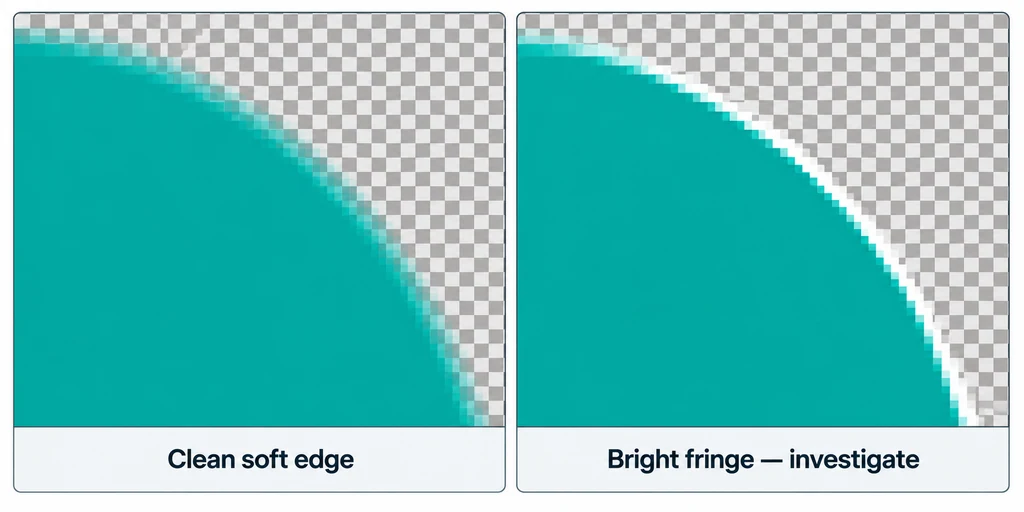
A mask should not leave a bright fringe or hard cut through a soft edge. If it does, investigate the pass interpretation and processing order before painting around the result. Keep a comparison with the unmodified beauty render.
Remember that a selected object does not necessarily include every reflection or shadow it casts elsewhere. A large color change can leave inconsistent reflected color even when the matte is technically clean.
Keep the correction within the approved finish
Apply the adjustment while viewing the whole image as well as the isolated part. Preserve the product's relationship to nearby components. Do not approve a housing because its isolated crop looks attractive while the assembled product no longer matches the reference.
For each revision, confirm the selected IDs, the matte boundary, and the correction amount. Save the compositing setup with the render revision it uses. The final handoff should let another artist reproduce the correction without guessing which pixels were selected or why a particular material was altered.