One product, two delivery contracts
A product page can offer one AR promise to Android and iOS visitors: inspect the product in their space. The technical path is not identical. Google Scene Viewer loads a hosted glTF 2.0 or GLB asset, while Apple AR Quick Look uses USDZ for its AR preview path.
Start with the product configuration, dimensions, materials, and interaction promise that must remain consistent. Then build and validate platform-specific packages rather than assuming a format conversion completes delivery.
Define the shared source of truth
Keep the approved product configuration, SKU mapping, real-world dimensions, material intent, geometry inclusion rules, and release version in one shared source. The GLB and USDZ outputs should be traceable to that source even though their renderer checks are different.
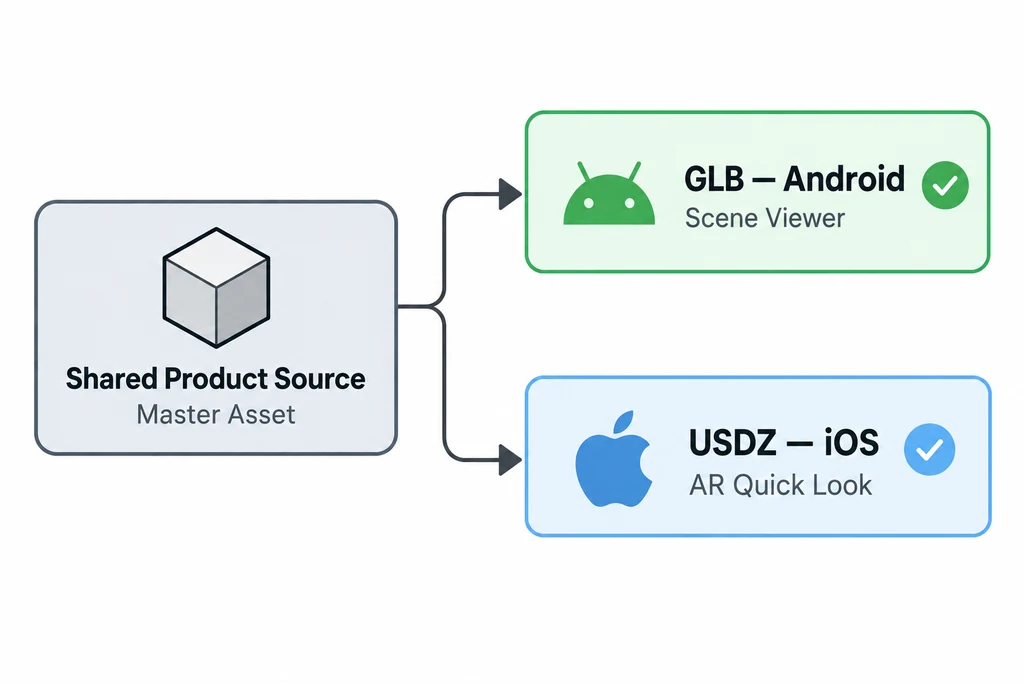
One approved product state can feed distinct mobile AR outputs.
Document platform outputs separately. Optimise the GLB for its Android target and prepare the USDZ for Quick Look, then inspect each in the renderer that customers will use.
Build platform-specific launch behavior
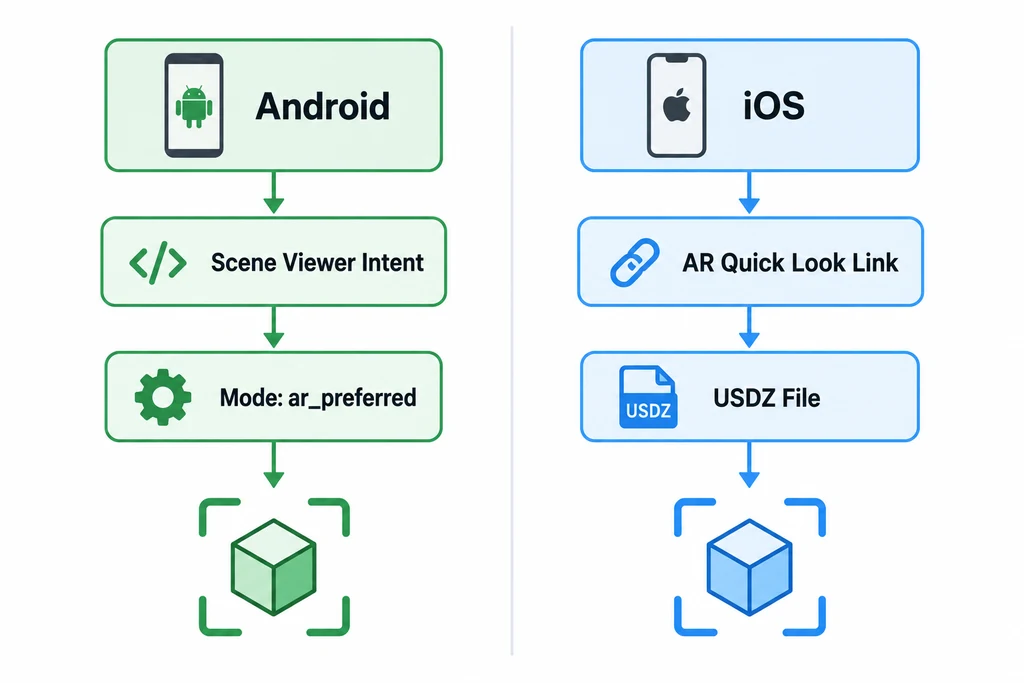
Android and iOS need different launch paths and asset formats.
Scene Viewer documents a model file URL, modes including 3d_preferred and ar_preferred, and a browser fallback URL for HTML-based intents. Test this fallback as part of the product page. On iOS and iPadOS, the Quick Look action should lead to the intended USDZ and make the immersive transition clear.
Keep the selected product configuration in sync with the launched asset, especially when a visitor changes finish or size before opening AR.
Compare behavior, not pixels
The goal is credible product understanding, not an identical screenshot. Verify that both platforms launch the same variant, use plausible scale and orientation, preserve material recognition under platform lighting, offer a clear fallback, and return the visitor to relevant product context.
Record accepted differences. Scene Viewer documents supported extensions and asset guidance, while Quick Look has its own USDZ and lighting behavior. The release owner should know which differences are intentional.
Keep a platform launch record
| Record field | Android route | Apple route |
|---|---|---|
| Asset identity | The actual hosted glTF or GLB selected for Scene Viewer. | The supplied or generated USDZ selected for Quick Look. |
| Launch behavior | Documented intent mode and fallback for the chosen integration. | AR anchor and any supported Quick Look options. |
| Scale control | Device behavior and applicable launch settings. | Asset units and any chosen content-scaling option. |
| Compatibility | Current receiver support for the exported features. | Exporter and receiver support for the USD material path. |
Do not assume that a compression feature supported in a web viewer is supported in the native AR receiver. Test the delivered representation rather than copying the web asset's extension list into an AR support claim.
Maintain the selected SKU as application data while preparing either launch. If a finish has no approved platform asset, explain that limit instead of opening a different finish silently. Test return to the page with that same configuration retained.
Release as a small compatibility matrix
Use a release matrix with platform, device, OS, browser, selected variant, asset URL, expected launch mode, result, and fallback result. Test a current device in each platform family plus one constrained or unsupported route.
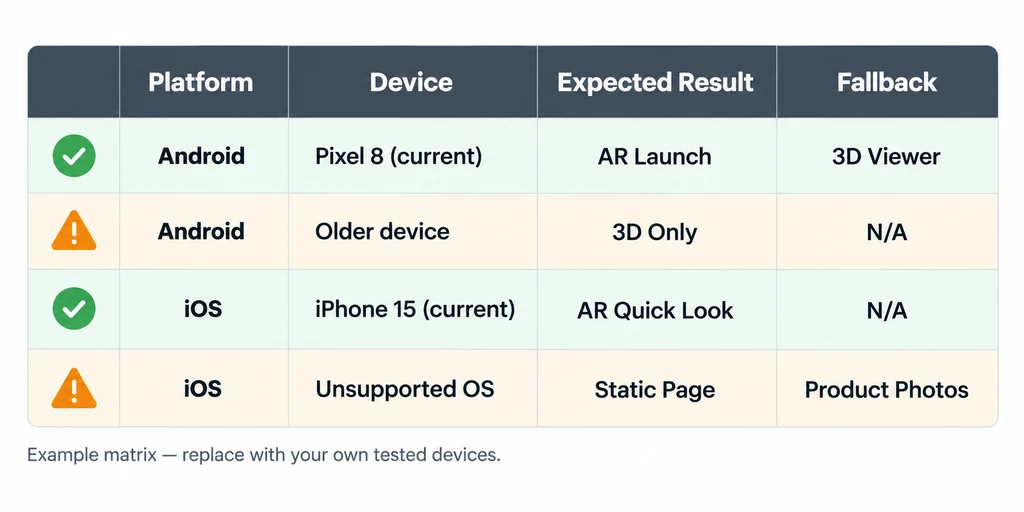
Record expected results and fallback behavior by platform and device.
This is more useful than a generic claim that AR works. Deliver GLB and USDZ as related platform outputs, each validated where it actually runs.