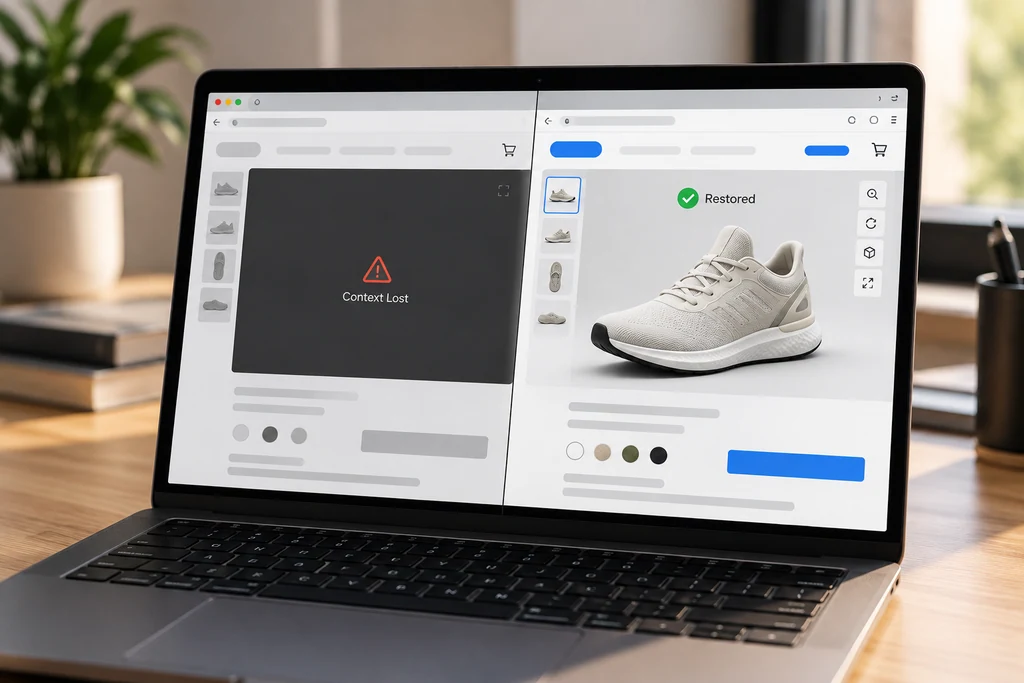
A recovery path returns the viewer to a usable state after context loss.
Treat context loss as a recoverable viewer state
A 3D viewer is usually built as if its renderer will run until the page closes. WebGL specifications describe another state: the drawing buffer can be lost. When that happens, previously created WebGL objects are invalid. A viewer that continues its normal render loop can show an empty canvas, repeated errors, or a control surface disconnected from its scene.
The right response is not to hide the possibility. Model it as a state transition: running, temporarily unavailable, restoring, and running again. The user should see a clear, brief status message only when the viewer cannot respond.
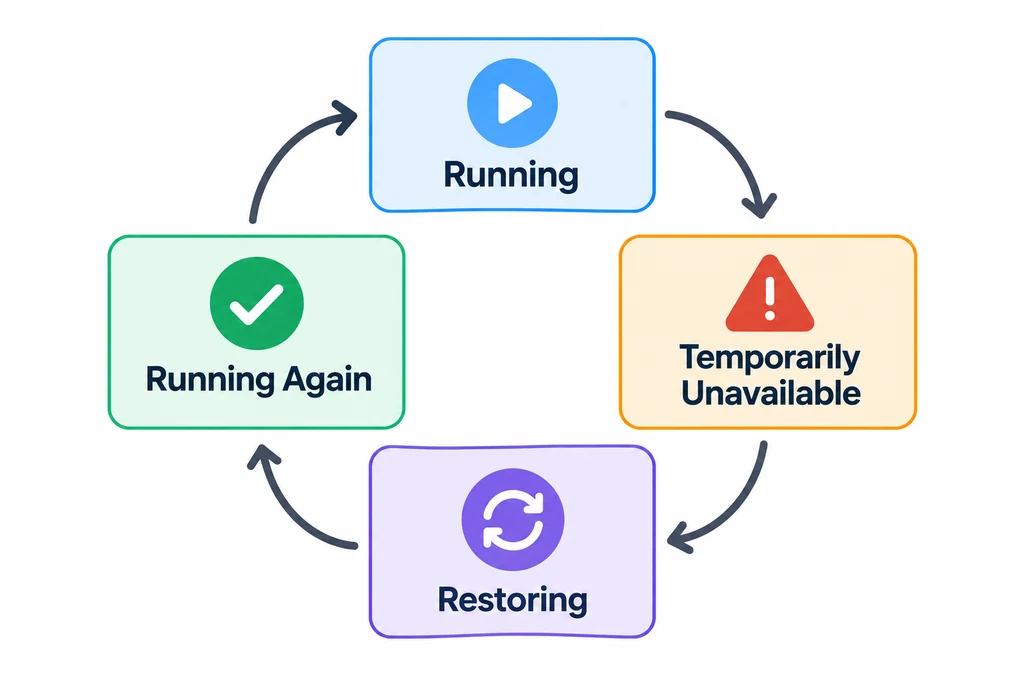
Keep context loss and restoration explicit in the viewer state model.
Handle both events
Listen for webglcontextlost on the canvas. Call preventDefault() in that handler when the application intends to receive a restoration event. Stop the render loop and avoid sending more GPU work while the context is lost.
Then listen for webglcontextrestored. The WebGL specification says resources created before the loss are no longer valid after restoration. Recreate textures, buffers, shaders, render targets, and any renderer-level state that depends on the context. Rebuilding only the scene graph in JavaScript is not enough if GPU-side resources are cached or assumed to remain valid.
Separate product state from GPU state
The viewer needs two kinds of information:
Product state: selected variant, camera target, current annotation, animation time, and configuration identifiers.
GPU state: textures, compiled shaders, geometry buffers, environment maps, render targets, and renderer internals.
Keep the product state in ordinary application data. On restoration, use it to recreate the scene and reapply the user's selection. Do not try to serialize old GPU objects or restore them one by one from browser memory.
This separation also makes normal reloads and device changes easier to test.
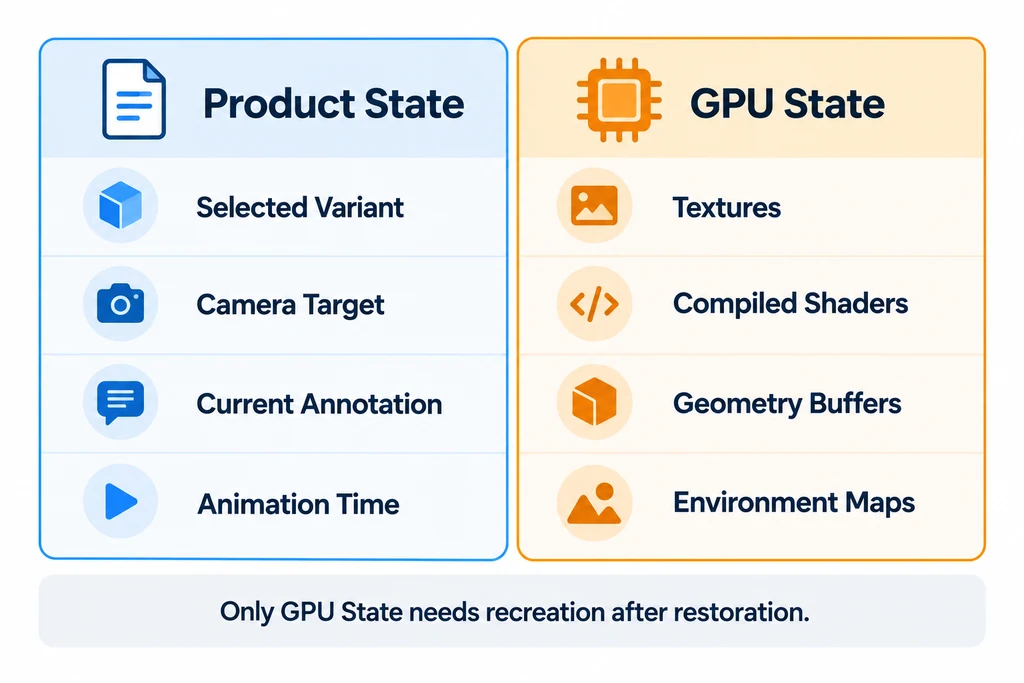
Store product choices separately from resources that must be recreated after loss.
Test the path deliberately
The WEBGL_lose_context extension exists to simulate losing and restoring a context for testing. In a controlled development build, use it to verify the experience without waiting for a real device failure.
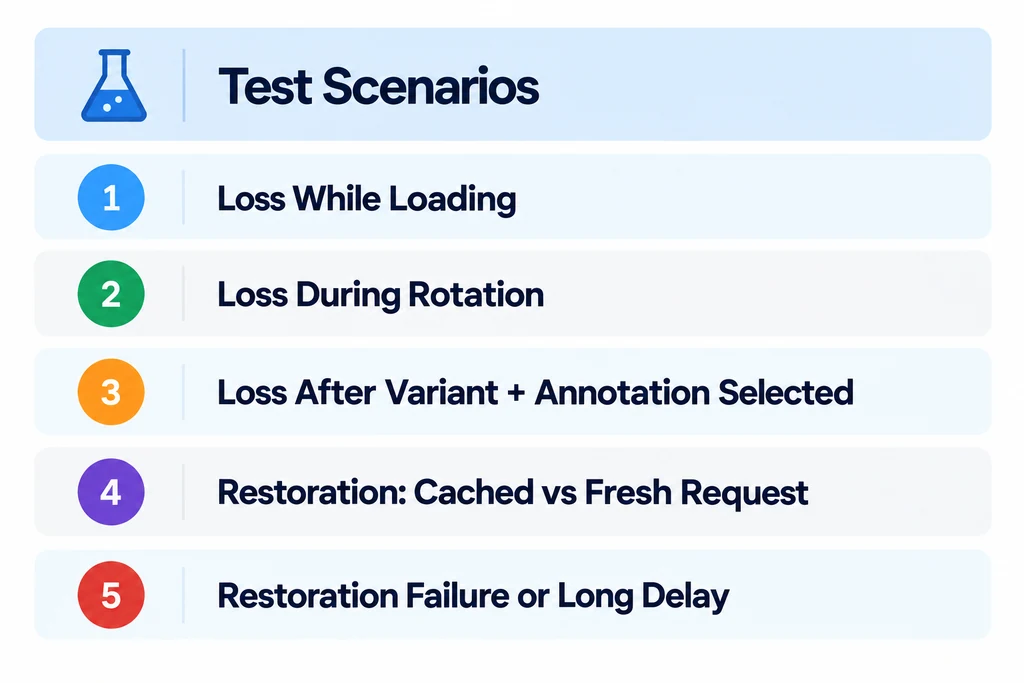
Test loss and recovery at meaningful points in the product-viewer flow.
Test these cases:
Loss while the model is still loading.
Loss while a user rotates the object.
Loss after a finish variant and an annotation are selected.
Restoration with a previously cached asset and with a fresh network request.
Restoration failure or an unusually long delay, with a useful fallback action such as reload.
Record whether the viewer returns to the same product configuration and whether controls become active only after rendering is available again.
Simulate loss on the existing context
Use the context already owned by the viewer. Do not create an unrelated canvas or assume that a WebGL 1 renderer can provide a WebGL 2 context. For a Three.js renderer, obtain the context with renderer.getContext().
The following development-only example schedules restoration after the loss event. It tests the application's existing recovery handlers; it does not implement them.
const canvas = renderer.domElement;
const gl = renderer.getContext();
const extension = gl.getExtension('WEBGL_lose_context');

if (!extension) {
  console.info('Context-loss simulation is unavailable.');
} else {
  canvas.addEventListener('webglcontextlost', (event) => {
    event.preventDefault();
    setTimeout(() => extension.restoreContext(), 2000);
  }, { once: true });

  extension.loseContext();
}
The two-second delay is a test choice, not a recovery guarantee. The extension documentation describes the simulation API. Keep a poster and retry action available if restoration does not complete.
| Stage | Application behavior |
|---|---|
| Running | Retain the current finish, camera, and animation state outside GPU objects. |
| Lost | Stop submitting graphics work and show the selected product's fallback. |
| Restoring | Let the renderer handle its resource lifecycle, then restore application state and any custom resources it does not own. |
| Ready | Hide the fallback only after a usable frame has rendered. |
| Failed | Keep product information and a bounded retry action available. |
A rendering library may already handle WebGL restoration internally. Follow that library's lifecycle rather than creating a second renderer or starting a duplicate animation loop. Cancel or invalidate stale loading operations so a completion from before the loss cannot overwrite the recovered scene.
Do not confuse recovery with silent failure
A recovery path should be visible in logs and telemetry. Capture a context-loss event, the viewer version, renderer information where appropriate, the selected asset, and whether restoration completed. Avoid recording unnecessary user data. The goal is to identify an asset or device pattern, not to turn a graphics fault into a profiling system.
Reliable product viewing is not only about the first frame. It includes a bounded, testable response when the graphics context disappears.