Describe the visible issue
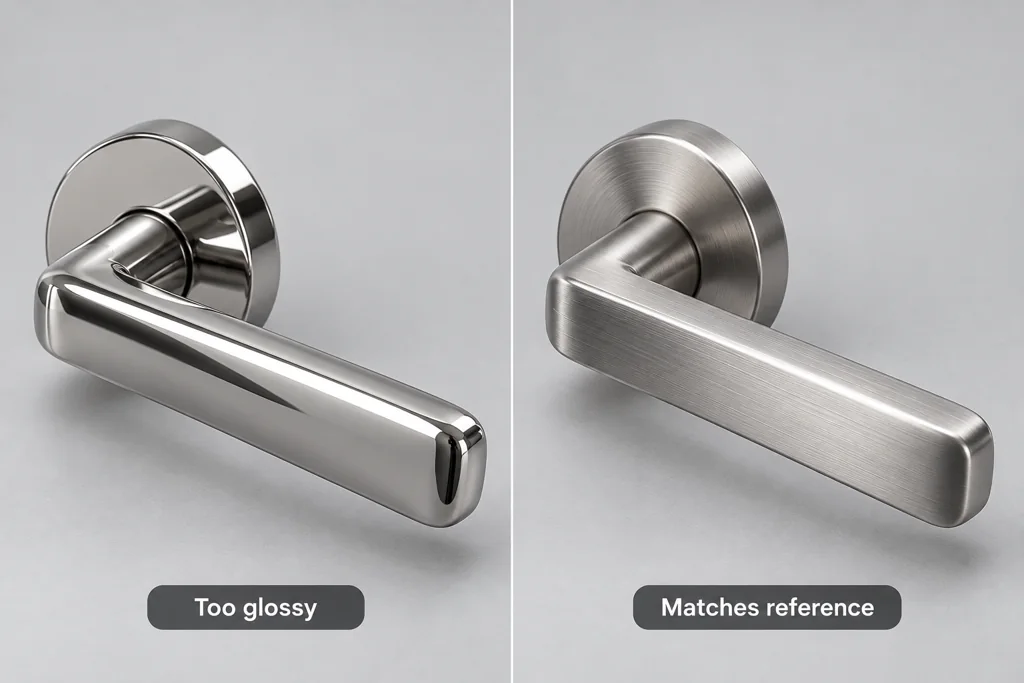
Point to the frame, product area, and visible difference. “The handle is too glossy compared with the sample” gives a material artist a check. “It looks wrong” does not.
Use a reference and say what it controls. A CAD screenshot can confirm shape. A sample photograph can show brushed direction. A layout mockup can define crop. Do not expect one reference to answer every question.
Keep feedback in the right stage
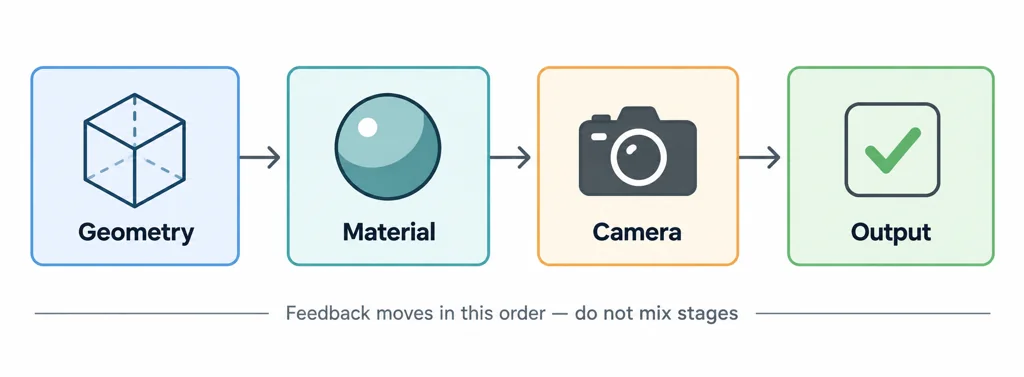
Give geometry feedback before material approval. Give material feedback before camera polish. Give final output feedback after the product state is locked. Mixing all stages in one pass causes the team to revise work that will change again.
For a web model, distinguish an export problem from a visual decision. Missing textures, unsupported extensions, and invalid data need technical diagnosis. A product that looks too dark under a page environment may need a look-development decision.
State the requested change
Write the requested result, not the software operation. Say “show the seam as a narrow recessed line” rather than naming a modifier that may not fit the asset. Say “match the satin reference under this lighting” rather than guessing which texture map needs editing.
If there are two acceptable directions, list both and select one. A team cannot reliably execute competing comments from different reviewers without a final product owner.
Separate a technical failure from a creative decision
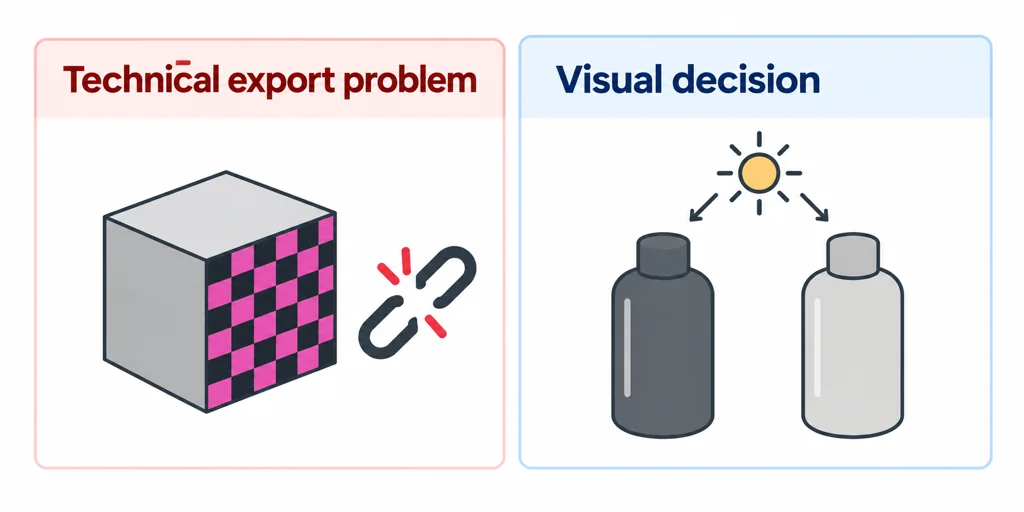
A missing texture needs a reproducible file and loading diagnosis. A satin finish that looks too polished needs a material reference under known lighting. Keeping those issues distinct helps the team choose the right correction without prescribing an unsuitable software operation.
Use a compact comment record: asset or shot revision, region or timecode, observed difference, controlling reference, requested outcome, and reviewer. For example: "In frame 84, the handle reads as polished chrome. Match the approved satin sample under the current light while preserving its shape."
Close each comment as accepted, revised, or awaiting a source decision. Review the updated work against the same record and identify any affected earlier approval. A consolidated product-owner decision is especially useful when reviewers request incompatible directions.
Close the review loop
Mark each point as accepted, needs revision, or needs a source decision. Attach the approved product version. Then review the updated render against the same comment list.
Specific feedback protects the work already approved and helps the next review focus on what changed.