Start with manufacturer-approved option rules. A visually plausible combination is not necessarily an orderable product.
Separate variable dimensions from fixed features
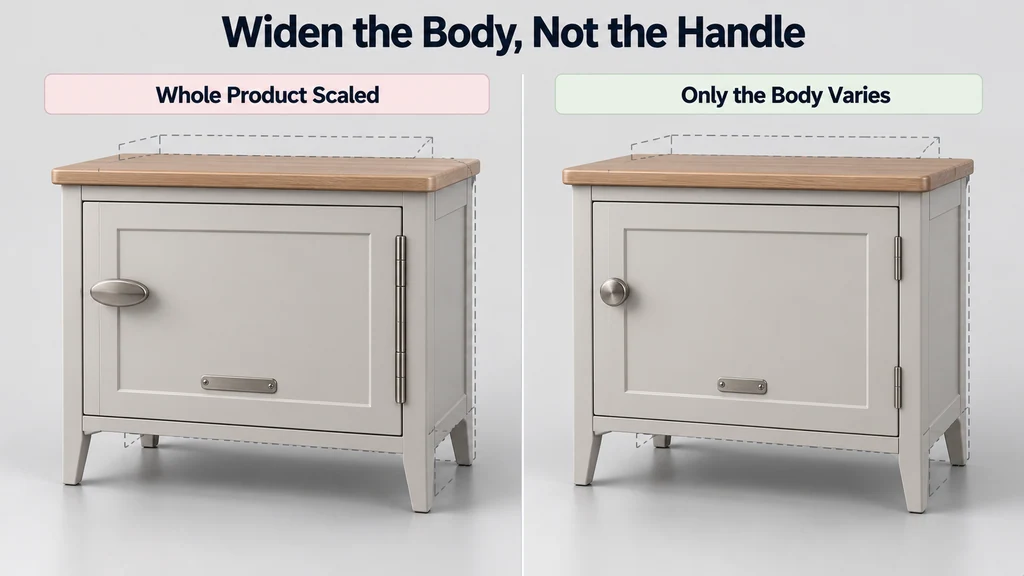
Identify the dimension controlled by the option and the parts that respond to it. A cabinet width may change while its handle diameter and hinge geometry remain fixed.
Use the scene hierarchy deliberately. The glTF transform model describes how transforms affect nodes and their descendants. Placing a fixed-size handle beneath a scaled parent can change it unintentionally.
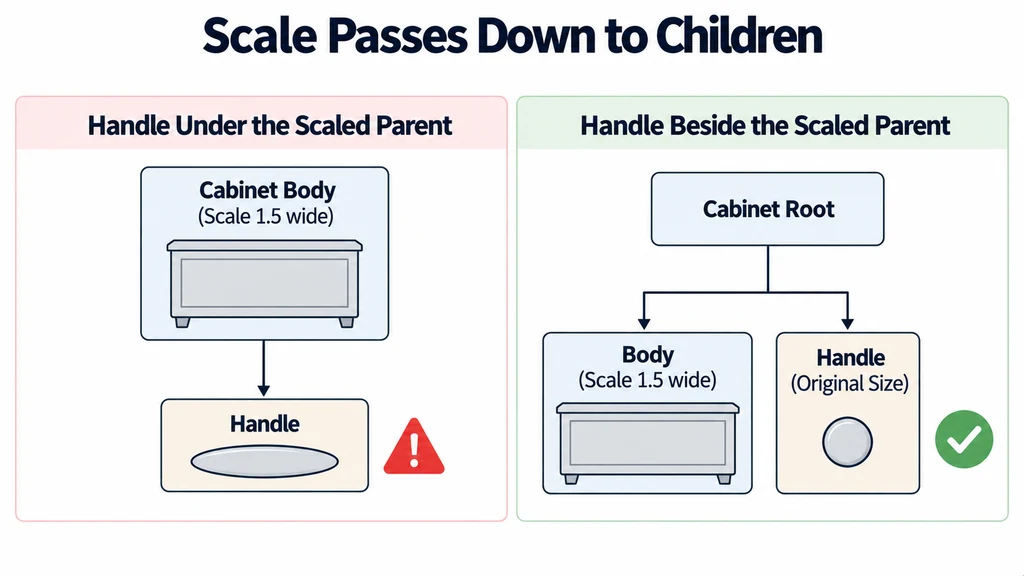
Keep connection points and offsets explicit. Do not infer assembly positions from whatever the previous configuration happened to produce.
Choose a representation for repeated modules
Use separate approved meshes for discrete designs when that is the most reliable representation. Use a controlled geometry-generation method when the range and construction rules justify it.
For repeated identical modules, instancing may be suitable for display, provided selection and identity remain clear. It does not define which combinations are valid.
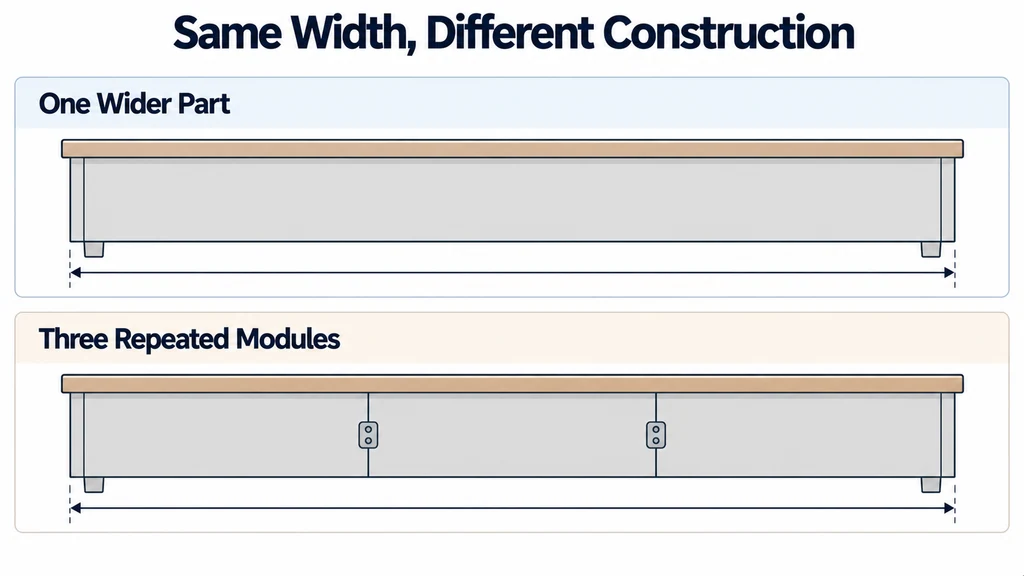
Distinguish a wider part from several repeated parts. They may have different seams, connectors, and manufacturing implications even if their outer dimensions match.
Rebuild the state from valid inputs
Resolve the selected configuration into explicit dimensions, components, and transforms. Prefer reconstructing that state from the option values over accumulating small scale or position changes.
Reject unsupported combinations before displaying them as accepted. If product rules require a support at a particular span, the visual model must not omit it because the geometry still fits on screen.
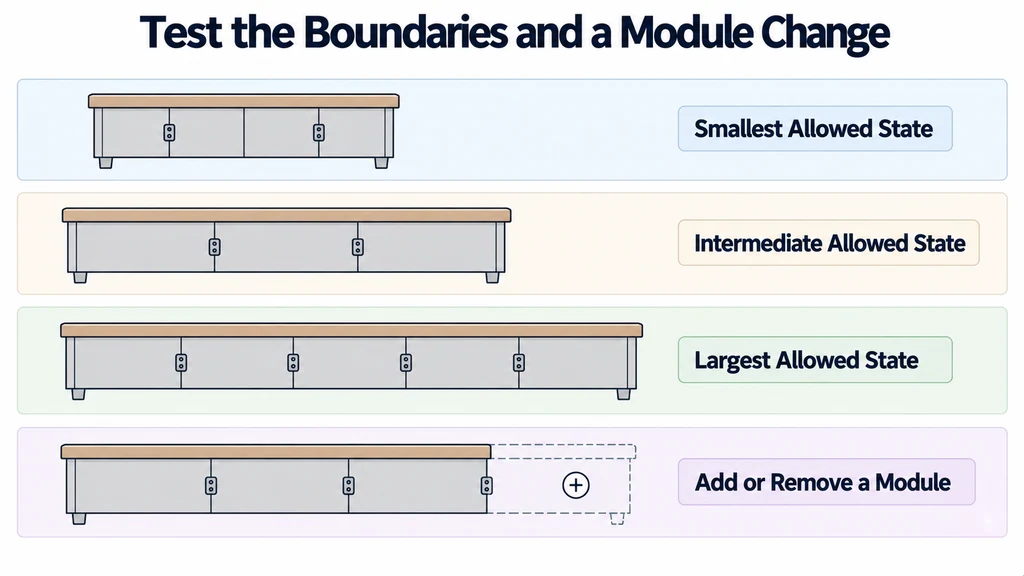
For an illustrative modular shelf, test the smallest, largest, and an intermediate allowed state. Include a change that adds or removes a module, not only a change that resizes a panel.
Resolve each option from a known assembly state
For an illustrative variable-width cabinet, place the fixed-size handles outside the scaled panel branch or rebuild their transforms from the configuration rules. A parent transform affects its descendants, so moving a handle visually back into place does not undo unwanted inherited scaling.
Keep three kinds of data separate: the permitted product options, the dimensions derived from those options, and the transforms used to draw the result. Recompute the scene from those values on every change. Do not repeatedly multiply the previous scale or add another offset to the previous position.
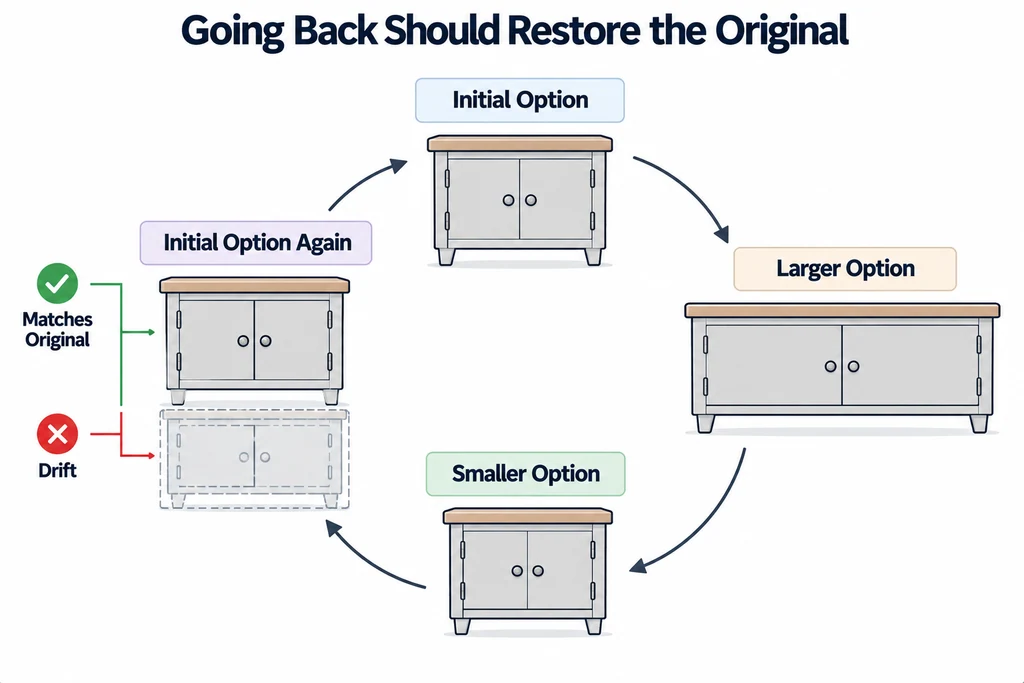
A useful test sequence is small → large → intermediate → small. Check the overall bounds and the handle diameter, wall thickness, hinge alignment, and texture pattern scale at every state. When a new module is added, verify its connectors and identity as well as its position. Repeated identical geometry may use instancing, but manufacturing validity and per-part selection remain application responsibilities.
Check the details that scaling usually damages
Inspect holes, handles, bevels, label proportions, and material pattern scale. Check joints and clearances between modules. A correct overall width does not prove that the assembly is correct.
Return to the initial option and compare it with the original state. Repeated changes should not cause drift or retain a component from an earlier configuration.
Keep visual state separate from the authoritative order data. A mesh name is not a complete product rule or price record.
Deliver the supported option range, construction assumptions, and tested boundary states. When a new size falls outside that range, review the geometry and rules before allowing it. The asset system should represent known products, not invent new construction by stretching the nearest available model.