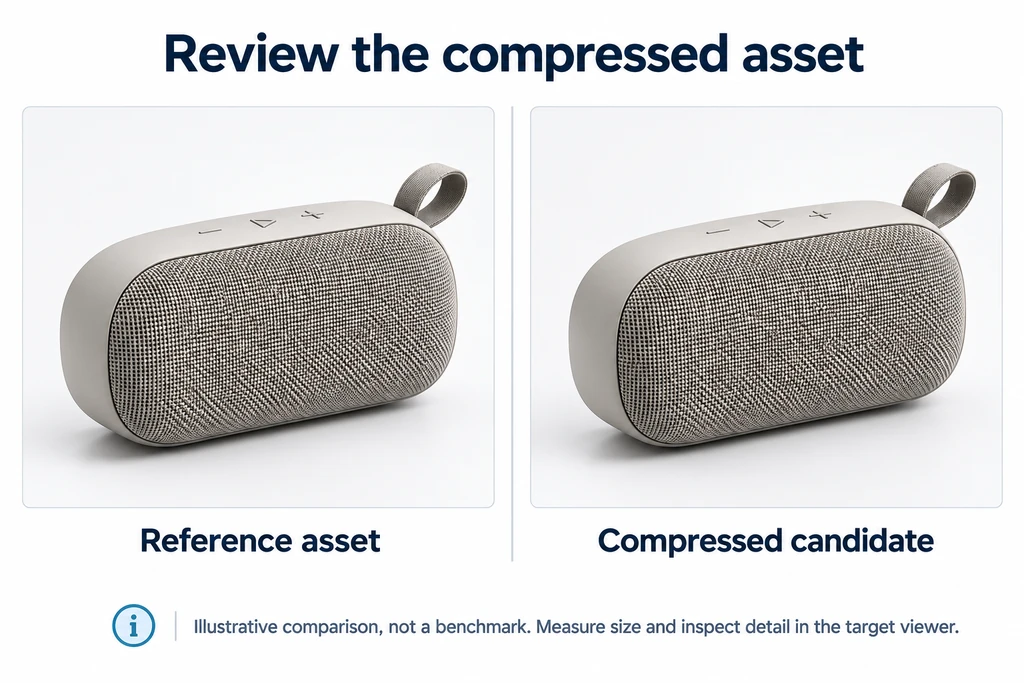
Compression decisions need a measured viewer result, not a file-size claim alone.
Compression is not a visual approval
A product model can have a small download and still be wrong for its viewer. It may have too many draw calls, large textures, a slow decoder setup, or a material problem that appears only under the target environment.
KHR_meshopt_compression describes buffer-view compression for common glTF binary data. It is separate from texture compression and from rendering work after the model loads.
Know which extension your pipeline emits
Older pipelines may emit EXT_meshopt_compression. Khronos also documents KHR_meshopt_compression. Do not rename extension strings by habit or assume the newest name is supported everywhere.
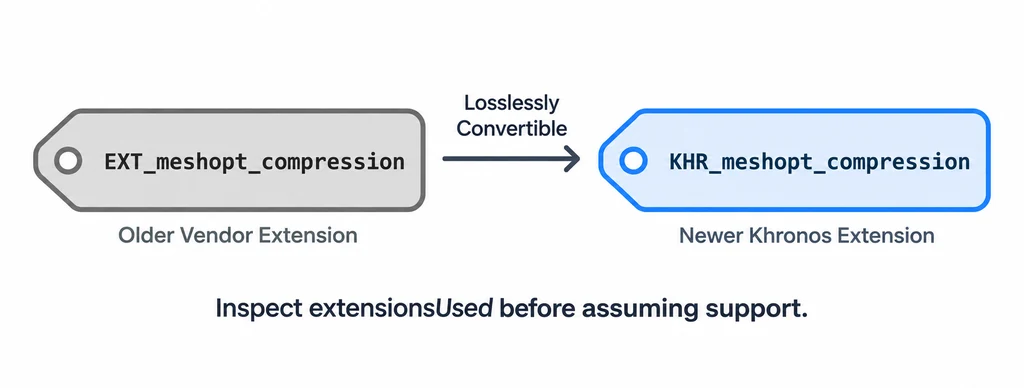
Inspect the exported extension and test it in the exact loader you ship.
Check extensionsUsed and extensionsRequired. A runtime that cannot support a required extension cannot correctly load that dependency. Fallback usefulness depends on the asset and loader.
Measure the pipeline in layers
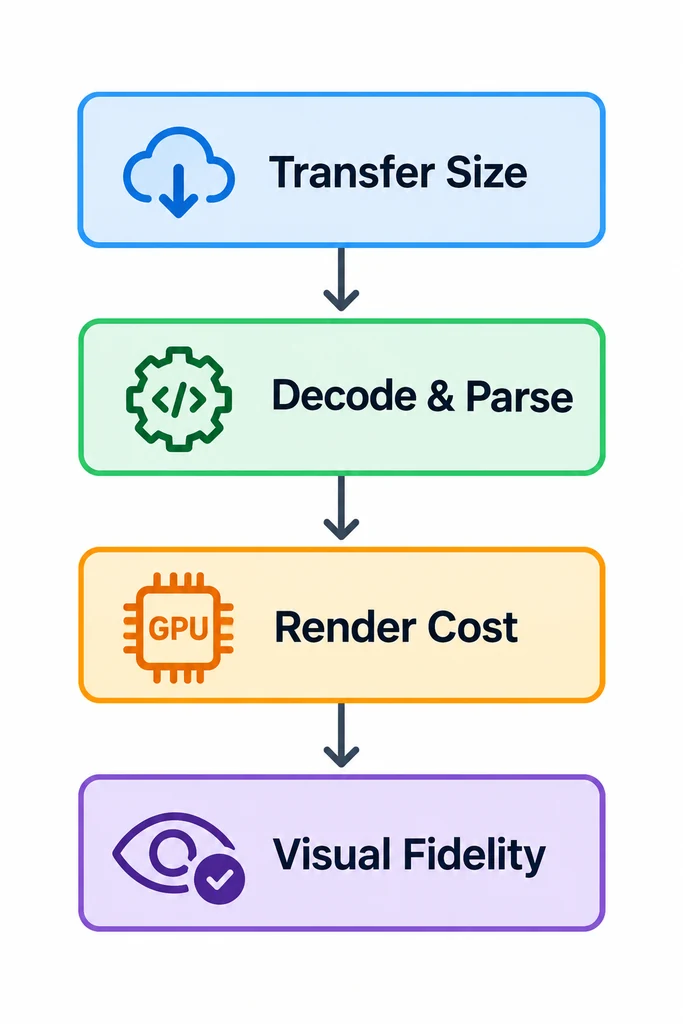
Measure transfer, decode, render, and visual fidelity separately.
Transfer size. Record the compressed response from the production server.
Decode and parse. Confirm that the target loader has its Meshopt decoder ready.
Render cost. Inspect the same camera path, materials, and animation state.
Visual fidelity. Compare silhouette, normal continuity, UV detail, and motion against the approved source.
A smaller GLB is not automatically a better product experience. The browser still fetches, decodes, creates GPU resources, and renders the scene.
Make quantization an intentional trade-off
Quantized attributes and optimized ordering can improve compression, but reduced precision needs product-specific review. A tolerance that is invisible on molded plastic may be unacceptable on a close mechanical edge or a logo relief.
Record the attributes, precision, and review view. Use close crops and moving highlights because a static front view can miss normal or silhouette damage.
Keep codec compression separate from lossy preparation
Meshopt buffer compression and earlier geometry simplification are different steps. The codec can compress the prepared binary data, while quantization reduces numeric precision and simplification changes geometry. Record each operation so a changed edge can be traced to the correct stage.
| Measurement | Comparison rule |
|---|---|
| Transfer | Use the actual hosted response and state whether HTTP compression is included. |
| Load and decode | Keep loader version, decoder delivery, and cache conditions fixed. |
| Rendering | Use the same camera, materials, passes, and interaction. |
| Fidelity | Compare the relevant outline, labels, shading, and motion. |
A decoder fallback is only useful if the asset contains valid fallback data or the application supplies a separate compatible release. Inspect the exact EXT or KHR extension emitted by the toolchain and its required declarations. Renaming the extension string does not convert the encoded data or establish support.
Keep a compatibility path
Plan an answer for unsupported decoders before launch. It may be an uncompressed fallback, a separate compatible asset, or an explicit browser requirement.
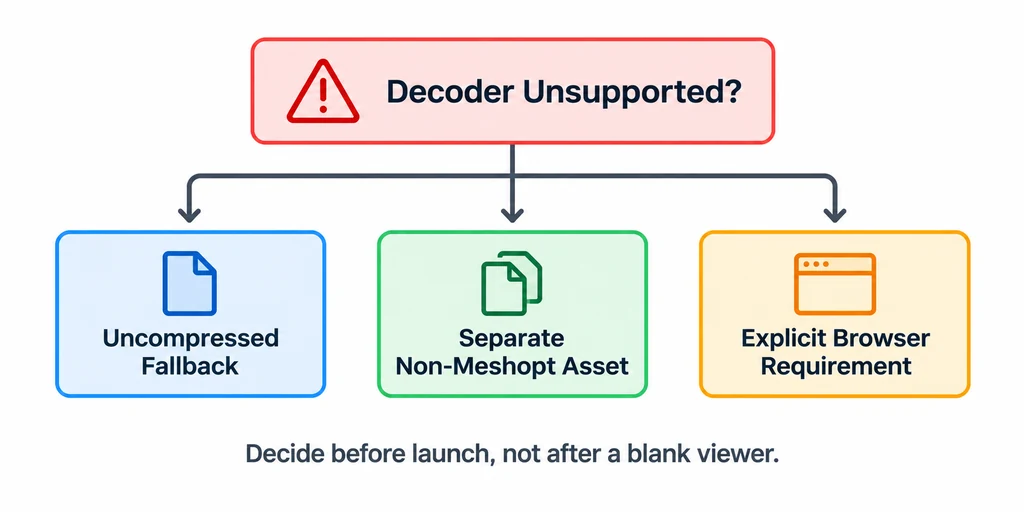
Choose and test a compatibility route before a viewer fails in production.
Khronos provides a glTF Compressor that can compare source and compressed assets. Use it for investigation, then test the product viewer with production hosting conditions.