A visible seam does not automatically mean that a normal map needs its green channel flipped. Geometry, shading normals, UV boundaries and tangent interpretation can produce similar symptoms. In this 3D Vision Art workflow note, the first decision is which part of the asset actually causes the defect.
Turn the map off first
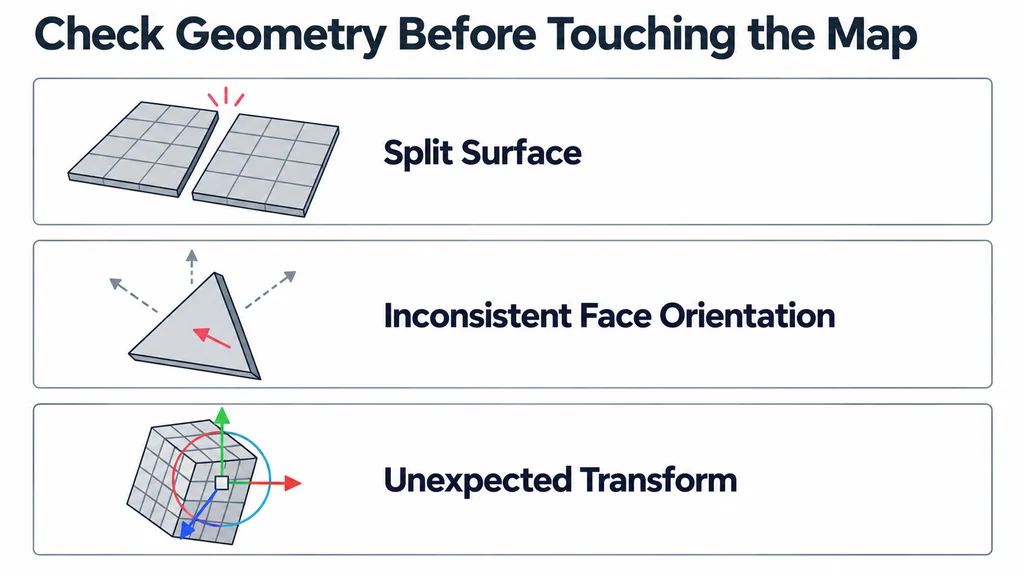
Disable the normal map while keeping the camera, light and material otherwise unchanged. If the seam remains, inspect the mesh and its shading. Look for split surfaces, face orientation problems and inconsistent shading at the affected edge.
If the seam disappears, restore the original geometry and investigate the map connection. Keep an untouched copy so each change has a reference.
Use a feature you can recognize
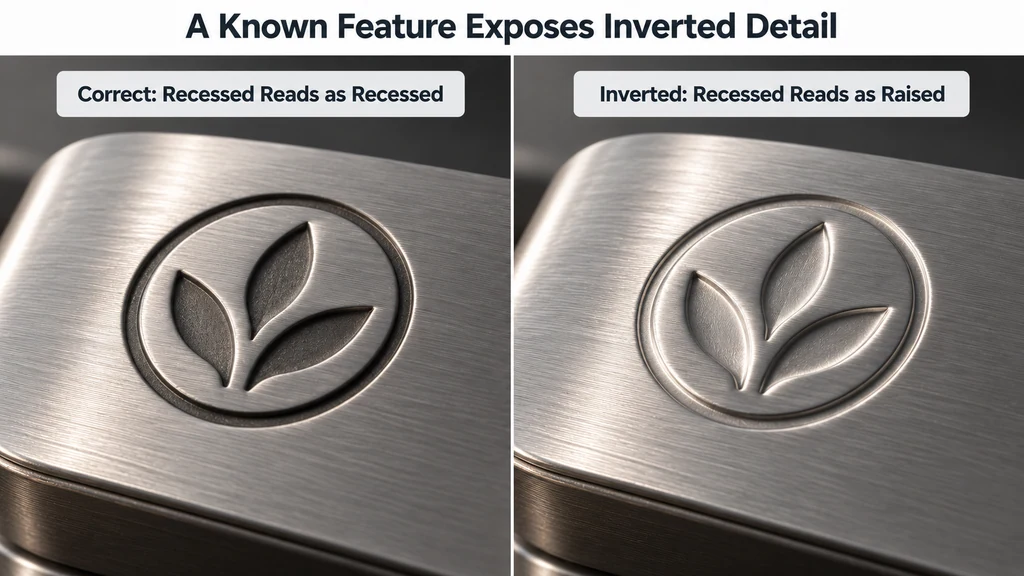
A raised mark or recessed groove makes a better diagnostic target than random surface noise. Move the light and confirm whether the feature reads in the intended direction. A correction should work across the surface rather than improve one patch while reversing another.
Treat a normal map as directional data. Check its color interpretation and the normal-map node setup. Only change channel conventions when the source and destination requirements justify it.
Follow the UV boundary
Inspect mirrored islands, hard edges and the UV layout used for the bake. Repacking the UVs after baking changes the relationship between the image and the mesh. Topology changes can also affect the tangent basis used to interpret the map.
When those inputs have changed, test a fresh bake against the final geometry. Rotate the light across the troublesome boundary to reveal problems that a single front view conceals.
Keep a diagnostic record
| Controlled change | What the result suggests |
|---|---|
| Disable the normal map | A persistent defect points toward geometry, shading normals, or another material input. |
| Use a known raised or recessed feature | A reversed response can indicate a convention mismatch. |
| Restore the original UVs and final triangulation | A changed seam can indicate a mismatch with the bake's tangent basis. |
| Compare the same export in the destination renderer | A difference can reveal loader, texture-role, or tangent handling. |
glTF tangent-space normal maps use the convention defined by the format. Treat the image as non-color data. A DirectX-style source may require a green-channel conversion for an OpenGL-style destination, but flipping that channel is not a general repair for every seam.
Keep a copy of the original texture and alter one variable per export. If the map was baked against different UVs or shading normals, rebaking against the final mesh may be necessary. A channel flip cannot restore the relationship between an obsolete bake and a changed surface.
Verify the delivered file
Export the corrected asset and inspect it in the target renderer. Confirm that you are opening the revised file and that its material references the intended image. Check several light directions and the actual viewing distance.
Record what caused the seam and what fixed it. The useful outcome is a diagnosis that can be repeated, rather than an unexplained texture adjustment.