The cost of a 3D product animation comes down to what needs to be modeled, what needs to move on screen, and what final video files you need delivered. A straightforward product turntable and a technical film that pulls apart a machine to show its inner workings are completely different production jobs, even if both videos run for the exact same length of time.
As a published example, animation provider Broad Wave Creations lists a 360° product spin lasting 8–15 seconds at $900–$1,800, and a feature highlight film lasting 20–45 seconds at $1,800–$4,500 (prices as listed in November 2026). According to its pricing page, those ranges assume the studio is working from supplied CAD files, while modeling from reference photographs or line drawings is quoted separately. That same page notes that every project includes a preview stage prior to final rendering along with the revision rounds agreed in the quote, though it does not specify whether music or sound design is included in those base figures. Keep in mind that these are that specific provider's published estimates, not industry-wide averages or rates for 3D Vision Art.
For a broader market view, the production-services marketplace Cad Crowd breaks down per-minute pricing tiers by provider type: freelance animators at $50–$3,000 per minute, a small animation studio at $3,000–$7,000, and a professional animation company at $8,000–$25,000. Because those figures reflect full minutes of finished animation across a wide mix of project types, treat them as a way to see the general spread of the market rather than a formula for pricing your own product video by the second.
At 3D Vision Art, we do not publish flat rate cards and instead quote every animation project individually. To get a realistic sense of what your budget will look like, start by defining the production scope behind the quote rather than hunting for a universal price per second.
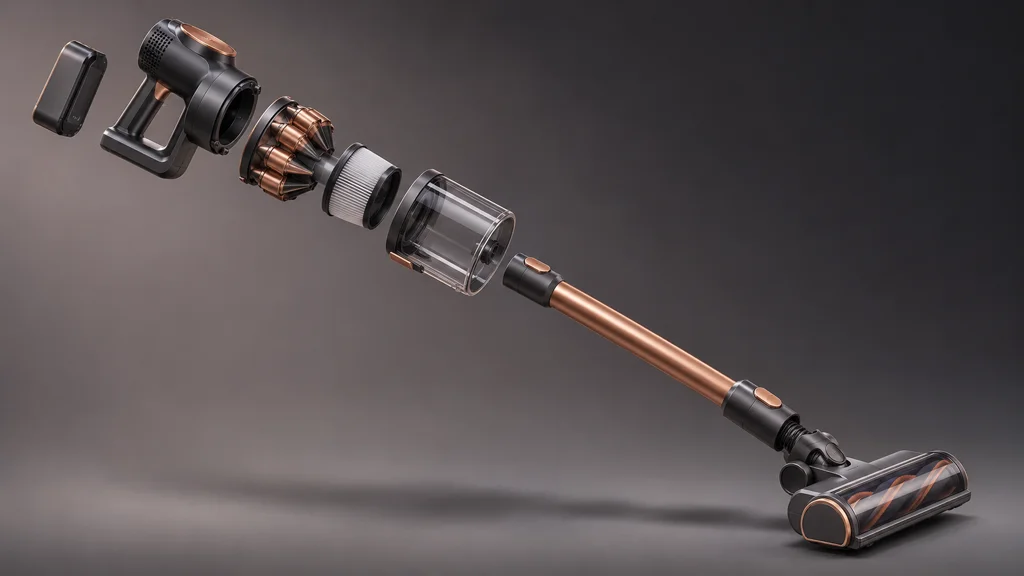
Length matters, but the shot list matters too
Running time certainly affects the budget, but video length alone does not capture the actual production work involved. In video production, a shot is a single continuous camera view, and your shot list spells out exactly what the shopper sees and what happens on screen during each view.
Animation provider PIXREADY points to video length, product complexity, visual detail, and rendering quality as the core pricing drivers. Here, rendering simply means having the computer generate the finished frames that make up the video from the prepared digital scene.
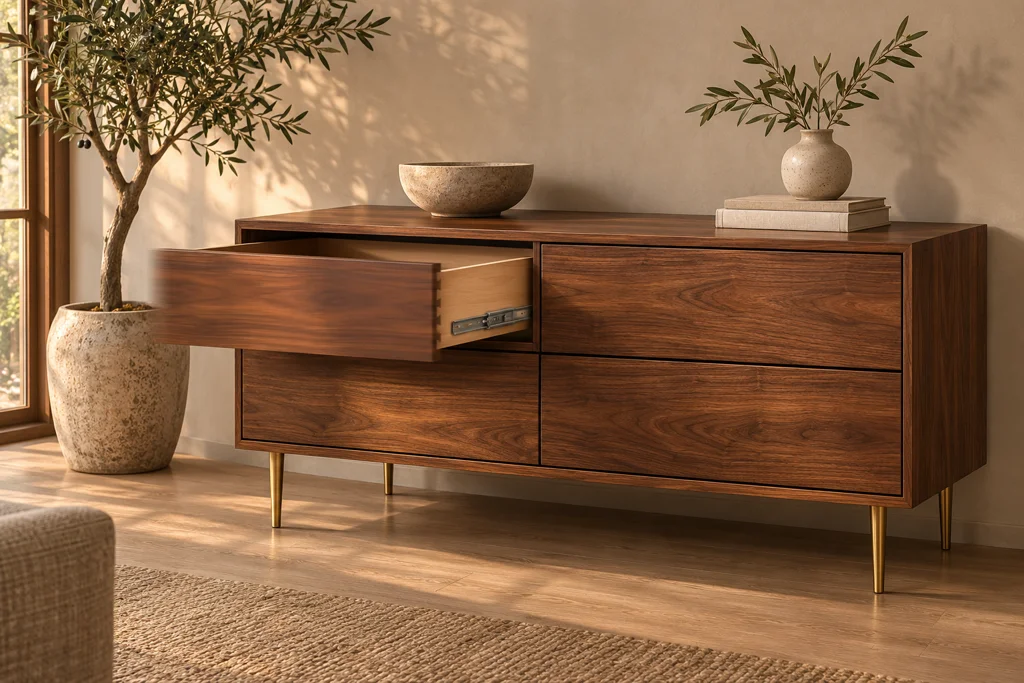
Take a hypothetical furniture brief as an example. Having a closed cabinet slowly rotate on a plain studio background is a very different job from showing its drawers sliding open, its internal hardware pulling apart in an exploded view, and the finished cabinet sitting inside a fully styled room. That second brief involves far more setup and animation work than simply letting the camera roll longer on the same static piece.
Before asking studios for quotes, write down the exact buyer question each shot is meant to answer. Does your shopper need to see how a folding latch works, compare surface finishes side by side, or watch how an attachment locks into place? Cut out any repetitive shots that pad the runtime without telling the buyer anything new.
Ask the studio to break out your must-have core shots separately from optional extra scenes. That way, you can trim or adjust the budget if needed without losing the product details that actually help customers buy.
Product complexity: what must be shown accurately?
In 3D animation, complexity is all about the visual details that actually show up on camera, not how big or heavy the physical item is in real life. Zooming right in on fine upholstery stitching or an articulated hinge takes a very different level of modeling and rigging work than framing the whole product from a few feet back.
In its product animation cost guide, Broad Wave Creations separates basic product spins from feature highlight films and deep technical explainers. Use that same framework when writing your project brief: simply showing what a product looks like from the outside is a very different job from animating how it works on the inside.
If you sell machinery or hardware, point out which internal components have to be visible on screen and how they interact. If you sell furniture, clarify whether the piece stays rigid, moves through an adjustable mechanism, or requires soft-body fabric simulation as cushions flex. If you sell packaged goods, note whether the cap, the liquid or product inside, and the printed labels all need to move or interact separately.
Send the studio clear visual references for how the product moves—such as a quick phone video—rather than just still photos of the closed item. If you are still finalizing how a mechanical part operates, flag that upfront before production starts, and ask the studio which internal details are genuinely needed for your planned camera angles versus which hidden parts can be left out to save modeling time.
Your goal is a sharp, practical brief focused on what the camera sees—not paying an artist to model every hidden screw inside a housing that never opens on screen.
Existing models and CAD: useful starting points, not automatic savings
CAD stands for computer-aided design—the engineering files manufacturers use to define a product's exact geometry and parts. Handing CAD files over to your animation studio can give the project a strong head start, but having an engineering file on hand does not mean it is ready to animate out of the box.
Broad Wave Creations' CAD-to-visualization guide walks through the cleanup work required to turn raw manufacturing files into marketing-ready 3D assets. Always ask the studio to inspect your actual CAD files before assuming you can cross 3D modeling off the budget.
Make sure you send the latest production-approved CAD file and point out anything that differs from the finished retail item. Are surface textures and materials missing? Has the retail packaging changed? Are the moving parts separated so they can actually pivot and slide? And if you already have a 3D model from an earlier marketing project, send over the renders it produced so the studio can judge its quality.
If you do not have usable CAD or 3D files, your project scope simply needs to include modeling the product from scratch using reference material. Ask the studio upfront what combination of multi-angle photos, physical measurements, line drawings, and material swatches they need to lock in the quote.
Have the studio list 3D model preparation and animation work as separate items on the quote. Instead of expecting an automatic percentage discount just for supplying a CAD file, let the studio evaluate the file and price the actual cleanup work required—and make sure you hold the rights to share those engineering files for marketing production.
Products and variants: count the outputs you actually need
A SKU, or stock keeping unit, is the internal code you use to track each distinct product or variant in your store. While sharing your total SKU count is helpful context, it does not tell an animation studio how many videos they actually need to build.
Visualization provider PIXREADY's ecommerce guidance highlights product complexity, SKU count, and final deliverables as key pricing variables. When putting your brief together, draw a clear line between swapping a surface finish on the same body and animating a variant with a different physical shape or moving mechanism.
Decide upfront whether every colorway needs its own standalone video from start to finish, a quick three-second swatch transition inside one main video, or just a couple of swapped shots. Those represent very different amounts of rendering and editing work, so never assume a simple color option automatically includes a whole new rendered film unless it is spelled out in the quote.
Put together a clear sheet mapping each product to its required finishes, animated movements, and final video deliverables. Flag which items share the exact same underlying frame and which ones change dimensions or moving parts so the studio can see exactly where digital assets can be reused.
Reusing a master 3D model and camera rig across multiple variants helps spread the upfront setup work across more outputs, though it does not make extra rendered videos free—nor does ordering more deliverables lower your total spend on the project. Ask the studio to price out the exact incremental work required for the specific variants you plan to order.
Extra versions and cutdowns need their own scope
A cutdown is a tighter, shorter edit cut from your main product video, while an aspect ratio refers to the shape of the video frame—such as widescreen horizontal, square, or vertical for phones. Both matter whenever you plan to use the same animation across your product detail page, third-party marketplaces, and paid social ads.
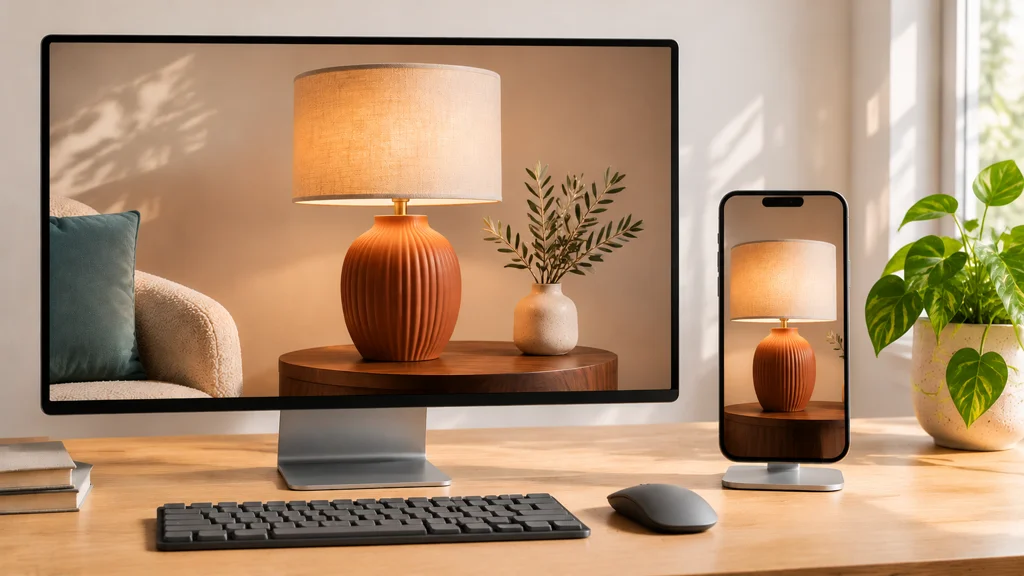
Animation provider Pixel Studios points out that adapting a video for different channels often calls for pacing adjustments and extra render passes that may not be covered in a base single-video quote.
Write down every platform and frame format you need before production kicks off. Ask the studio whether a single camera framing can be cropped cleanly for horizontal, square, and vertical screens, whether on-screen callouts will need to be moved for each format, and whether a short ad cutdown needs its own dedicated opening hook or closing frame.
If you plan to upload the video to an online marketplace, hand those exact platform specs to the studio at the start. Never assume a fast-paced vertical social ad and an informative product-page explainer can use the exact same video file without adjustments.
Agree upfront on which video files will have burned-in text callouts, which ones need subtitle files, and whether you also want a clean, textless master file for future reuse. Flag any translated language versions early too, so both sides can tell the difference between a quick file export and a separate re-editing job.
Revisions: define what is included before work begins
A revision round is a scheduled checkpoint where your team gathers feedback and asks for adjustments. Before signing off on a quote, ask how the studio defines a single revision round, which production milestones include revisions, and how pricing works if a requested tweak changes something your team already approved earlier.

Every studio sets its own revision rules. For instance, PIXREADY's FAQ outlines a set number of included revision rounds and notes that extra changes beyond that scope are billed case by case. Treat that as one vendor's policy rather than an unwritten rule across every animation studio.
It also helps to separate fixing an error that missed your original brief from deciding mid-project to change the product design, room environment, or marketing script. Ask upfront how both scenarios are handled, and make sure the quote spells out how any out-of-scope changes are approved and priced before extra hours are billed.
At 3D Vision Art, clients review and sign off on the project in clear stages: first the storyboard — which locks in the shot sequence and planned camera and product movement — followed by the clay/model stage, then texturing and materials, and finally the rendered shots. The clay/model check lets you inspect the bare 3D geometry and movement before finished surface materials are applied. Stepping through those checkpoints catches mismatches early while they are easy to fix, though it still relies on your team reviewing each stage carefully before moving forward.
When comparing studios, always ask at what point you will get to review the camera pacing and product movement. Pull together feedback from both your product engineers and your marketing lead before replying at each milestone so the studio gets one clear set of notes instead of conflicting directions.
Timeline, finishing, and delivery expectations
The production-services marketplace Cad Crowd lists delivery turnaround time as a major pricing factor for 3D animation and notes that extra revision loops can push the final budget higher. Cad Crowd also points out that squeezing a production schedule into a rush window usually requires overtime or weekend studio hours. Always ask whether your target deadline adds a rush fee—and exactly how much—before signing off on the quote.
Share your live launch date, the date you need final video files in hand, and how quickly your internal team can turn around milestone approvals. Ask whether the studio's timeline depends on receiving final product samples and prompt sign-offs at each stage. If your launch date cannot move, talk about starting with a focused core video first and delivering extra cutdowns or variant edits shortly after, rather than assuming the entire wish list can be rushed at once.
Post-production finishing also belongs in your budget check. Cad Crowd's product marketing video guide highlights sound design, background music, output resolution, and video length as key cost variables—where resolution simply refers to the pixel sharpness of the final video file.
Check whether your quote covers licensed background music, custom sound effects, voiceover recording, captions, and animated text callouts. Ask about commercial usage rights for any music tracks and whether foreign-language versions are scoped separately. Raising those questions early keeps post-production clear without assuming every studio tacks on extra fees for basic finishing.
Compare complete quotes, not headline prices
Send the exact same project brief to every studio you are comparing, and ask each provider to spell out what is included and excluded rather than letting each studio guess a different production scope.
| Part of the quote | What to establish |
|---|---|
| Product preparation | Existing files accepted, assessment needed, and modeling included |
| Main animation | Product actions, shot sequence, visual style, and expected length |
| Variations | Products, finishes, and separate edited outputs |
| Additional versions | Cutdowns, frame shapes, languages, and text-free exports |
| Review process | Approval stages, revision scope, and handling of changed instructions |
| Delivery | Final files, audio permissions, usage rights, and source-file availability |
Check whether a studio's quote is a flat fixed price for the agreed deliverables or an open time-and-materials estimate. Having optional add-ons listed on separate lines makes it much easier to compare the core animation job apples-to-apples while keeping future options visible.
Finally, never assume that paying for a finished MP4 video automatically gives you the editable 3D project files or full copyright ownership of every underlying scene asset. Clarify source-file handover terms upfront, especially if another team might need to update the project later. A lower quote can still be the right pick—as long as it actually covers the exact deliverables you need.
When photography or filmed video may cost less
3D animation is not always the cheapest way to show a product in motion. Production company C&I Studios contrasts the upfront work of building digital 3D assets against live-action camera production and recommends comparing full project scopes rather than making blanket assumptions about video formats.
When you already have a finished physical product in hand and the motion you want to show is easy to film on a studio table, get a live-action video quote right alongside your 3D animation quote. Filming a straightforward hands-on demo can save you the cost of modeling a complex product in 3D just for one short clip. And if shoppers can understand your product completely from still angles, clean product photography or still renders may cover your page without needing video production at all.
3D animation earns its keep when you need to reveal internal mechanisms a real camera cannot reach, show a product that has not been manufactured yet, or reuse the same digital setup across multiple videos and renders. Even then, none of those scenarios guarantees an automatic cost saving on its own—so compare the upfront modeling and follow-up production costs side by side and ask whether your catalog roadmap truly supports asset reuse.
Frequently asked questions
Can I estimate the price from the video's length?
Video length helps frame the project, but runtime alone is never enough to price a 3D animation accurately. You also need to share your planned shot list, the mechanical or material actions on screen, any existing CAD or 3D files, and the final aspect ratios and cutdowns you need. Always ask what a per-second or per-minute estimate actually includes and how adding scenes or complex movements changes the number—and avoid treating another company's sample rate card as a fixed price for your product.
Will supplying CAD or an existing model reduce the cost?
Supplying CAD or an existing 3D model can save the studio from modeling your product from scratch, but the studio has to inspect the file first. Ask what cleanup, re-topology, or part separation is needed to support your planned camera close-ups, moving parts, and surface materials, and verify that the CAD file matches the current retail design. Always base your budget on a quote after the studio reviews your actual file rather than counting on a flat discount upfront.
Are social versions and shorter edits included?
Only count on the deliverables explicitly written into your quote. List all of the aspect ratios, cutdown lengths, on-screen text versions, and languages you need upfront, and ask which ones are covered in the base price. Clarify whether a shorter social edit simply trims the main timeline or requires re-framing the 3D camera and re-rendering scenes, and agree on how future version requests will be billed so a quick social cutdown never turns into a surprise invoice.
Can the animation model also be used for AR?
Never assume that commissioning a 3D product animation automatically gives you a mobile-ready augmented reality file, which lets shoppers place a virtual model into their real room. At 3D Vision Art, our animations and renders use a high-detail master model; creating a lightweight AR version from that master model requires dedicated optimization work priced as its own deliverable. Conversely, if a project starts as an AR-only build, we construct the model directly for AR, and upgrading that lightweight asset later for a close-up high-detail animation would be scoped separately. If you want both animation and AR, mention both upfront so each output is properly scoped.
How can I reduce the budget without weakening the explanation?
Focus your shot list strictly on the core product features a buyer needs to understand before clicking add to cart. Ask the studio to price nice-to-have environment scenes, complex particle or fluid effects, and extra social cutdowns as optional line items. Sending complete, approved reference material at the start and gathering all internal team feedback into one clear response at each review stage also keeps production lean. Trimming the scope intentionally lets you control costs while keeping the product visuals accurate and persuasive.
What does 3D Vision Art charge for product animation?
We do not publish a generic price sheet because we quote every animation project individually around your exact brief. Send over your product references, any existing 3D or CAD files, the actions you want to show on screen, the video versions you need, and your target launch date. We will walk you through the exact deliverables and revision stages included in your quote—and while third-party pricing guides are useful for seeing how different scopes compare, they do not reflect our studio's project rates.
Get a quote based on your product and deliverables
For a project scoped around what your buyers need to see, explore 3D Product Animation Services from 3D Vision Art. Share your product references, animation idea, required versions, and timeline to discuss the work involved.