A finish option is not always a new model
Product configurators often begin with near-identical files for each paint color, fabric, veneer, or trim. That is easy to understand at first, but a geometry correction then needs to be applied to every copy.
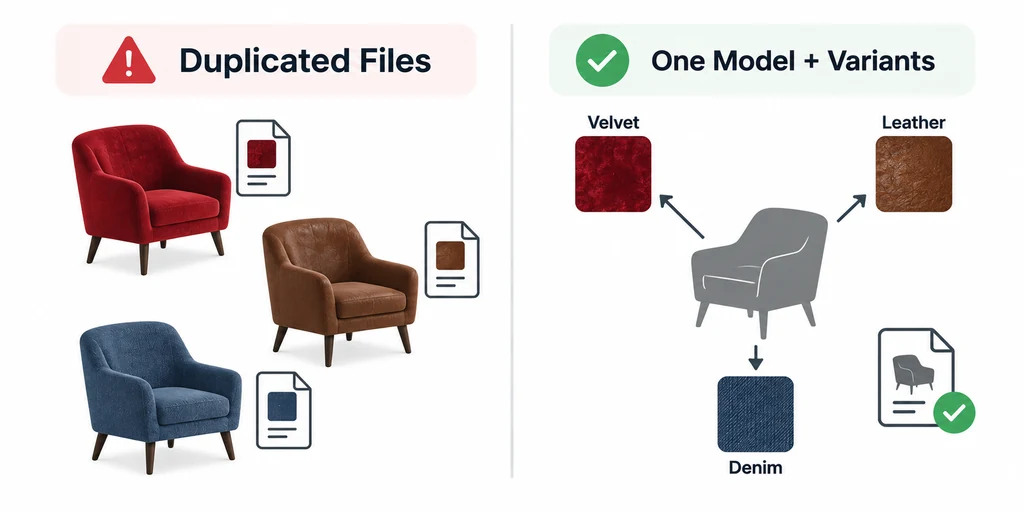
Use shared geometry when the option changes a finish, not the product shape.
KHR_materials_variants maps named variants to alternative materials on mesh primitives. It does not create a different product shape. Use it when an option is a finish, not a different silhouette, attachment, or assembly.
Design a stable default first
A model retains its ordinary material assignment, while compatible runtimes can select alternatives through the extension. A viewer that does not support the extension can still show the ordinary glTF material.
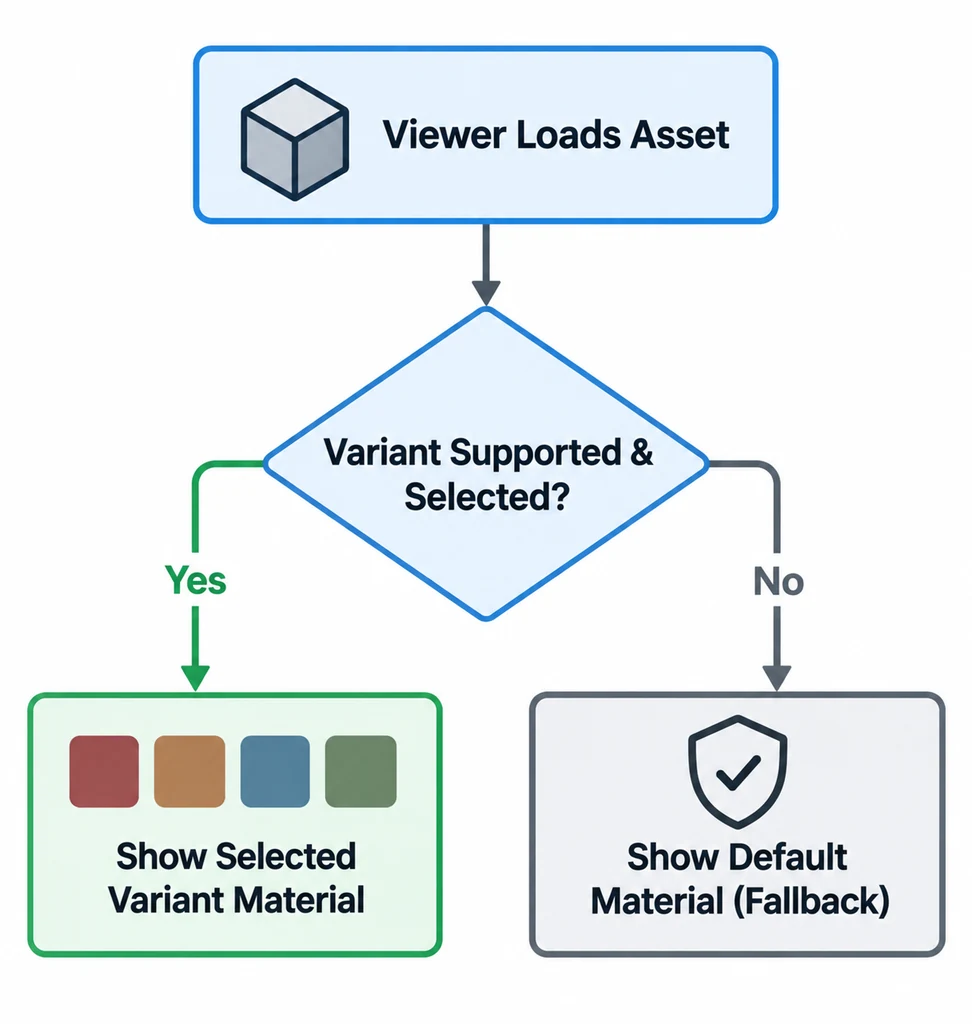
A compatible viewer selects the variant; another viewer shows an intentional default.
Choose that default deliberately. It should be a valid sellable configuration. Label default materials and variants with the same naming system used by product data, then map customer-facing labels separately.
Keep the variant boundary small
A clean variant changes only what must change. For a cabinet finish, that may be base color, roughness, normal detail, and perhaps a texture transform. It should not change unrelated internal parts.
| Variant | Primitives affected | Expected material change | Product data key |
|---|---|---|---|
| Oak natural | Doors and visible side panels | Wood texture set | finish-oak-natural |
| Oak black | Doors and visible side panels | Dark stain texture set | finish-oak-black |
| Metal black | Handle only | Coated-metal material | handle-black |
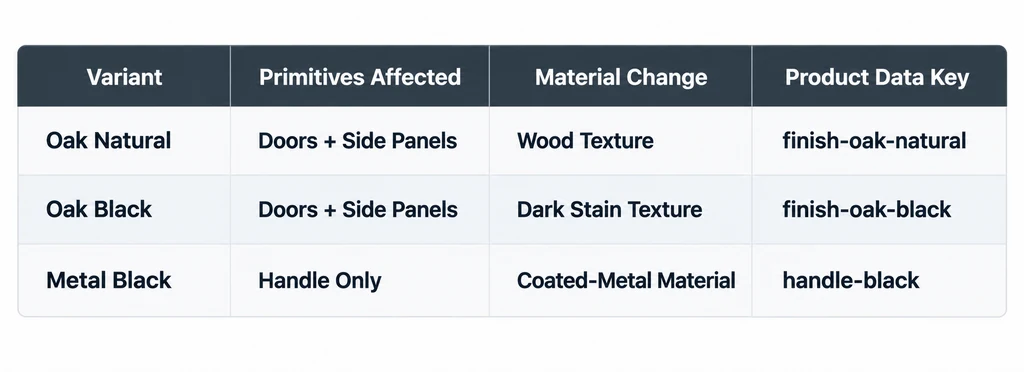
The matrix makes allowed finish changes and affected parts visible.
Variants do not replace a product-rule engine. If one finish excludes another option, that dependency belongs in configurator logic and product data.
Confirm viewer support before making it required
KHR_materials_variants is a ratified Khronos extension, but ratification does not mean every target viewer implements it. Test the exact runtime, version, and mobile path customers use.
If a target cannot select variants, show the intentional default, provide separate assets, or omit the option from that surface. Do not show a finish picker that appears interactive while the rendered material stays unchanged.
Keep combinations explicit in the application
The extension selects material assignments associated with a variant. It is not a system of independently composable option groups. If a cabinet has both body-finish and handle-finish choices, decide whether the application manages those groups separately or whether the asset defines complete combined states.
A variant name such as Oak should map to a stable product record rather than becoming the authoritative SKU by itself. Geometry changes, additional accessories, and price rules need separate configuration logic.
Keep one reviewed ordinary material assignment as the default. After selecting a non-default variant, test returning to that default and inspect every affected primitive. A partial reset can leave the handle in a previous finish even though the page label has changed.
Test selection as a state transition
For each variant, test the initial material, selection, switch back to default, and rapid changes. Look for stale textures, incorrect roughness maps, and material assignments that persist on a primitive after a later selection.
Also test product-page state. Where required, the URL, price, SKU, thumbnail, and AR action should follow the selected configuration. The benefit of variants is a clear boundary between one shared shape and its allowed finish states.