When a furniture brand sells online, the product page has to do the work a showroom used to do. Shoppers can't sit on the sofa, open the drawer or check the finish under store lighting. They decide from images, and those images shape how the product reads and how much trust the brand earns.
Furniture 3D rendering services build those images from digital models instead of a camera. For each product, a studio creates a detailed 3D model, then renders catalog shots, detail views and lifestyle scenes from it. The same model can also produce color and material variants — and, once it has been optimized for the format, an augmented reality (AR) version that shoppers can place in their own rooms.
This guide explains what a furniture brand actually receives for each SKU — each distinct product it lists for sale — when it orders furniture 3D rendering services, how a studio's process works, and when rendering works out cheaper than product photography. It is written for brand owners, ecommerce managers and marketing leads who are weighing their next catalog shoot.
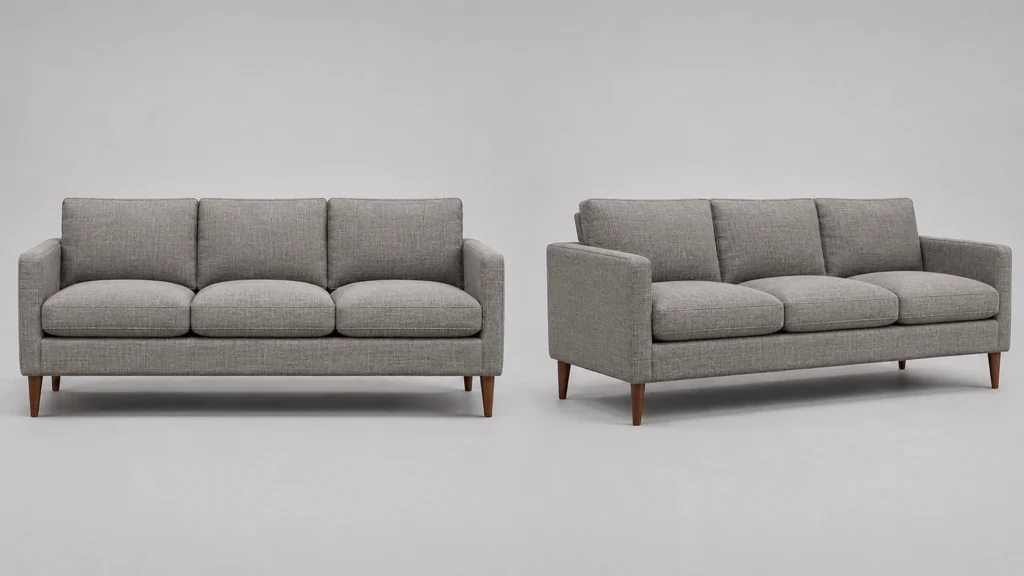
What furniture 3D rendering services actually deliver
Furniture 3D rendering services turn a product's measurements, materials and design details into images a shopper can trust. The starting point is not a photograph. It is a 3D model built from product drawings, measurements, fabric and finish samples, and reference photos.
From that one master model, a studio can produce a full set of assets for the product page. Each item below adds useful content for a furniture brand selling online, and each one comes from the same source file.
Catalog images, from every angle
Catalog images are the core of the service. They are clean, well-lit product shots on a plain background, shown from the angles shoppers use to judge a piece. A typical set agreed in the brief includes a straight front view, a three-quarter view, a side view, a back view and a detail shot of a notable feature, such as a join, a handle or the leg design.
Because these images come from a model, consistent alignment is much simpler to hold across a product range. Two chairs of different heights can be shown at the same eye level, and every sofa in a collection can share the same background, angle and lighting.
Close-up detail shots
Detail shots take shoppers closer than a full product photo usually does. A render can magnify the weave of a fabric, the grain of a wood finish, the stitching on a cushion or the mechanism of a recliner. For furniture, this helps where buying decisions often turn: how a material looks at close range.
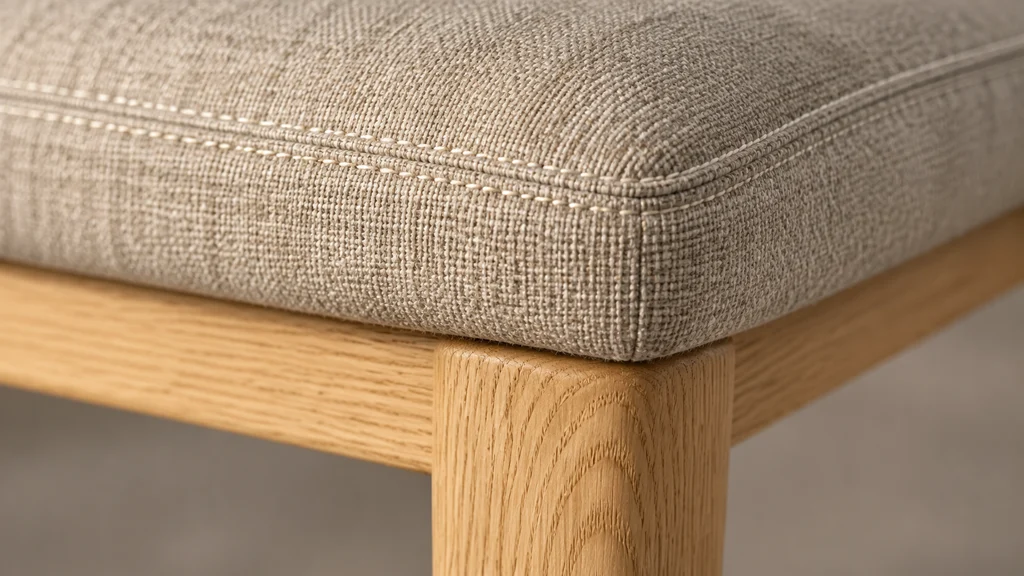
Shopify's own product guidance recommends adding media that shows the product from many angles and in use, so detail views earn their place as part of the listing rather than as extra decoration.
Lifestyle scenes, without a photo shoot
A lifestyle scene puts the product in a virtual room with furniture, props and lighting chosen to suit the product's style and the brand's audience. It supports the product page and the marketing content around it: room sets for campaigns, seasonal themes for promotions, and consistent looks across an online catalog.
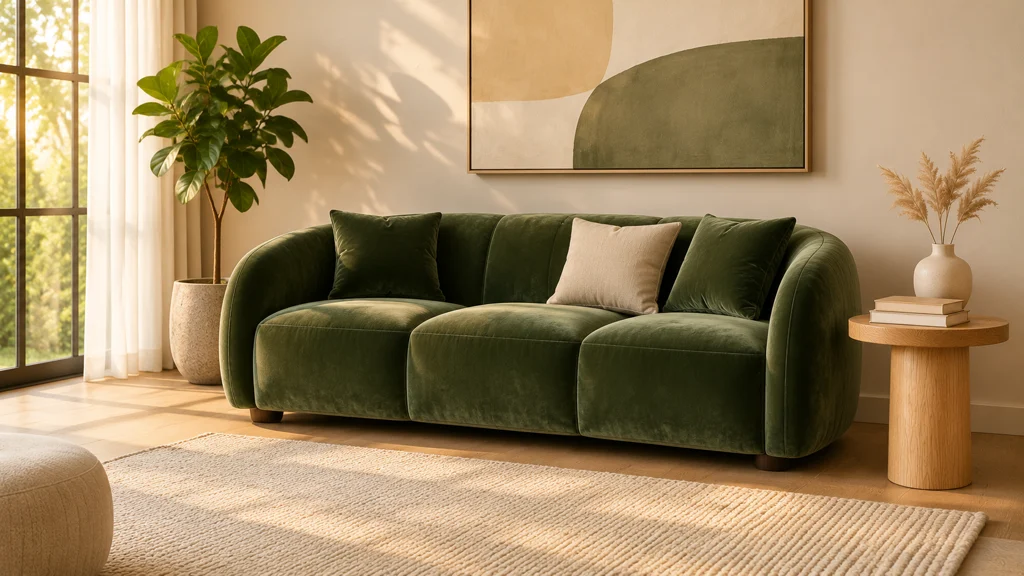
Compared with a set build for photography, a virtual set can be adjusted, reused for other products or recomposed to fit a new campaign. When many products share a style, materials or room settings, studio work can be reused across them.
Color and material variants, from the same model
Many furniture brands sell the same product in several fabrics and finishes. From one master model, the studio can re-render the piece in each option. The shopper sees how the linen version appears next to the velvet version, and a listing can cover a full option range without booking a new shoot for each one.
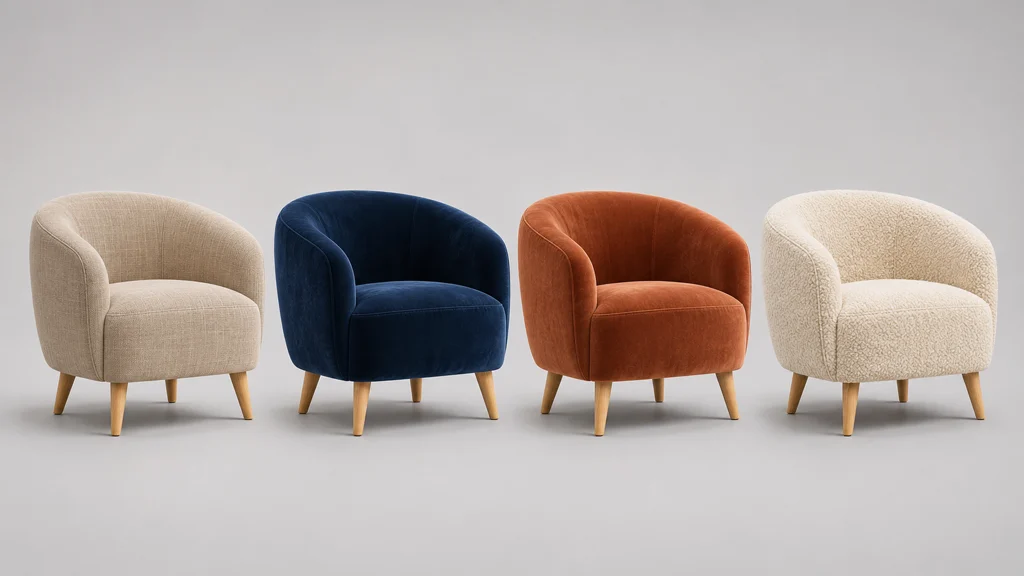
This is where a single master model is especially useful. Variant work sits alongside the main images in the same workflow, so the product page stays consistent across options that shoppers compare.
360-degree views and AR, from the same source
The same model can also produce a 360-degree view that lets shoppers rotate the piece online, and an AR view they can check in their own room with a phone. Both come from the one master model, but each needs its own output work.
When AR is a companion to a render project, the AR model is a smaller, lower-polygon version of the render model, with simplified textures sized for phones. As a guide, Google's Scene Viewer documentation recommends up to 100,000 triangles for a model, with 30,000–50,000 as an ideal range; and Shopify's model guidance puts the total under about 4 MB, with 2048 px textures for mobile web. The AR version also has to keep its real-world scale: the model sits on a surface in the shopper's room, with 1 unit equal to 1 meter.
Shopify's requirements for images add another useful limit: product photos can be up to 5000 × 5000 px or 25 MP and should stay under 20 MB, with 2048 × 2048 px treated as the standard size for square images.
One catch for color options in AR
Shopify does not let a 3D model be assigned as variant media, so on a native Shopify product page one AR model covers one colorway — it does not swap colors or finishes when the shopper picks a variant. If a sofa sells in six fabrics and the brand wants an AR view for each, the project needs six AR model files, each exported from the same master model. Image variants stay unaffected: the same product page can still show a rendered image for each option.
The staged approval workflow
A rendered furniture catalog usually moves through three approval stages, so a brand can confirm each part before the next begins.
- Model approval. The product's shape, proportions and construction are built from the drawings, measurements and references the brand supplies, then approved against them before texturing begins.
- Texturing and material approval. Fabrics, finishes and colors are applied to the approved model. The aim is a close visual match to the swatches or supplier references you approve.
- Final shot approval. The approved model and materials are rendered as final images: catalog angles, detail shots and lifestyle scenes. The brand reviews these before the files are delivered.
This sequence works because each stage is a checkpoint, so most errors are caught early, while they are still cheap to fix. A proportion that needs fixing is addressed before textures are applied, and the final delivery reflects the product as approved rather than as first drafted.
What a brand sends to start a project
A studio can begin once it has enough to model the piece accurately. CAD files or technical drawings help but many studios can also work from photos taken from several angles plus key measurements. Fabric swatches, finish samples or supplier reference images guide the materials, and information about the options — fabrics, finishes and sizes — shows the studio how many renders the product line needs.
The studio asks about the end use as well: the product page, a web AR viewer, a marketplace, or a campaign. Shopify stores use the GLB and USDZ files that Shopify generates from an uploaded model, capped at 500 MB; models above 15 MB are optimized automatically, and the store's theme has to support 3D media for shoppers to see them. Apple's AR Quick Look viewer opens USDZ or .reality models in Safari or in a web view. For Android AR, Google's Scene Viewer guidance advises keeping models around 10 MB for performance, with textures up to 2048 × 2048, and the phone needs Android 7.0 or later with ARCore support.
When rendering is cheaper than product photography
Photography and rendering both have a place. A photo shoot works well for a small range photographed in one location. Rendering takes over when the volume, the options or the logistics of photography grow beyond the budget.
Large catalogs
A studio visit, props and sample shipping accumulate as SKUs grow. With rendering, the model is a single piece of work that many assets reuse — each extra angle or scene for that product uses the same source. The more assets one model produces, the more its cost is spread across them, so the cost per image falls even though the product's total cost does not.
Many variants
This is one of the clearest cases. If a product has four fabrics and three finishes, a photo shoot has to depict twelve combinations, often with repeated staging and sample changes. Rendering reuses the master model across all the combinations, so variant image sets scale much more easily.
Products not yet manufactured
A brand can start photography only when a physical piece exists. Rendering can begin from CAD files, drawings and measurements, so images can be ready before the product leaves the factory. That gives listing content a chance to be ready before a launch, on the agreed schedule, rather than only after a sample arrives.
Products far away or hard to ship
Shipping a sofa to a studio is not cheap, and doing it across borders adds customs and handling. Rendering works from drawings and reference photos, so once the brief and references are agreed, remote or bulky products can start without any sample shipping on the timeline.
A 2014 IKEA example still illustrates the point. IKEA has used computer-generated imagery for catalog work since 2006, and a widely reported figure that year put 75% of its single-product images as CGI — a figure documented in an IKEA Communications paper of the period (Martin Enthed, published through SIGGRAPH). It shows how a large catalog adopted rendering where photos were becoming costly and complex — not as proof that every brand should do the same.
Why a full asset set matters for a furniture product page
A strong furniture product page uses images to answer the questions a showroom would. Several angles and a 360-degree view help shoppers judge proportion and shape. Close-up shots support the colors and materials. Lifestyle scenes show scale in a real setting. And a model that works in AR adds an option to see the piece placed in the shopper's own room, so the listing covers the product from several directions in one place.
| What you get | What it does for the page |
|---|---|
| Catalog images from several angles | Let shoppers judge the shape, proportions and materials |
| Close-up detail shots | Show the fabric, grain and finish up close |
| Lifestyle scenes | Show the product in context and at scale in a room setting |
| Color and material variants | Cover a full option range without reshooting |
| 360-degree view | Let shoppers rotate the piece online |
| AR model | Let shoppers place the product in their room |
What to agree for each SKU
Nothing in this guide is a fixed package. Before work starts, the brand and the studio agree, for each SKU: which views, scenes and variants are included; the final image sizes and formats; whether a 360-degree view is an image sequence or an interactive model; whether the editable model or source files are delivered; the usage rights; and how many revision rounds are included. Viewer setup, uploading and AR testing are agreed the same way — included or separate. One point is fixed in this studio's workflow: if an AR version is wanted alongside renders, it is an optimization of the master model and is priced as its own piece of work.
Costs and timelines
The cost of a rendered asset set grows with the number of images and the amount of detail in the model. The model is often the largest single piece of work in a project, and the cost per image falls as the assets it produces grow. Custom fabrics, intricate mechanisms, multiple variants and extra scene work each add work, as do rush timelines. The rendering studio's own process — model, then texturing, then final shots — gives the brand a structured, reliable way to review the work it is paying for.
To compare fairly, put the two quotes side by side on the same scope: the same products, the same images, the same scenes and revisions — plus, on the rendering side, the model build and any AR optimization, and on the photography side, the set, the samples and the shipping. Rendering is not automatically cheaper: for a small range with little reuse, building detailed models can cost more than a one-day shoot. The saving appears when the same models keep producing images, variants and scenes over time.
How to use renders in a full online store
Renders can also strengthen the catalog beyond the product page. A consistent set of hero images goes into collection pages, promotional banners and social content. A brand can also pair imagery with guidance on fabric care and assembly, so customers know what to expect, and show color and material variations on both the product page and the collection page.
What a 3D render can — and can't — show
A render can be produced from the angles and in the settings the project calls for, before the product is made. Lighting can be tuned for each scene, and variants can be produced at the same time as the main set. There is one adjustment shoppers may not expect: a render of a fabric is created from swatch references and the renderer's interpretation, so a brand can expect a close visual match, but it should not expect an exact fabric under factory inspection conditions.
That distinction means textured approval matters. The brand approves the materials before the final renders, so corrections are usually found before the finished product images are made, not after.
How 3D Vision Art approaches furniture catalog work
The studio builds one high-detail master model per product for its renders. When a brand asks for an AR companion to the same product, the AR version is made as an optimization of that model — extra work with its own price — and if a client wants AR only, the model is built for AR directly.
The studio's work is reviewable at each stage. The client approves the model, then the texturing and materials, then the final shots. The team shows its technical range through its commissioned projects — a Ford Mustang and a SAR 700 railway vehicle.
Frequently asked questions
How much does furniture 3D rendering cost?
There is no fixed average price for a render set, because every project depends on the number and scope of images, the detail level of the model and the count of variants. The model is often the largest single piece of work, and the cost per image drops when the studio can make many images from one master model. The best next step is a brief with your SKU count, options list and image needs — that gives a studio enough to price the work accurately.
How long does the process take?
The time depends on the product's detail, how many images the set needs and how many variants it includes. Large furniture pieces, custom fabrics and complex mechanisms take longer than a simple side table. Because a studio works from drawings or photos and models the product and textures in stages, the best way to speed things up is to send clear references with your brief.
Do I need CAD files to order rendering?
No. CAD files or technical drawings help, but many studios can also work from photos taken from several angles — Shopify's model guidance notes multi-angle reference photos as one of the five factors that affects modeling time. You add measurements and swatches, then the model is built from those references.
Can I use renders on Amazon and other marketplaces?
Check each marketplace's rules before you plan. Amazon staff describe main images as the 'actual product' on a white background, filling at least 85% of the frame, and Amazon prefers images larger than 1,000 px so shoppers can zoom. The article links to no Amazon Help pages, so check the marketplace's own rules before listing.
How accurate are renders compared to photos?
A render is modeled from your measurements and materials, so it can show the piece from every angle, with consistent lighting, before the product exists. Texture approval matters: the client approves the model, then the texturing and materials, then the final shots, and those approvals keep the renders close to the finished product.
Do I need an AR model too?
It depends on how shoppers buy from your store. If your shoppers browse on mobile and check furniture in their rooms, an AR view adds a useful option. Shopify stores use GLB and USDZ formats, and the AR version is an optimization of the render model. If you only want an AR model, the model is built for AR directly. Your studio can help you decide whether the extra work is worth it.
Ready to see what your catalog would involve?
To get a scope built around your SKUs, see our 3D Product Rendering Services page and Get a Free Quote. Share your product references, your option list and the images you need.