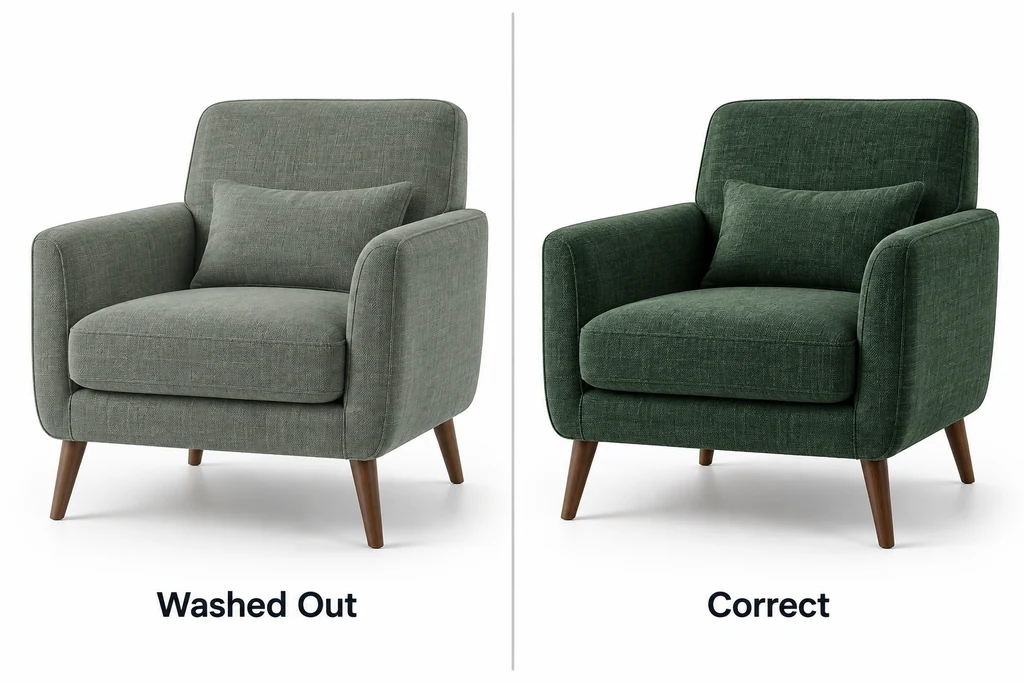
The symptom is often blamed on the wrong input
A product team may see a fabric render that looks washed out, too dark, or unlike the approved still. The first reaction is often to change base color values. That can hide the problem in one environment while making it worse in another.
A PBR viewer performs lighting calculations in a working color space and then prepares output for a display. Three.js documents LinearSRGBColorSpace as its linear working space and describes automatic conversion for inputs conventionally specified in sRGB, such as hexadecimal colors and CSS strings. The important point is not memorising settings. It is keeping the meaning of each input clear.
Separate color data from lighting data
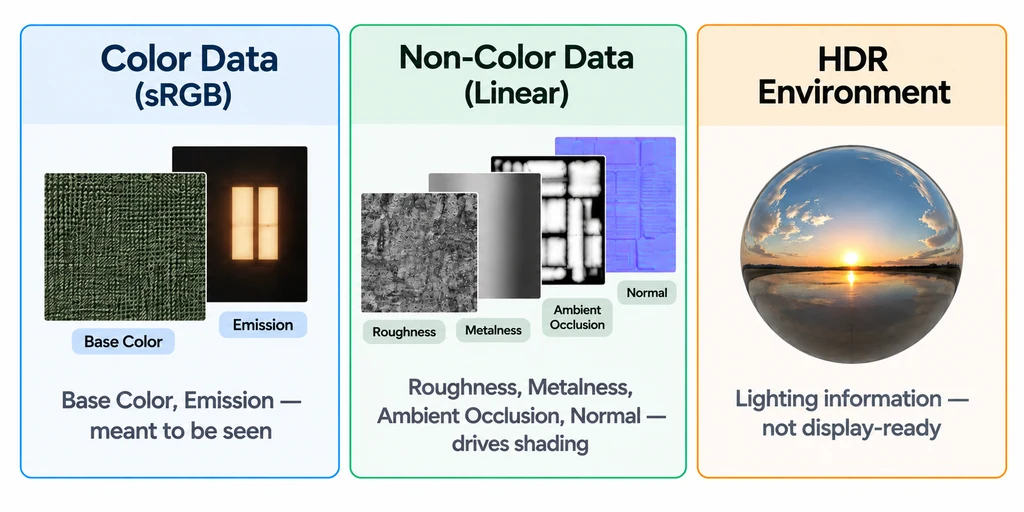
A base-color texture is color data intended to be seen. It normally needs the source color-space treatment expected by the renderer. A roughness map, metalness map, normal map, and ambient-occlusion map are not display-color images. They encode values that drive shading and should not receive the same color conversion as an albedo image.
HDR environment data has another role. It supplies lighting information with a range that cannot be treated like a display-ready product photograph. If an environment is tagged or processed incorrectly, metal and glossy finishes can look wrong even when the base-color texture is correct.
Make a small asset manifest for every approved model: texture purpose, file type, source color space, intended material slot, and whether the image is used as environment lighting. This turns a hidden renderer assumption into reviewable production data.
Tag manually loaded textures by their role
GLTFLoader handles color-space assignments for supported glTF materials. A texture added manually needs the same care. For an ordinary sRGB-encoded base-color image loaded with TextureLoader:
const baseColor = new THREE.TextureLoader().load('/textures/base-color.webp');
baseColor.colorSpace = THREE.SRGBColorSpace;
baseColor.flipY = false; // Conventional orientation for a glTF material.

const roughness = new THREE.TextureLoader().load('/textures/roughness.webp');
roughness.colorSpace = THREE.NoColorSpace;
roughness.flipY = false;
This example assumes ordinary image textures and glTF UV conventions. ImageBitmap orientation is controlled when the bitmap is created. Preserve the intended UV channel, transform, wrapping, and filtering when replacing an existing texture.
| Data | Typical assignment |
|---|---|
| sRGB-encoded base color or emissive image | THREE.SRGBColorSpace |
| Normal, roughness, metalness, or AO values | THREE.NoColorSpace |
| Linear HDR lighting image | Let the appropriate loader establish its linear interpretation. |
For a direct WebGLRenderer path, choose output encoding and tone mapping separately:
renderer.outputColorSpace = THREE.SRGBColorSpace;
renderer.toneMapping = THREE.NeutralToneMapping;
renderer.toneMappingExposure = 1.0;
NeutralToneMapping is one review candidate, not a guarantee of physical color matching. Compare it with the project's approved transform under the same exposure. Post-processing setups need a correctly configured final output pass so conversion is not applied twice. Pin the Three.js version and consult its color-management documentation when updating the pipeline.
Set output deliberately

Three.js exposes outputColorSpace on its renderer. The output setting belongs at the end of the pipeline, after lighting calculations. It should be selected with the display target and rendering setup in mind, then kept stable while material work is reviewed.
Avoid fixing a display transform issue by darkening a base-color texture. That bakes a compensating error into the asset. If the viewer later changes its tone-mapping or output behavior, the product color will drift again.
Use a reference scene that reveals errors
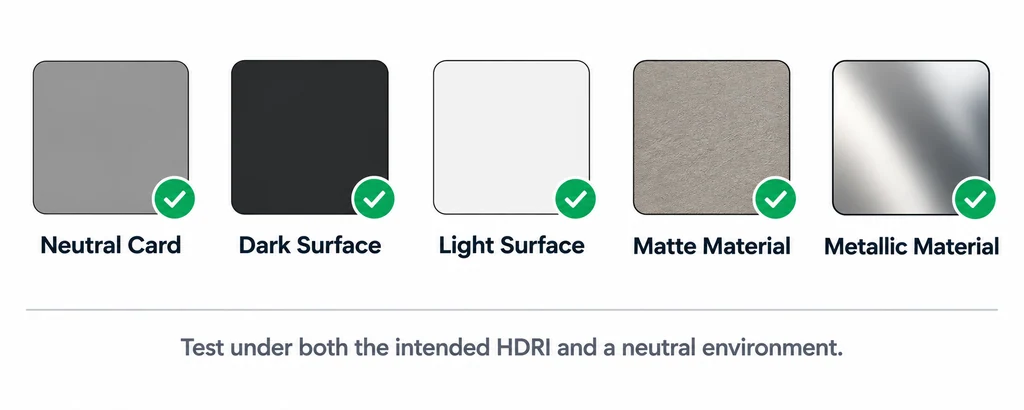
A useful color check scene has more than a gray background. Include a neutral card, dark and light surfaces, a matte material, a metallic material, and a calibrated product finish. Review the same GLB under the intended HDR environment and under a simple neutral environment. If a correction only works under one background, investigate the pipeline before authoring a new texture.
Compare screenshots only after the viewer, viewport, browser zoom, and display conditions are known. A color-management article cannot promise identical appearance across every uncalibrated screen. It can establish a consistent authored and rendered path.
Assign ownership
The 3D artist should state the intended texture roles. The viewer engineer should state how the renderer interprets those roles. The product owner should approve the result in a reference scene and record the renderer version and environment. This division prevents a late-stage argument about whether a color issue came from art, export, or display output.
Color consistency is less about one magic property and more about refusing to mix three different kinds of data: visible color, lighting values, and display output.