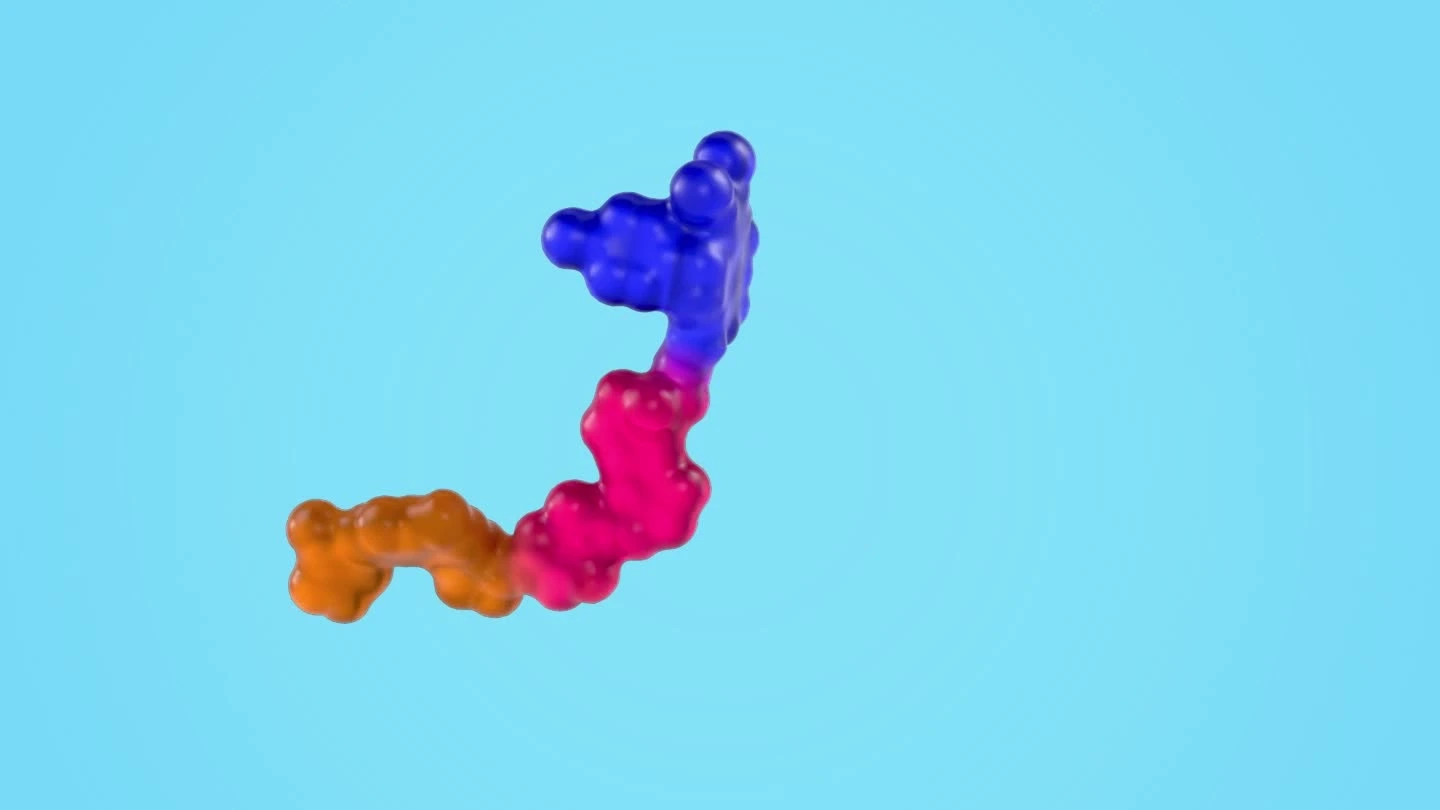
A still from the final project render, used with permission. The process below focuses on modeling the outer surface.
While working on a medical visualization project, I needed to create a protein with a transparent outer surface and a visible structure inside. The challenge was to build an organic surface that followed the internal shape without modeling every connection by hand.
I wanted a workflow that let me adjust the overall form before spending time on surface cleanup. After exploring different approaches, I settled on overlapping rounded objects, joining them, and using Blender's Remesh modifier to create a continuous surface.
Starting with separate shapes
I built the outer form from individual, bubble-like objects arranged around the internal structure. I adjusted their size and position to establish the silhouette, allowing neighboring objects to overlap.
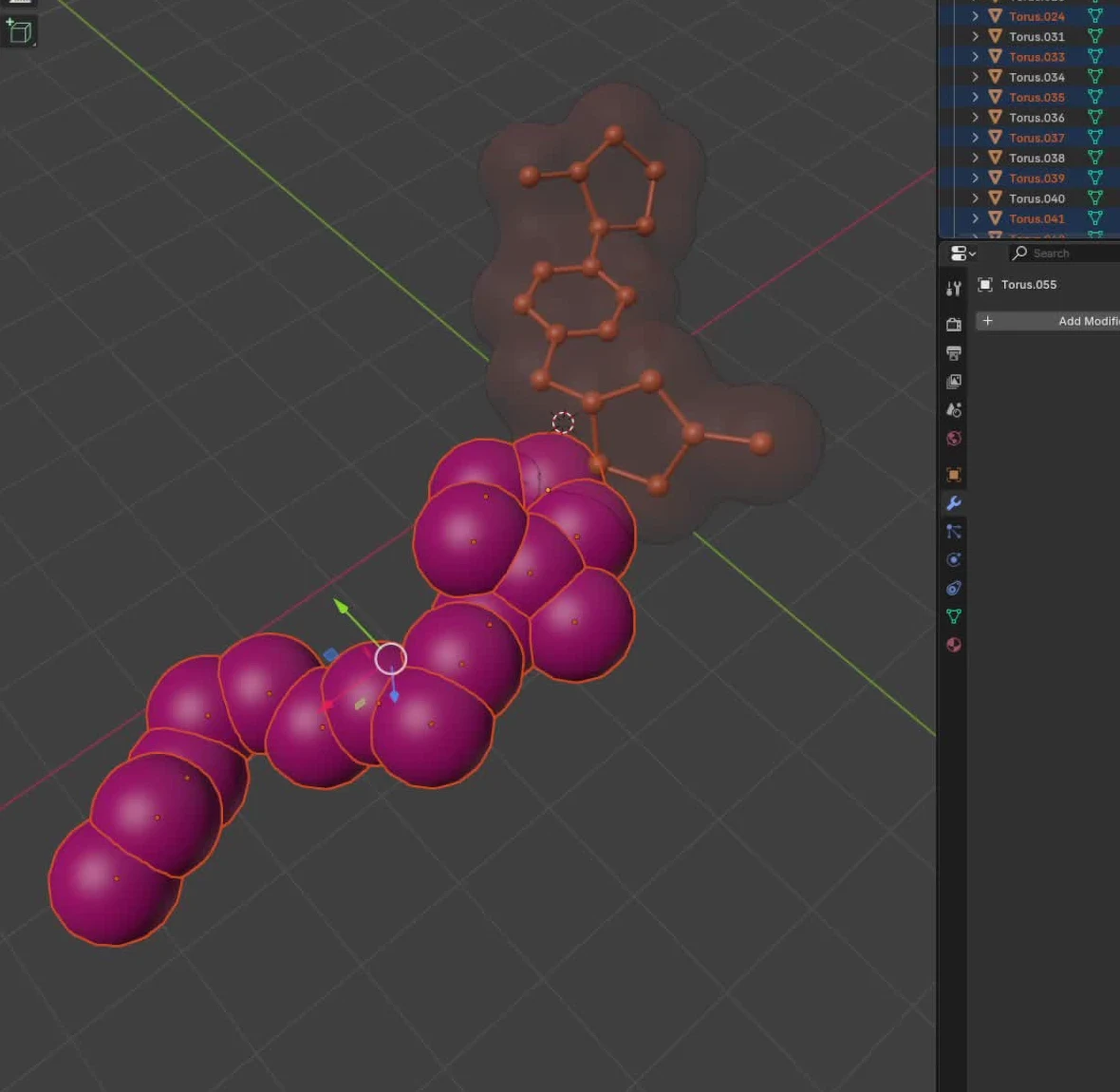
Keeping the pieces separate at this stage made the shape easier to change. I could enlarge a section, move a rounded form, or adjust a connection without editing a continuous mesh.
The overlaps mattered. They gave the remesher connected volumes to work with when rebuilding the surface.
Turning the blockout into a continuous mesh
Once I was happy with the arrangement, I selected the outer pieces and used Join to combine them into one object.
Joining the objects was only part of the process. Their geometry still consisted of overlapping pieces. I then used voxel remeshing to rebuild those pieces as a continuous surface. The screenshots record the workflow used for this project; the location and naming of remeshing controls can differ between Blender versions.
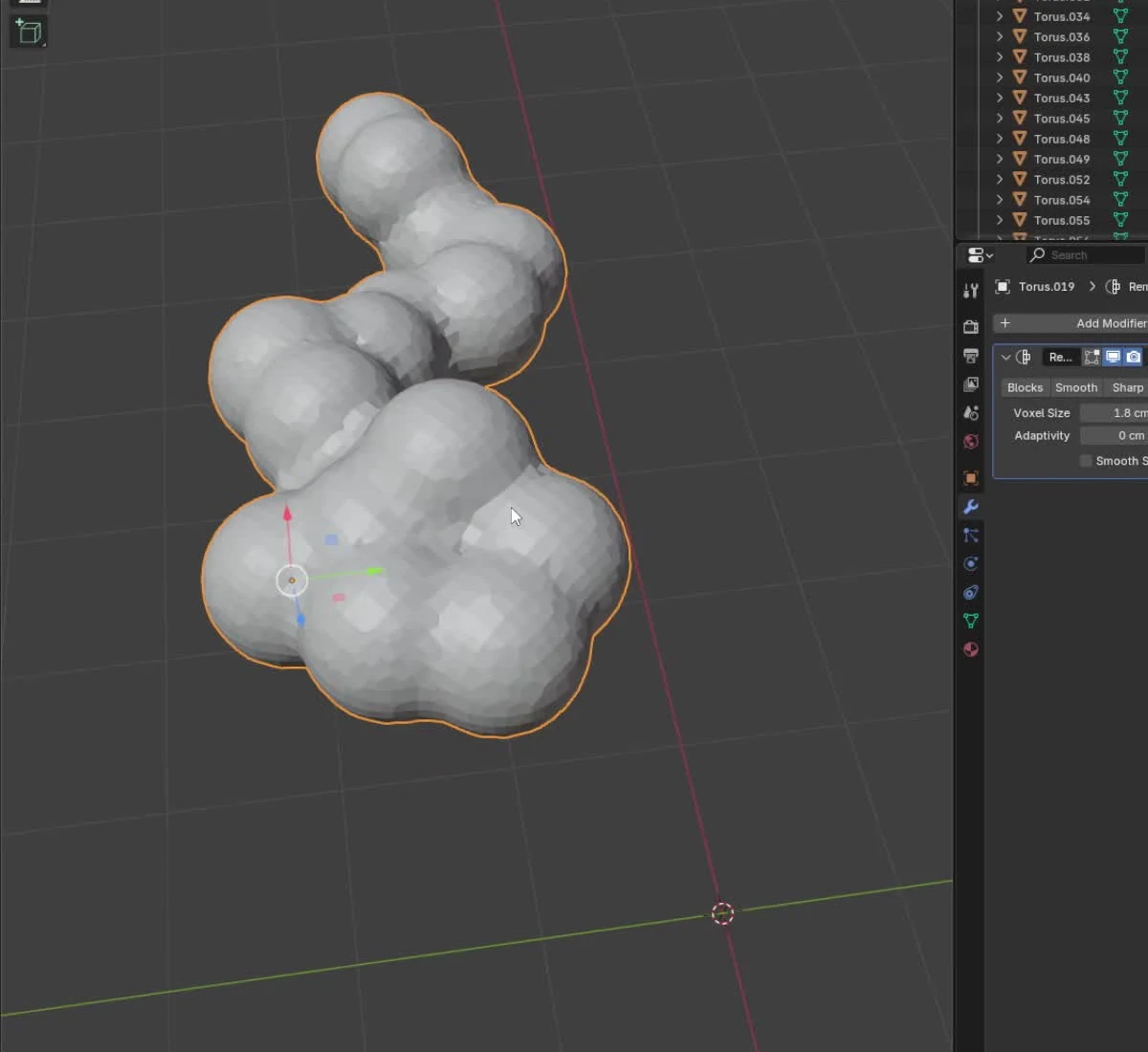
Voxel size controlled how much of the shape the new mesh retained. A larger value produced a coarser result, while a smaller value preserved more detail and increased the geometry. I adjusted the setting to keep the rounded forms and their connections without adding unnecessary density.
Cleaning up the transitions
The remeshed result gave me the overall surface, but some connections still needed attention. I moved into Sculpt Mode and used smoothing passes to soften rough areas and improve the transitions between the rounded forms.
I checked the model from different angles as I worked. The aim was to keep the larger volumes recognizable while making their connections feel continuous. Too much smoothing would have removed the shape I had established during the blockout.
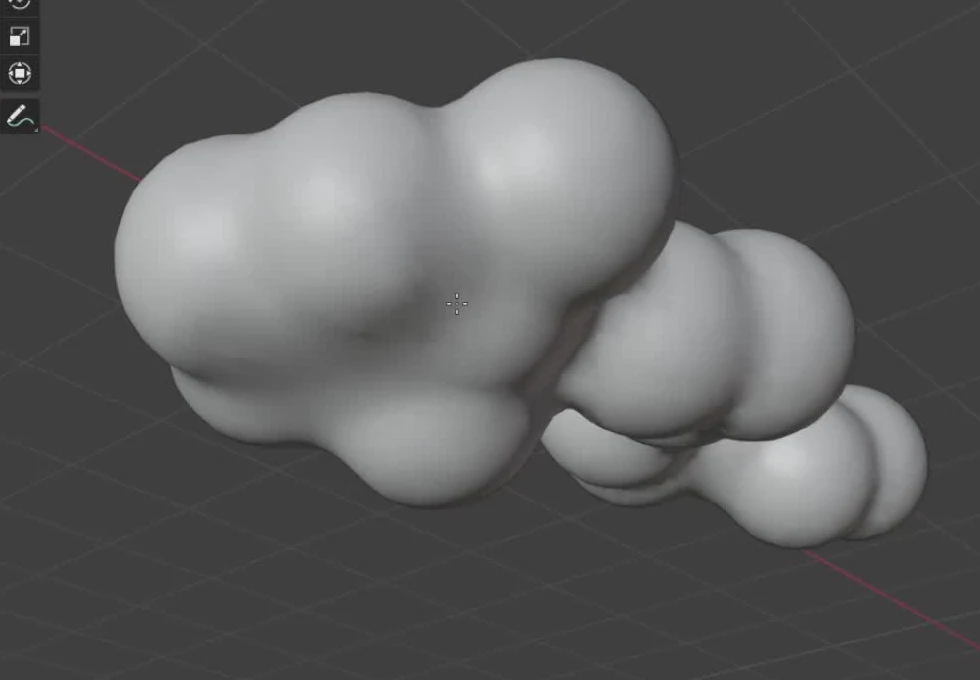
This gave me an outer mesh that I could continue working with for the transparent part of the visualization, while keeping the internal structure separate. This was an artistic surface-building method for the visualization. It does not derive a molecular surface from scientific structure data or establish biological accuracy.
For this project, the useful part of the workflow was how it divided the work: separate objects for shaping, remeshing for the connections, and sculpting for the final cleanup. It let me focus on the form first and refine the surface afterward.