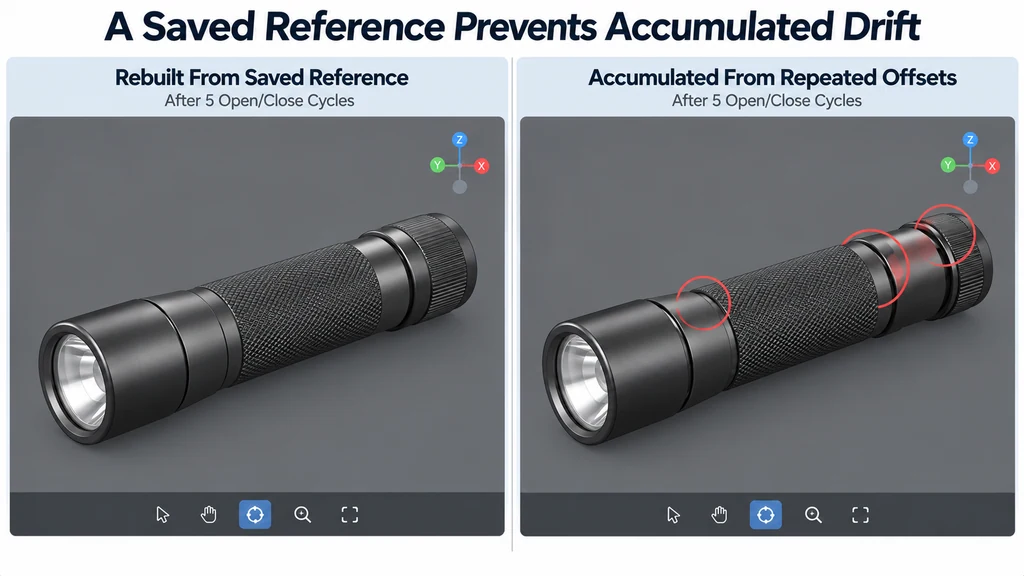
An exploded view is a presentation of component relationships. It is not automatically a valid disassembly sequence or maintenance instruction.
Store an immutable assembled state
Record the local transform of every part that will move. Preserve its parent relationship. The glTF node model defines local transforms within a hierarchy, so local and world coordinates are not interchangeable.
Choose the coordinate space for each explosion offset. If offsets are expressed in product space, convert them appropriately for parts with transformed parents.
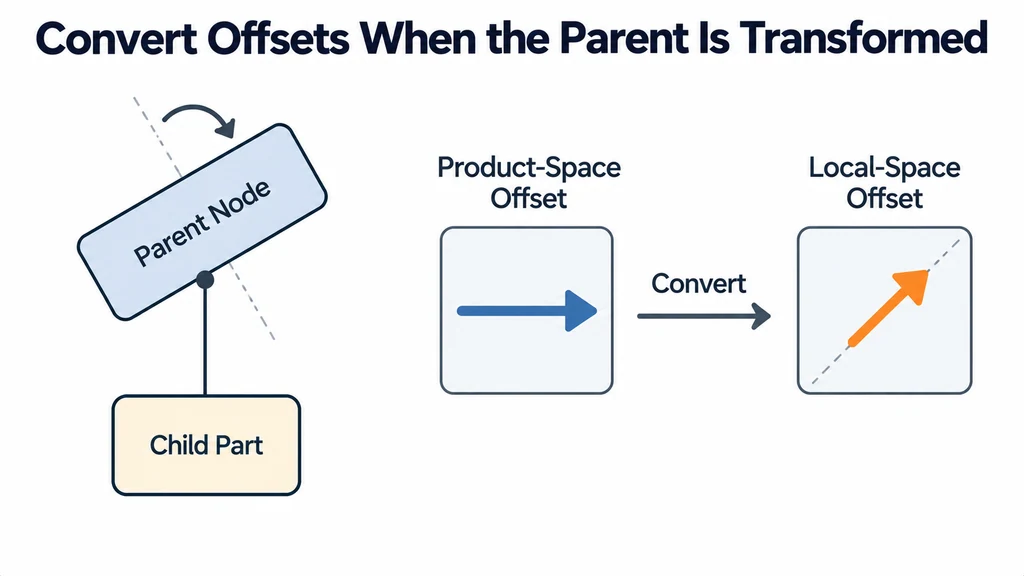
Do not change the original source hierarchy merely to simplify the animation unless the resulting asset is reviewed for its other uses.
Define destinations that preserve understanding
Choose offsets that expose the relevant relationships without placing parts arbitrarily. Keep related components near enough for the viewer to understand their connection.
Review labels and selection when parts move. A component should retain its identity between assembled and exploded states.
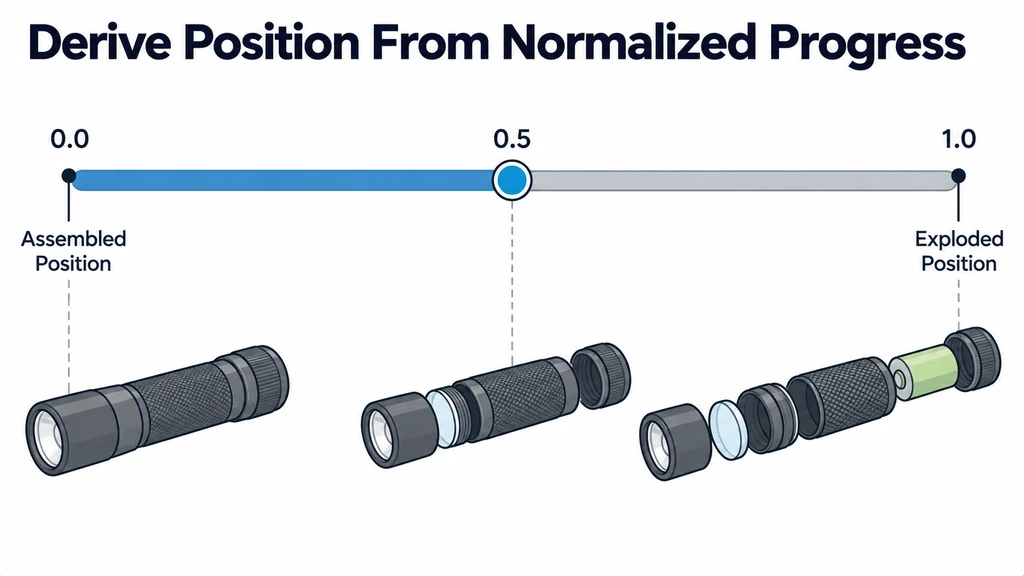
Use a normalized progress value to derive each part's position between the saved assembled state and its destination. For rotational changes, use an appropriate rotation interpolation rather than treating orientation values as ordinary positional offsets.
Give one system ownership of the transform
Avoid having an animation mixer and custom interaction code write competing transforms during the same transition. The AnimationMixer documentation describes playback management, but the application must decide which system controls the part.
When the user reverses direction mid-transition, continue from the current progress toward the new destination. Do not restart from a stale endpoint and cause a visible jump.
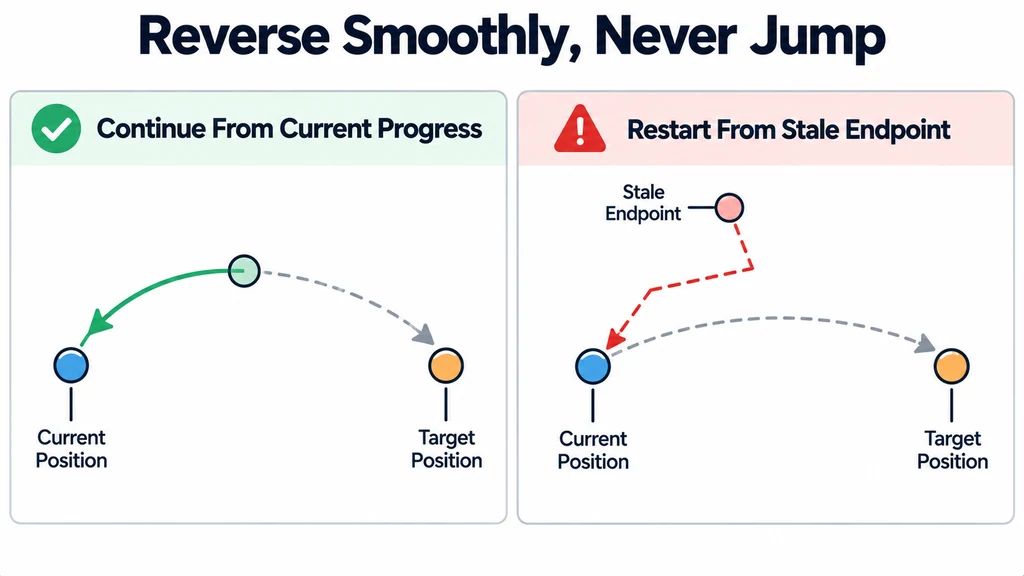
Define reset behavior. It should restore the exact saved state, including rotation and scale where those properties were changed.
Derive a part position from progress
For a part whose explosion offset is already expressed in its parent's local coordinates, store the assembled position once and derive the displayed position from it:
const assembled = part.position.clone();
const offset = new THREE.Vector3(0, 0.2, 0);

function setProgress(value) {
  const t = THREE.MathUtils.clamp(value, 0, 1);
  part.position.copy(assembled).addScaledVector(offset, t);
}
The offset above is illustrative. It must follow the product's approved explanatory layout. This function controls translation only. If the sequence also changes rotation or scale, retain those starting values separately and interpolate them with the appropriate operations.
At progress zero, the saved position is restored directly. Reversing the animation changes the progress target instead of adding another displacement. If an AnimationMixer controls the same property, pause or coordinate that track before the custom transition. Otherwise, two writers can produce a jump even when both calculations are individually correct.
Test repeated and interrupted operation
Run repeated open-and-close cycles. Compare the final assembled transforms with the saved originals within the numeric tolerance appropriate to the implementation.
Test rapid reversal, reset during motion, part selection while exploded, and switching products before the transition finishes. Ensure that callbacks for the old product cannot move the new one.
Inspect the camera fit at the largest exploded extent. A view that fits the assembled model may clip separated parts.
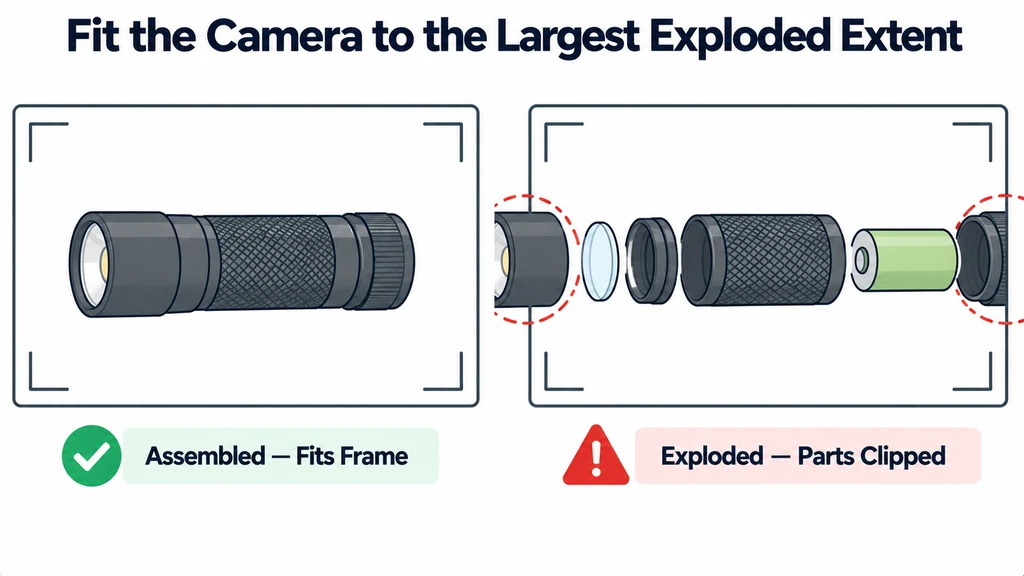
Keep the presentation offsets and any simplifications with the asset record. Obtain approval for the relationship being explained. Do not imply that the displayed separation order is mechanically safe or physically executable unless the responsible product authority has verified that claim.