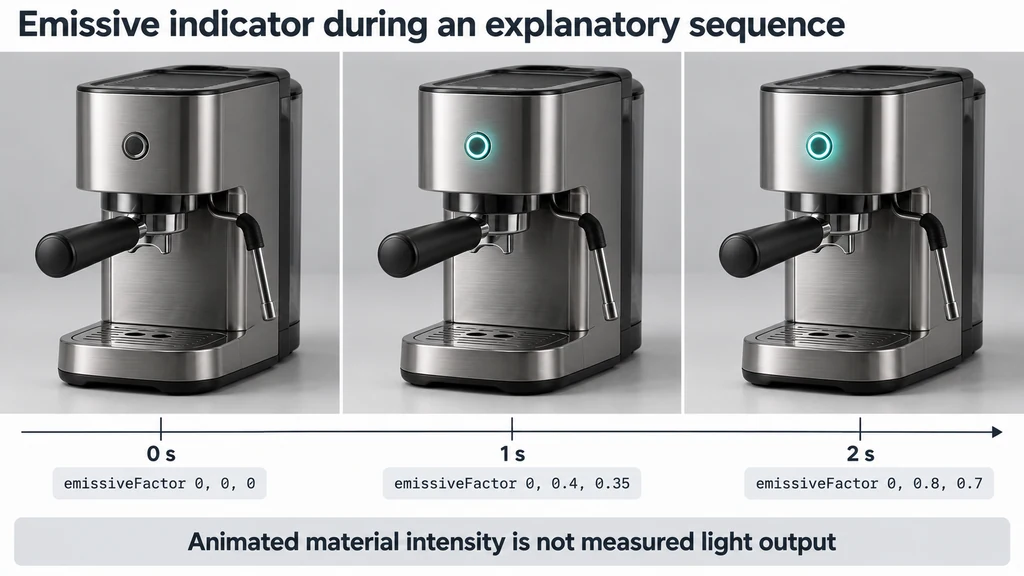
A product example might change an emissive indicator during an explanatory sequence. Define what that change means before implementing it. Animated material intensity is not evidence of measured light output.
Choose a supported property and meaningful action
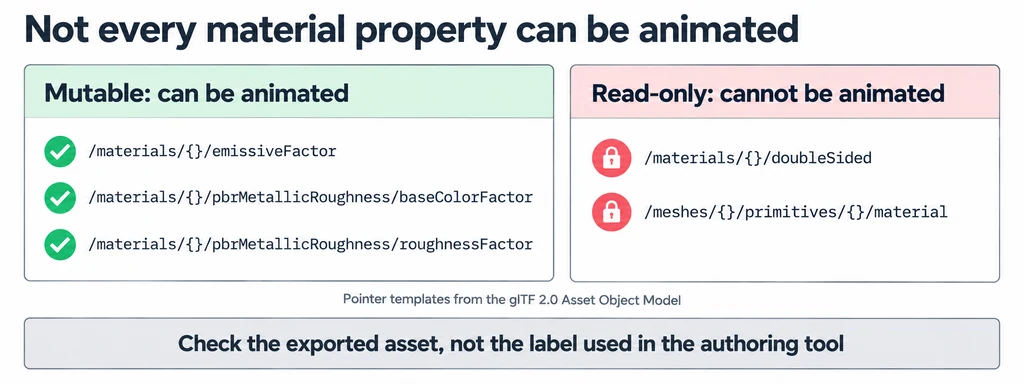
Consult the extension specification for eligible targets and pointer rules. Identify the material and property in the exported asset, not only the name used by the authoring application.
Keep the intended product behavior documented. Distinguish a physical state change from an editorial highlight used to direct attention.
Choose a static initial state that remains understandable if the animated behavior cannot be shown. Do not make essential product information depend solely on a subtle animated material change.
Prove the smallest property animation first
Create a minimal test asset with one relevant property change. Verify the exported target, keyframe values, and timing before adding the full product.
Check support in the actual loader and renderer combination. The GLTFLoader documentation is a starting point for that implementation, not a claim that all deployed versions or plugins behave identically.
If support requires a plugin, record its version and configuration. Do not interpret an asset loading without an exception as proof that the property is animated.
Inspect the exported pointer target
A channel targeting an emissive factor can use the following target object within a complete glTF animation:
{
  "path": "pointer",
  "extensions": {
    "KHR_animation_pointer": {
      "pointer": "/materials/0/emissiveFactor"
    }
  }
}
This is a fragment, not a complete asset. The animation also needs its sampler and accessors, the referenced material must exist, and the asset must declare the extension according to its rules.
The pointer selects a property by its exported array position and path. Reordering materials or rebuilding the export can invalidate a hand-written pointer. Check the final file rather than copying an index from an earlier revision.
| Target example | Treatment |
|---|---|
| Material color, emissive factor, or roughness factor | Check the extension's animatable-property rules and matching accessor type. |
| Texture-transform offset or rotation | Requires the relevant extension data and supported target path. |
| Texture index, alphaMode, or doubleSided | Do not treat these structural or discrete settings as ordinary interpolated material targets. |
The current GLTFLoader documentation lists KHR_animation_pointer as a separately registered plugin capability. Record the plugin and Three.js versions; loading a core GLB is not evidence of pointer-animation support.
Inspect shared-material behavior
Determine whether several components use the targeted material. Animating it can affect every component sharing that material, which may be correct or unintended.
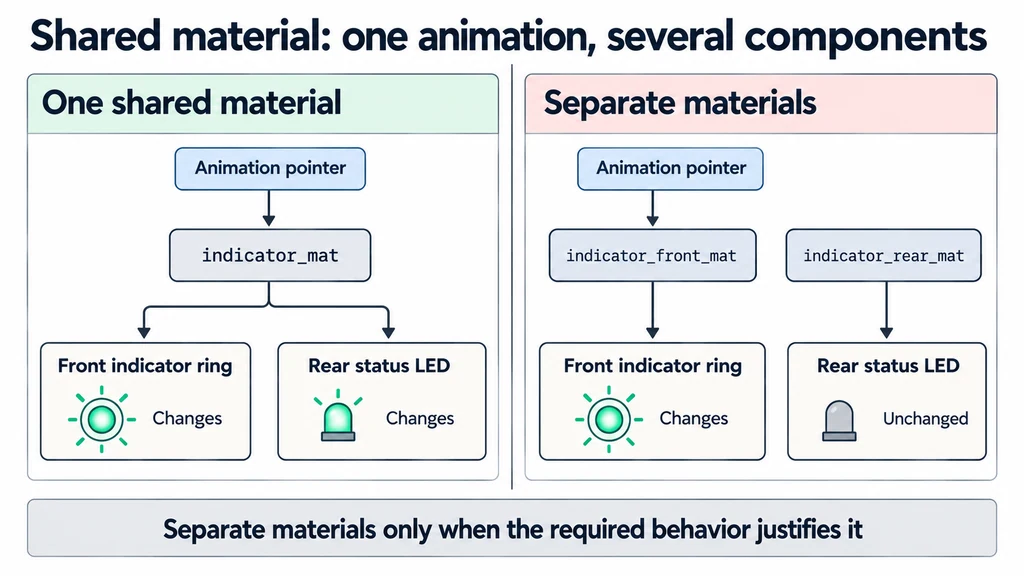
Separate materials only when the required behavior justifies it. Keep product finish changes distinct from temporary explanatory effects so the final state can be restored reliably.
Test seeking, looping, restarting, and ending the animation. The asset should not remain in an unintended intermediate material state after the sequence is stopped.
Approve a supported and unsupported path
View the sequence in the target environment and compare it with the approved product behavior. Confirm that the property change remains visible under the intended lighting and tone treatment.
Then test the fallback deliberately. If the application cannot support the extension, decide whether to show the static state, offer a rendered explanation, or reject the asset for that destination.
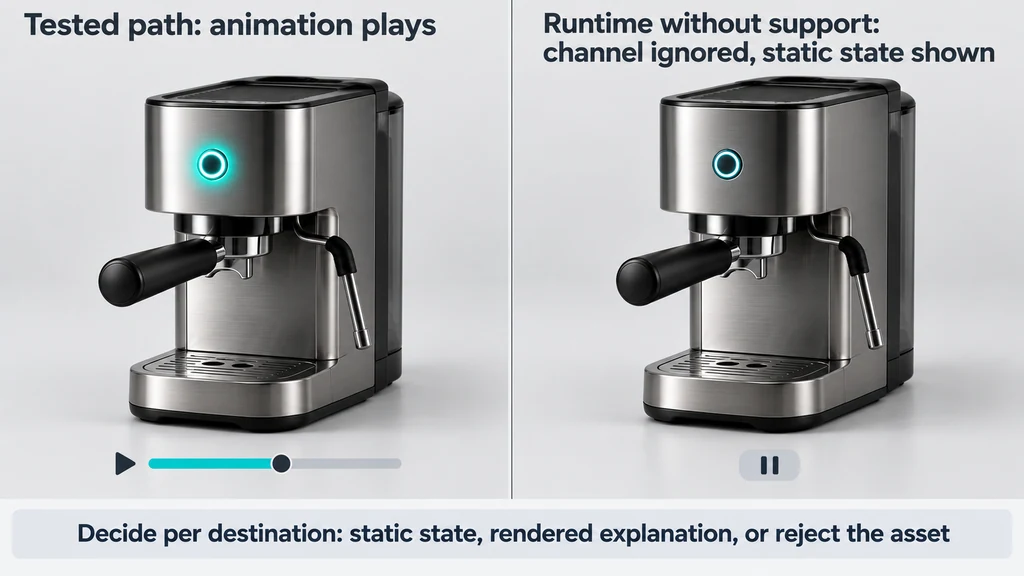
Keep the minimal fixture and the final asset with their support record. Recheck them when the exporter or runtime changes. Release the animation only for a tested path, and avoid presenting the existence of the extension as evidence that the website already implements it.